Quick answer
Replace the midsole in your Astral TechYak shoes by removing the old insole, inserting the Techyak Drop-in Recharge Midsole in the correct size and color, and checking for a snug fit. No tools or glue needed.
Why replace the midsole instead of buying new shoes?
Over time, the original midsole in any shoe loses its cushioning and support, especially if you wear your TechYaks frequently. Replacing just the midsole is a cost-effective way to extend the life of your shoes—the Techyak Drop-in Recharge Midsole costs a fraction of a new pair and can restore that fresh-underfoot feel.
One trade-off: the drop-in design means the midsole sits on top of the existing shoe bed, which might slightly raise your foot height inside the shoe. If you have a low-volume foot, you may notice a tighter fit; consider trying the midsole with the thinnest socks you normally wear.
How to replace the midsole in your Astral TechYak shoes
- Remove the old insole or midsole: Take out the existing insole or midsole from your Astral TechYak shoes. If it's glued in, gently peel it away starting from the heel. Discard the old piece. Common mistake: leaving a layer of old foam or adhesive behind. Ensure the shoe cavity is clean and dry before inserting the new midsole.
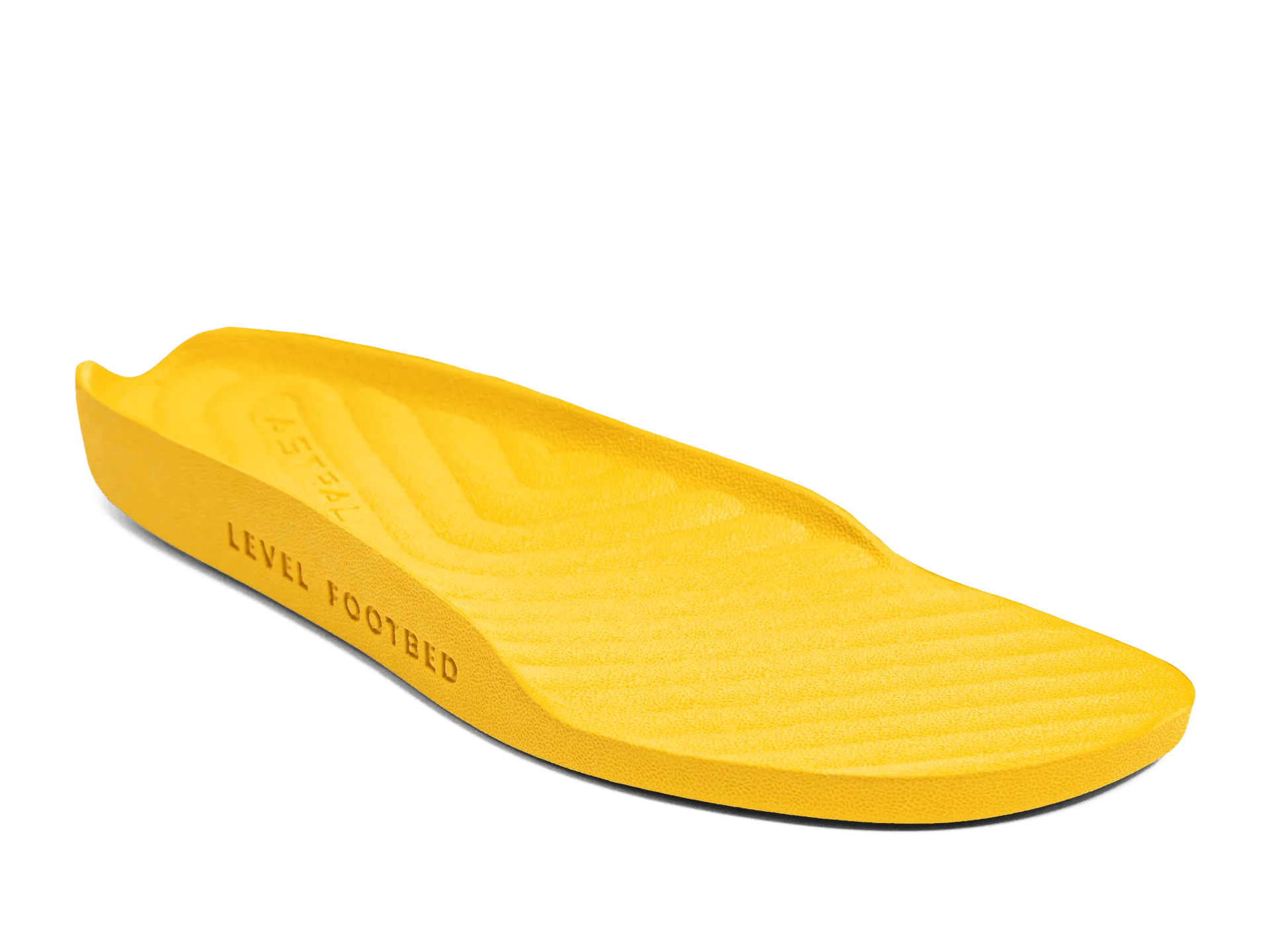
- Select the correct size and color: The Techyak Drop-in Recharge Midsole is available in size M5/W6 and in Lightning Yellow. Verify that this size matches your shoe size—it's designed for a tailored fit in corresponding Astral footwear. If your foot is between sizes or wider than average, the midsole may feel snug. Try it with the shoes unlaced first to assess fit.
- Insert the new midsole: Place the Techyak Drop-in Recharge Midsole into the shoe, aligning the heel and arch areas. Press down firmly so it sits flat against the shoe's footbed. The drop-in design allows it to be removed later if needed. Checkpoint: after insertion, the midsole should not bunch up or slide around. If it shifts, remove and reposition it.
- Test the fit and comfort: Wear the shoes with your usual socks and walk around for a few minutes. The recharge midsole should feel supportive without excessive pressure points. If it feels too tight, consider using thinner socks. If the midsole lifts at the heel when you walk, it may be too small for your shoe size. Re-check sizing or consider a different insole option.
Product used in this guide
-
Techyak Drop-in Recharge Midsole: The Techyak Drop-in Recharge Midsole features a drop-in design for easy placement and removal, and a recharge feature that helps maintain cushioning over time. You don't need adhesive or special tools to install it, and the recharge capability means the midsole retains its plushness longer than standard insoles.
Techyak Drop-in Recharge Midsole