The Quad Lock Sports Armband is a favorite among runners and fitness enthusiasts for its secure phone mounting and easy access. Over time, the elastic strap can lose its stretch or show signs of wear, especially with frequent use. Replacing the strap is a simple process that can extend the life of your armband and keep your phone safe during workouts.
In this guide, we'll walk you through the steps to remove the old strap and install a new one, ensuring a snug and comfortable fit. We'll also share some tips on how to care for your armband to make it last longer.
Why Replace the Strap?
The strap on your Quad Lock Sports Armband is designed to be durable, but it's still subject to wear and tear. Sweat, sun exposure, and repeated stretching can cause the elastic to lose its firmness, leading to a loose fit that might allow your phone to shift during a run. A worn strap can also become less comfortable, causing chafing or irritation.
Replacing the strap is a cost-effective way to refresh your armband without buying a whole new unit. It's also a quick DIY task that requires no special tools – just a few minutes of your time. By keeping your armband in top condition, you ensure your phone stays secure and accessible no matter how intense your workout gets.
- Signs you need a new strap: visible fraying, loss of elasticity, or difficulty keeping the armband in place.
- Replacement straps are available separately, so you don't have to replace the entire armband.
What You'll Need
Before you start, gather the following items: your Quad Lock Sports Armband, a replacement strap (make sure it's compatible with your armband model), and a clean, flat surface to work on. You might also want a soft cloth to wipe down the armband before reassembly.
The replacement strap is designed to fit perfectly with the armband's buckle and adjustment system. If you're unsure which strap to order, check the product page for compatibility details. The strap is sold separately, and you can find it under the Accessories category on the Quad Lock website.
- Ensure the replacement strap is the correct length for your arm size.
- Work in a well-lit area to avoid losing small parts.
Step-by-Step Replacement Guide
Start by removing the armband from your arm and laying it flat. Locate the buckle where the strap threads through – this is the mechanism that allows you to adjust the fit. Gently pull the strap out of the buckle, taking care not to force it. If the strap is stuck, use a small flathead screwdriver to pry it loose, but be careful not to damage the buckle.
Once the old strap is free, set it aside. Take your new strap and thread it through the buckle in the same way the old one was positioned. Make sure the strap is oriented correctly – the smooth side should face your skin for comfort. Pull the strap through until it's snug, then adjust the length to fit your arm. Finally, secure the strap by threading it through the buckle's locking mechanism and pulling tight.
- Double-check that the strap is not twisted before securing it.
- Test the fit by wearing the armband and moving your arm – it should feel secure but not too tight.
Tips for Maintaining Your Armband
To extend the life of your new strap, rinse it with fresh water after sweaty workouts and let it air dry. Avoid leaving it in direct sunlight for extended periods, as UV rays can degrade the elastic. Also, be gentle when adjusting the strap – yanking on it can cause unnecessary stress.
Regularly inspect the strap for signs of wear, especially if you run frequently. Catching issues early can prevent your phone from falling during a workout. If you notice any damage, consider replacing the strap again or upgrading to a more durable option.
- Hand wash the strap with mild soap if it gets particularly dirty.
- Store the armband in a cool, dry place when not in use.
Replacing the strap on your Quad Lock Sports Armband is a straightforward task that keeps your phone secure and comfortable during every run. With just a few simple steps, you can restore your armband to like-new condition. If you need a replacement strap, check out the Running - Sports Armband product page for compatible options and other accessories.
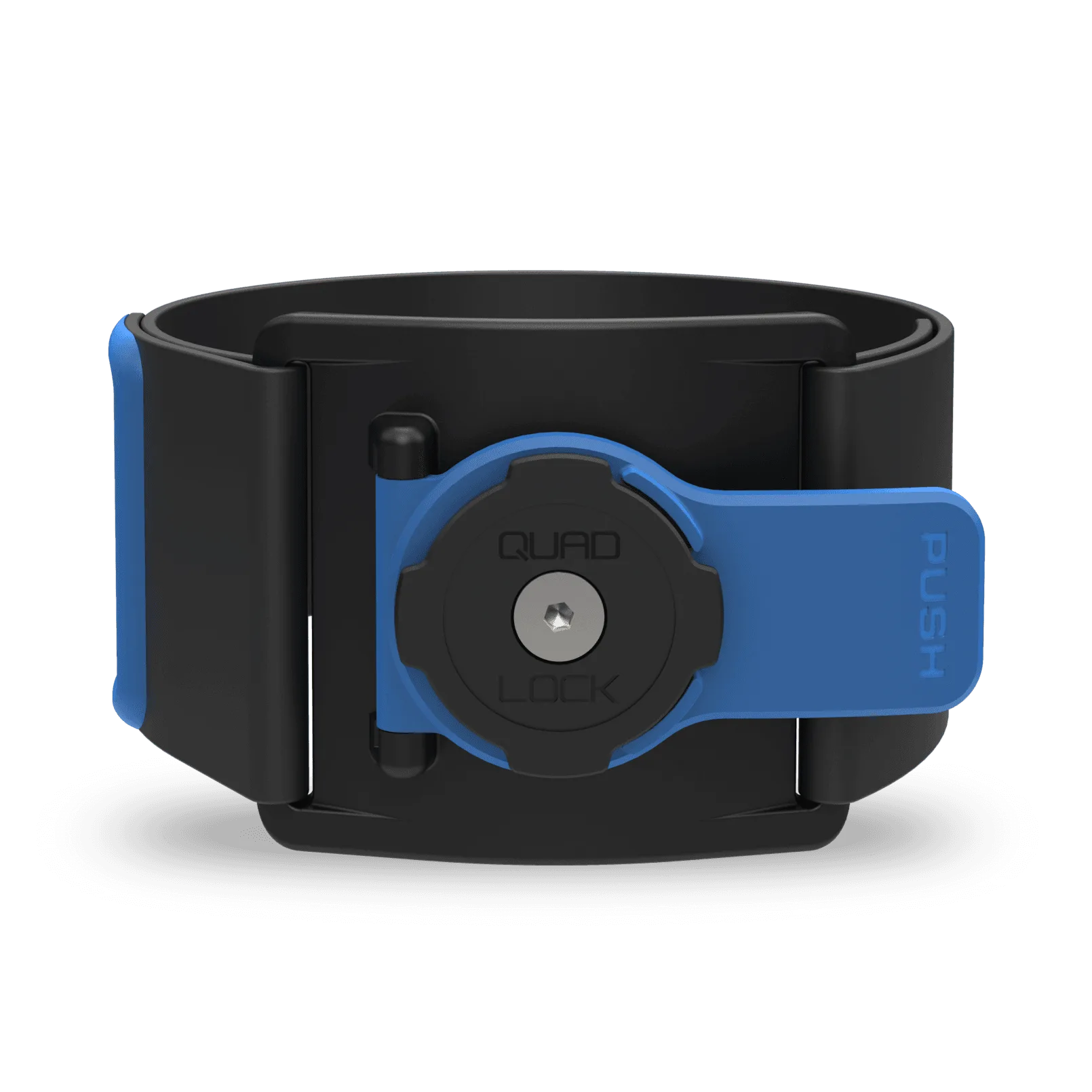
Running - Sports Armband