Quick Answer
To replace the synchronizing wheel on your robot, remove the old wheel, clean the shaft, install the new wheel with proper alignment, and test belt tension. Use a genuine 90-tooth synchronizing wheel for a reliable fit.
Why Replace the Synchronizing Wheel?
The synchronizing wheel is a key part of your robot's drive system. It transfers motion from the motor to the belt, so when it wears out or gets damaged, you may notice slipping, uneven movement, or strange noises. Replacing it promptly keeps your robot running smoothly and prevents further damage to the belt or motor.
Genuine vs. Generic Replacement Parts
Using a genuine replacement part ensures the tooth profile and dimensions match your robot's original design. A generic wheel might fit, but it could have slight differences that cause belt misalignment or premature wear. For reliable performance, choose a genuine 90-tooth synchronizing wheel from your robot's manufacturer.
Step-by-Step Replacement Process
- Prepare Your Workspace and Tools: Turn off the robot and disconnect the battery. Gather a screwdriver, a small wrench, and a clean cloth. Place the robot on a stable surface with the wheel accessible. Always disconnect power before starting to avoid accidental movement.
- Remove the Old Synchronizing Wheel: Loosen the set screw or bolt that holds the wheel on the motor shaft. Gently pull the wheel off, using a puller if it's stuck. Do not force it, as you may damage the shaft. If the wheel is stuck, apply a small amount of penetrating oil and wait a few minutes before trying again.
- Clean the Motor Shaft: Wipe the shaft with a clean cloth to remove dust, grease, or debris. Check for any burrs or damage that could affect the new wheel's fit. A clean shaft ensures the new wheel sits flat and runs true.
- Install the New Synchronizing Wheel: Slide the new 90-tooth synchronizing wheel onto the shaft, aligning the set screw with the flat spot on the shaft. Tighten the screw firmly, but avoid overtightening to prevent stripping. Make sure the wheel is positioned so the belt will run straight without rubbing against the frame.
- Reinstall the Belt and Test: Place the belt back over the wheel and any other pulleys. Adjust the tension so the belt is snug but not overly tight. Rotate the wheel by hand to check for smooth motion, then power up the robot and run a slow test. If you hear a clicking or see wobble, stop and re-check the wheel alignment and belt tension.
Product Facts
-
#SH Injection synchronizing wheel 90T-with steps: This Makeblock after-sale accessory is a 90-tooth injection synchronizing wheel with steps, designed to support your robotic builds and mechanical projects. It provides a precise, durable replacement that keeps your robot's belt drive running smoothly without guessing about compatibility.
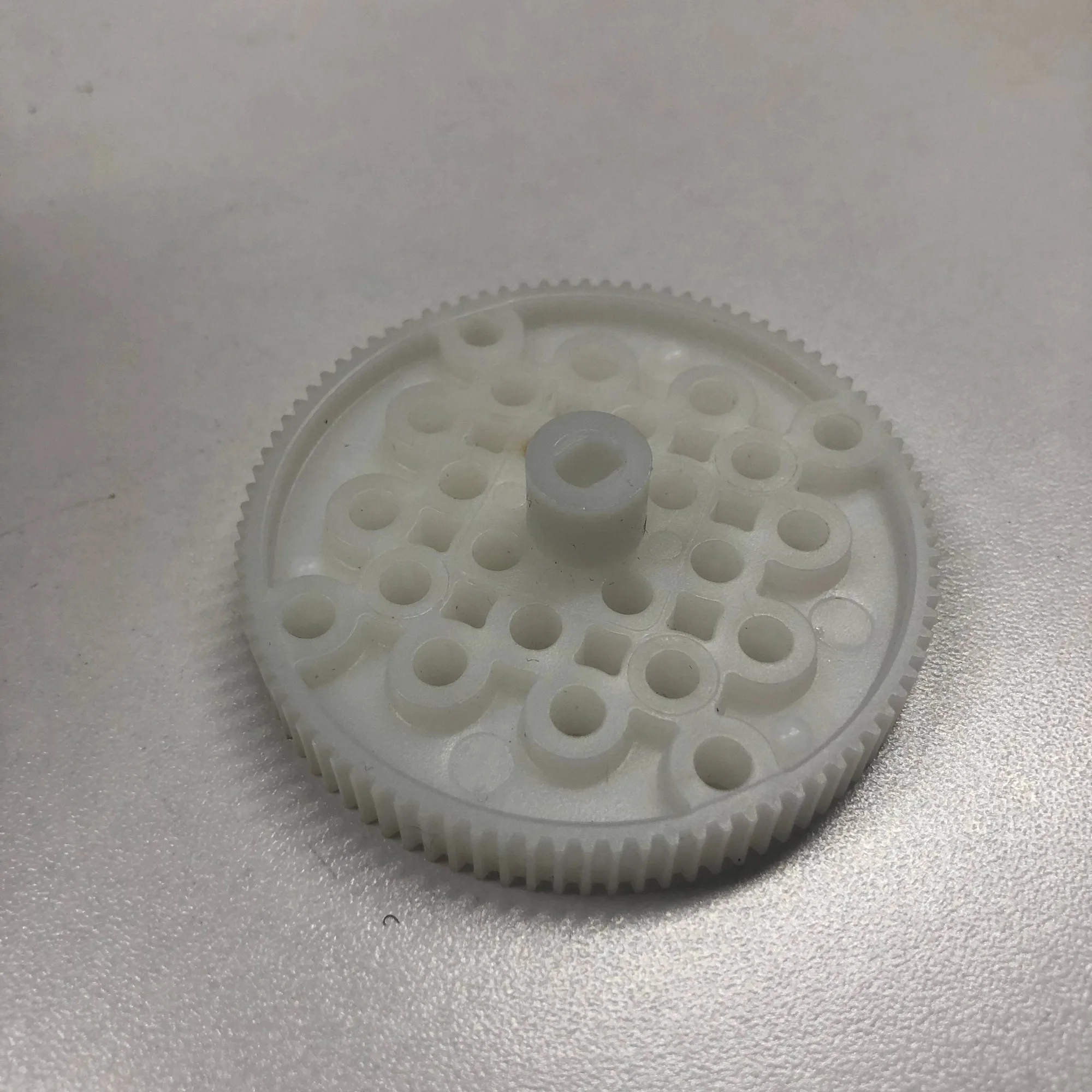
#SH Injection synchronizing wheel 90T-with steps