Quick answer
For a clean RED Komodo-X rig, use a right-angle 9-pin cable for the D-Box control connection and a short 5-pin timecode cord for sync, routing each separately to avoid tangles and strain.
Why cable choice matters on a compact rig
The Komodo-X body is small, leaving limited space for bulky connectors. A straight 9-pin plug can push against the camera body or nearby accessories, creating stress on the port. A right-angle 9-pin cable, like the Wooden Camera 9-Pin Right-Angle Male Cable, keeps the connector low-profile and reduces leverage.
Timecode vs control: separate paths
Timecode and run/stop signals serve different purposes and should not share the same cable run. The timecode cable (5-pin) only needs to reach a master clock or another camera, while the control cable (9-pin) connects to the D-Box for start/stop. Keeping them separate prevents crosstalk and makes troubleshooting easier.
Step-by-step cable routing
- Attach the D-Box control cable first: Plug the right-angle 9-pin cable into the Komodo-X EXT port. Route the cable along the camera body toward the D-Box, securing it with a cable tie or Velcro strap at the nearest rod or bracket. Common mistake: pulling the cable taut—leave a slight loop for flexibility. Check that the right-angle connector does not press against the camera body or a mounting screw.
- Connect the timecode cord: Plug the 5-pin timecode cable into the Komodo-X timecode port. Run the cable in the opposite direction from the control cable or along a separate path (e.g., over the top plate) to avoid crossing. Use a short cord (24 cm) to keep excess length minimal. Common mistake: using a long timecode cable that dangles and snags. If using multiple cameras, label each timecode cable at both ends.
- Secure and test all connections: Use adhesive cable clips or reusable ties to fix cables to the rig at 2–3 points. Power on the camera and D-Box, then verify run/stop and timecode sync in the menu. Common mistake: forgetting to set the Komodo-X timecode source to the correct input (e.g., external or wireless). Perform a short recording test and check that timecode advances on all connected devices before wrapping.
Cables that help
-
Wooden Camera 9-Pin to 9-Pin 0B Right-Angle Male Cable for D-Box & Komodo-X (5″): The Wooden Camera 9-Pin to 9-Pin 0B Right-Angle Male Cable connects from the EXT port of the KOMODO-X to the D-Box system, providing Run/Stop capability. Its right-angle connector fits tight spaces on the rig, reducing strain on the port and keeping the cable path close to the body.
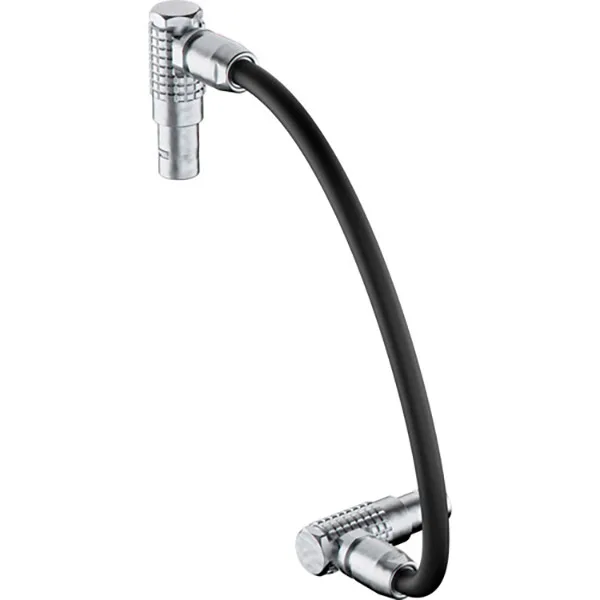
Wooden Camera 9-Pin to 9-Pin 0B Right-Angle Male Cable for D-Box & Komodo-X (5″)
-
RED 5-Pin to 5-Pin Timecode (24 cm) – Cordon: The RED 5-Pin to 5-Pin Timecode (24 cm) cord is a 24 cm cable for timecode synchronization with 5-pin connectors at both ends. Its short length minimizes cable loops and clutter when connecting to a nearby timecode source or another camera.

RED 5-Pin to 5-Pin Timecode (24 cm) – Cordon


