Quick answer
Choose a mount with a secure grip and a rotating head, like the Squeeze Rotating Smartphone Bar Mount, and follow a careful installation process to keep your phone safe on any ride.
Why a secure bar mount matters for your phone
A loose phone mount on a motorcycle is a safety hazard. Vibration from the engine and bumps in the road can shake a phone loose, damaging the device or creating a distraction. A mount that grips firmly and allows rotation helps you view navigation without taking your hands off the bars.
The Squeeze Rotating Smartphone Bar Mount is designed for this. Its squeeze mechanism lets you attach and detach your phone quickly, while the rotating head lets you switch between portrait and landscape views. The mount holds the phone securely through turns and rough surfaces.
Common mistakes to avoid
Many riders mount the phone too high or too low on the handlebar, blocking the view of the road or instruments. Others forget to tighten the mount fully, causing it to shift during a ride. Another frequent error is ignoring vibration dampening: a rigid mount can transfer engine vibration to the phone, potentially damaging the camera or internal components.
Always test the mount at a standstill before riding. Give the phone a firm tug to ensure it is locked in. If your mount does not include built-in dampening, consider adding a vibration dampener pad between the mount and the phone.
How to install and secure your phone on a motorcycle bar mount
- 1. Choose a mounting location: Select a spot on the handlebar that does not interfere with your grips, controls, or view of the speedometer. The mount should be within easy reach but not block any essential controls. Common mistake: placing the mount too close to the throttle or brake lever, which can interfere with operation.
- 2. Attach the mount to the handlebar: Open the clamp of the mount and slide it onto the chosen bar section. Tighten the clamp screws evenly until the mount is snug. Do not overtighten, as this can damage the mount or the bar. Checkpoint: after tightening, try to twist the mount by hand. It should not move at all.
- 3. Install the phone holder onto the mount: If the mount has a separate phone holder, attach it according to the instructions. For the Squeeze Rotating Smartphone Bar Mount, the phone holder is integrated. Ensure the rotating head is locked into your preferred orientation. Common mistake: forgetting to lock the rotation, causing the phone to swivel unexpectedly while riding.
- 4. Secure your phone in the mount: Open the squeeze arms, place your phone in the holder, and release the arms. They should grip the phone firmly. Give the phone a gentle shake to confirm it is secure. Checkpoint: if the phone wobbles or slides, adjust the arms or choose a different mount. A loose phone is dangerous.
- 5. Test the setup before riding: With the phone mounted, sit on the motorcycle and check that you can see the screen clearly and reach the controls. Start the engine and feel for excessive vibration. If the phone vibrates strongly, consider adding a vibration dampening pad. Common mistake: ignoring vibration. Even a secure mount can transmit damaging vibration. A dampening pad adds protection.
Recommended product
-
Squeeze® Rotating Smartphone Bar Mount: The Squeeze allows you to quickly mount and secure your phone through every twist and turn, providing instant attachment and rotation between landscape and portrait modes for easy viewing. This means you can mount your phone securely on the handlebar and adjust the screen orientation without stopping, keeping your focus on the road.
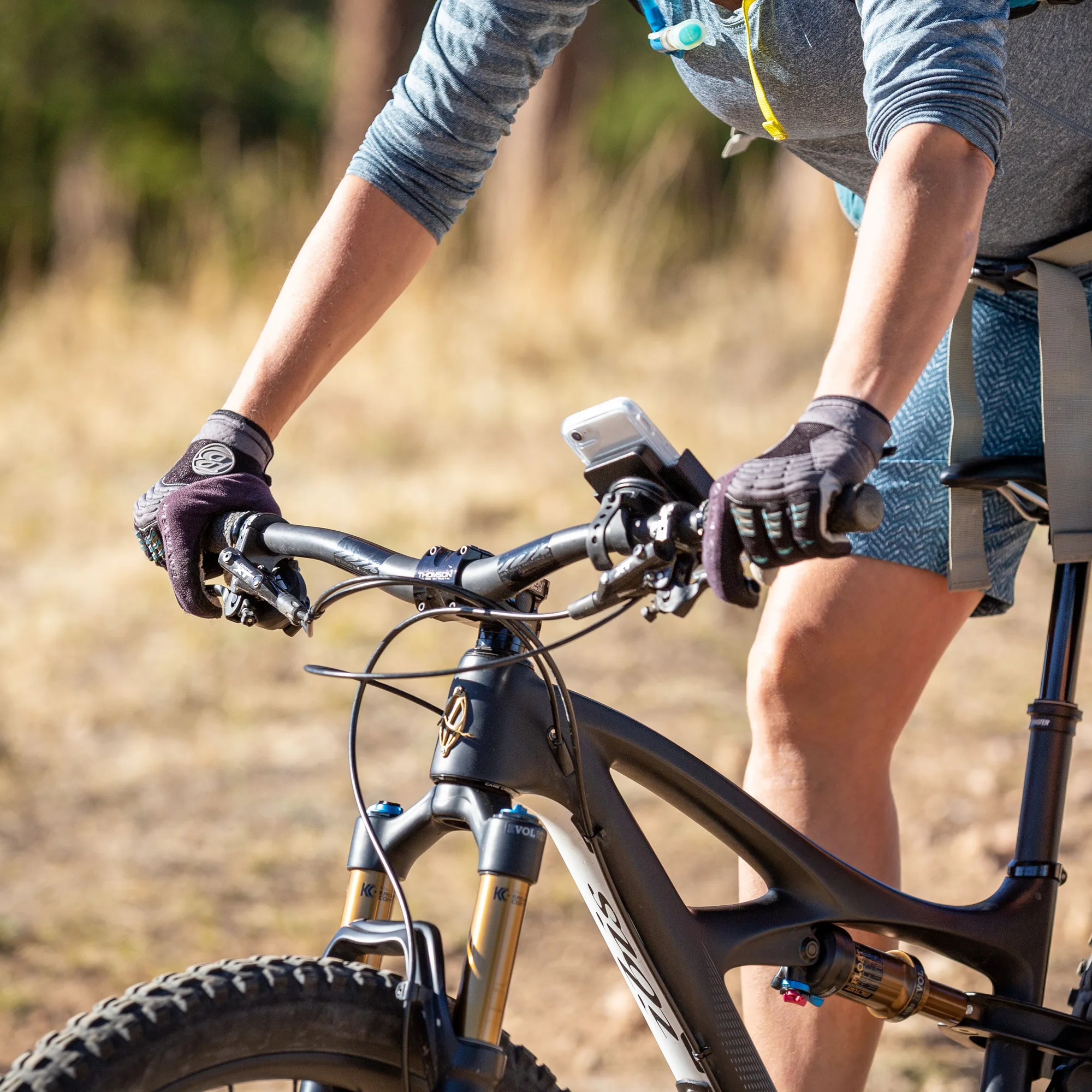
Squeeze® Rotating Smartphone Bar Mount


