Quick Answer
To secure a phone on a universal dash mount, start by cleaning the dashboard surface, then attach the mount's clamp or adhesive base, and finally adjust the ball-and-socket joint for a firm, angled grip.
Why Surface Prep Matters
A universal dash mount relies on either a clamp or an adhesive base to stay put. The most common reason a mount fails is a dirty or greasy dashboard, which weakens the bond or grip. Taking a few extra seconds to wipe the surface with a mild cleaner and a microfiber cloth can prevent the mount from sliding or falling off while you drive.
Another factor is the texture of your dashboard. Some surfaces are porous or have a soft-touch finish that doesn't hold adhesive well. In that case, a clamp-style mount with an ultra-strong clamp, like the Squeeze® Universal Dash Mount, gives you a more mechanical hold that doesn't depend on surface stickiness.
Positioning for Visibility and Safety
Where you place the mount affects both visibility and safety. You want the phone within your natural line of sight without blocking the road, airbags, or important dashboard indicators. A common mistake is mounting the phone too high or too low, which forces you to take your eyes off the road.
The ball-and-socket design on many universal mounts allows 360º rotation, so you can tilt the phone to reduce glare or angle it toward you. After you set the angle, tighten the joint firmly so the phone doesn't droop over bumps.
Step-by-Step Installation
- Clean the mounting surface: Wipe the dashboard area with a mild cleaner and a lint-free cloth. Remove dust, grease, and residue. Let it dry completely before attaching the mount. Skipping this step can cause the mount to detach, especially in hot weather.
- Attach the mount base: If using a clamp-style mount, open the clamp and press it firmly onto the dashboard edge or a flat area. If using an adhesive base, peel the backing and press it down with steady pressure for 30 seconds. For clamp mounts, ensure the clamp is fully engaged and not just resting on the surface.
- Position the phone in the holder: Slide your phone into the Squeeze holder or universal cradle, making sure it sits flush and is centered. Adjust the holder so the phone is secure but not over-tightened, which could press buttons or damage the phone. Check that the phone's volume and power buttons aren't being pressed by the holder.
- Adjust the ball-and-socket for viewing angle: Loosen the ball-and-socket joint, tilt the phone to your preferred angle, then tighten it firmly. Rotate 360º if needed to reduce glare or align with your line of sight. Tighten the joint enough so the phone stays put on rough roads, but don't over-tighten to the point of stripping the threads.
- Test stability before driving: Give the mount a gentle shake and tap the phone to ensure it doesn't wobble. If it moves, re-tighten the clamp or joint. Also verify that the mount doesn't block your view or interfere with airbag deployment. A quick stability test can prevent a distracting or dangerous phone drop while driving.
Product Spotlight
-
Squeeze® Universal Dash Mount: The Squeeze® Universal Dash Mount features an ultra-strong clamp with an adjustable ball and socket design for 360º rotation. This clamp lets you secure your phone on a wide range of dashboard shapes, and the ball-and-socket gives you precise viewing angles without needing a separate adhesive.
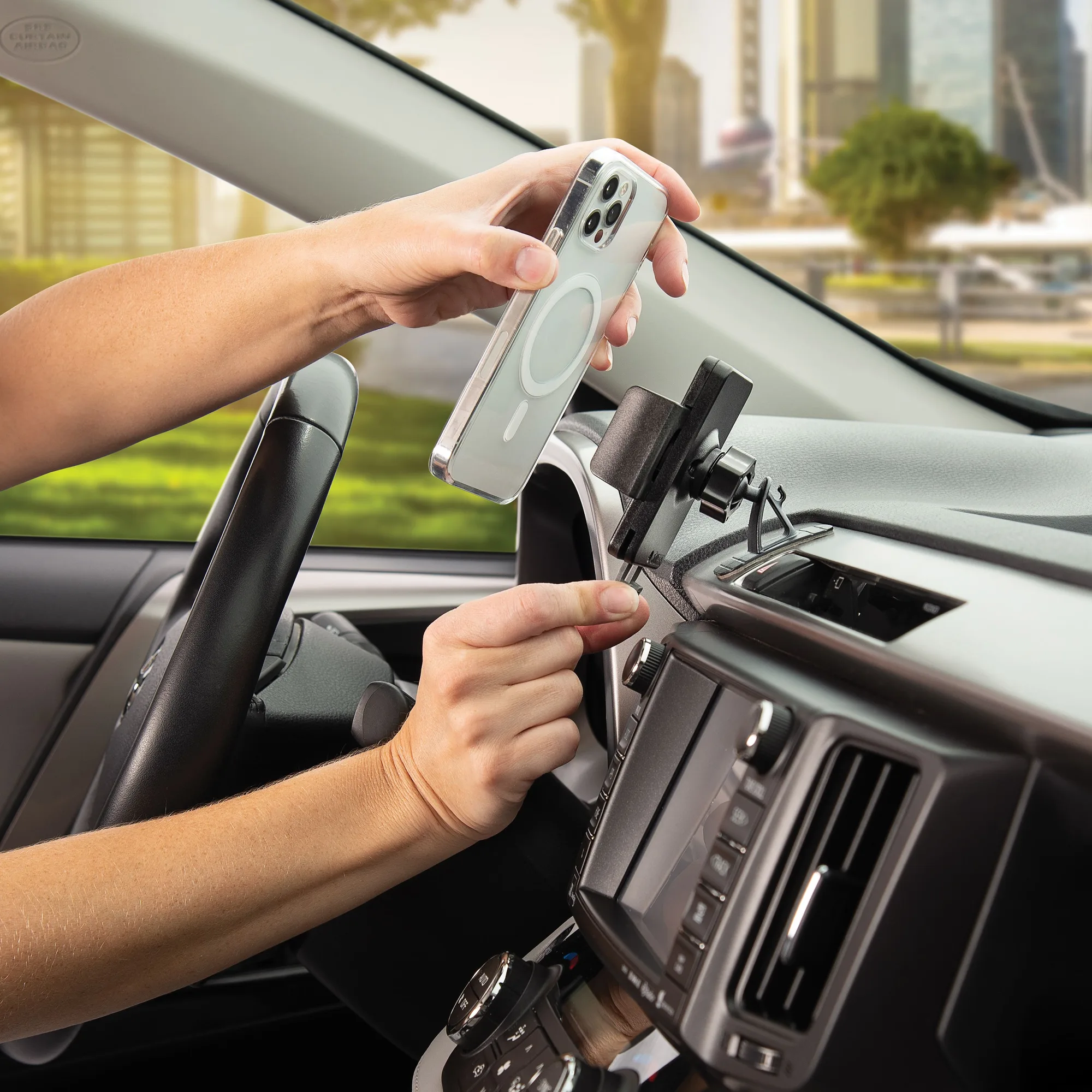
Squeeze® Universal Dash Mount


