Quick answer
To set up the 3-Channel Pro Dash Cam System, mount the 4K T800 front cam and RC41 rear cam, route cables neatly, install the hardwire kit for continuous power, and format the 512GB memory card before first use.
Why choose a 3-channel setup?
A 3-channel dash cam system captures front, cabin, and rear views simultaneously, giving you complete coverage of your vehicle. The 3-Channel Pro Setup from 70mai includes the 4K T800 front cam with an integrated interior cam, an RC41 rear cam, a hardwire kit, and a 512GB micro SD card. This combination eliminates the need to buy separate components and ensures consistent recording across all channels.
Planning your installation route
Before you start, decide where to mount each camera and how to route the cables. The front cam should sit behind the rearview mirror for a clear view of the road. The rear cam mounts on the back window or license plate area. The hardwire kit connects to your fuse box, so choose a fuse slot that is always powered for parking mode or switched for ignition-only power. Plan the cable path along the headliner and door pillars to keep wires hidden.
Step-by-step installation guide
- Mount the front cam and interior cam: Clean the windshield area behind the rearview mirror. Peel the adhesive mount backing and press the 4K T800 firmly onto the glass. Adjust the interior cam lens to face the cabin. Make sure the mount is level before the adhesive sets. Common mistake: mounting too low blocks the road view. Keep the cam high behind the mirror.
- Mount the rear cam: Clean the rear window or license plate area. Attach the RC41 rear cam using the adhesive mount or screw mount. Route the rear cam cable along the headliner, down the side pillar, and into the front cam's rear camera port. Checkpoint: test the rear cam connection before tucking the cable permanently.
- Install the hardwire kit for 24/7 power: Connect the hardwire kit's red wire to a constant 12V fuse for parking mode, or to a switched fuse for ignition-only power. Connect the black wire to a metal ground point. Plug the USB Type-C end into the front cam. Tuck excess wire into the headliner. Common mistake: using a fuse that powers safety systems (e.g., airbags). Use a dedicated dash cam or accessory fuse slot.
- Insert and format the memory card: Insert the 512GB micro SD card into the front cam's card slot. Power on the cam and navigate to settings to format the card. Formatting clears old data and ensures the card works with the dash cam's file system. Checkpoint: format the card inside the dash cam, not on a computer, to avoid compatibility issues.
- Test all three channels: Turn on the vehicle and check the front cam display or app to confirm front, interior, and rear views are recording. Drive a short distance and review a sample clip to verify video quality and camera angles. Common mistake: forgetting to adjust the interior cam angle after mounting. Recheck it with a passenger seated.
Product facts
-
3-Channel Pro Setup: 4K T800 Front Cam + Rear Cam + Memory Card + Hardwire Kit: The 3-Channel Pro Setup features a 4K T800 front cam with an integrated interior cam, an RC41 rear cam, a hardwire kit, and a 512GB micro SD card. This all-in-one bundle saves you from buying parts separately and ensures all components are compatible for a smooth installation.
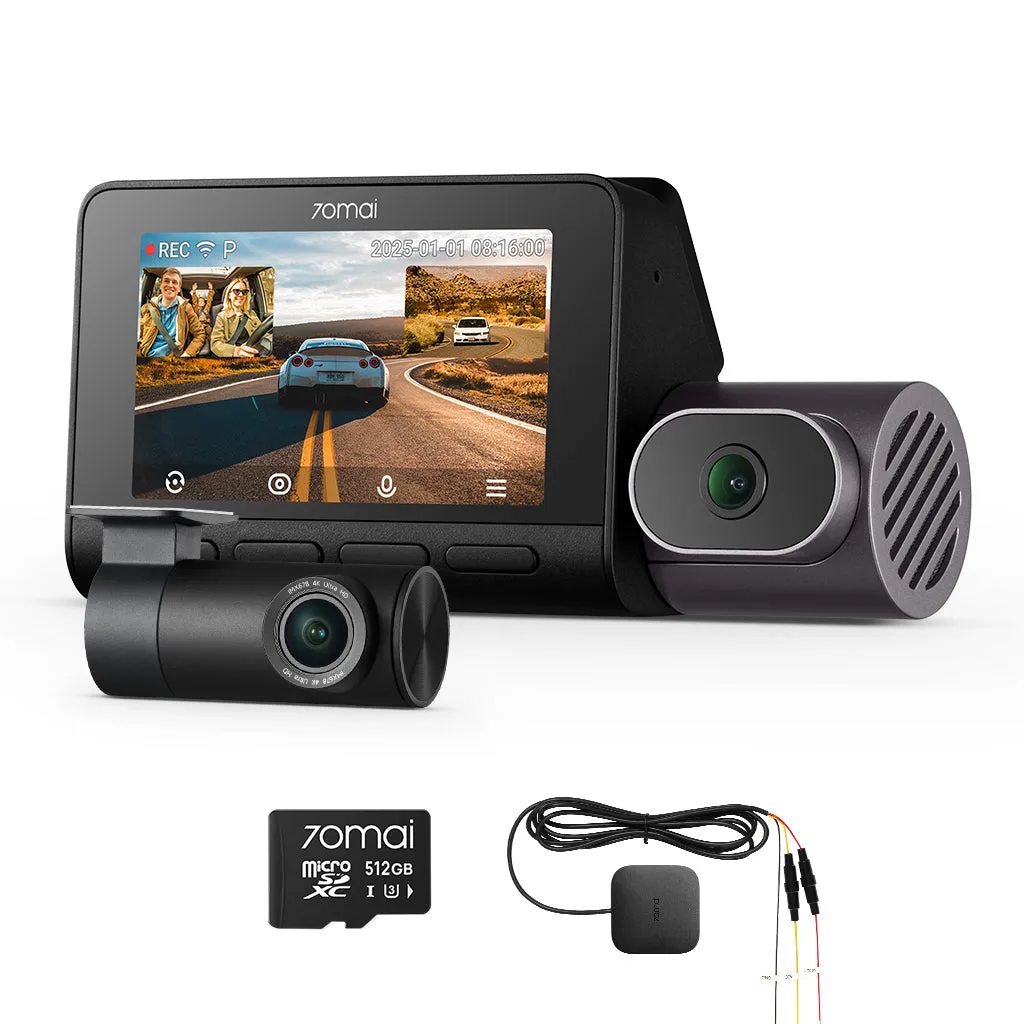
3-Channel Pro Setup: 4K T800 Front Cam + Rear Cam + Memory Card + Hardwire Kit