Quick Answer
Plug each GBA into a port on the 4-player cable, start a multiplayer-compatible game, and select 'Link' or 'Multiplayer' from the menu. The cable handles the rest.
What You Need to Know Before Connecting
The 4-player link cable for Game Boy Advance (like the Tomee model) has four ports and a single cable that connects to each console. It works with GBA, GBA SP, and Game Boy Player, but not with original Game Boy or Game Boy Color systems.
Not every GBA game supports four players. Some only allow two, even with a four-port cable. Check the game's manual or the back of the box for player count. Popular four-player titles include Mario Kart: Super Circuit, F-Zero: Maximum Velocity, and Kirby & the Amazing Mirror.
Common Pitfalls and How to Avoid Them
The most frequent mistake is plugging the cable into the wrong port or not fully inserting it. GBA link ports are snug, and a loose connection can cause dropped links. Always push until you hear a click.
Battery life is another factor. Four drained systems will drop the connection mid-game. Charge all units beforehand, especially if using GBA SP models with aging batteries.
Step-by-Step Setup for 4-Player GBA Link
- 1. Insert the Cable into Each GBA: Take the 4-player cable and plug one connector into the link port on each GBA. The ports are on the top of the console (or bottom on GBA SP). Push firmly until fully seated. Check that each connector clicks into place. A loose connection is the #1 cause of failed links.
- 2. Turn On All Consoles: Power on each GBA. Make sure all systems have sufficient battery charge. Low battery can cause the link to drop during gameplay. Charge all units beforehand. Mixing fresh and drained batteries can cause intermittent disconnects.
- 3. Launch a Multiplayer Game: Insert the same game cartridge into each GBA (or use a game that supports single-cart multiplayer). Start the game and select the 'Link' or 'Multiplayer' option from the main menu. Not all games support four players. If the option is grayed out, the game may only allow two players.
- 4. Wait for All Players to Join: Each console will display a waiting screen. Once all four players are ready, the game will sync and begin. Some games require one player to act as host and start the session. If a player doesn't appear, check the cable connection on that console and try again.
- 5. Test the Connection Before a Tournament: Play a quick race or round to confirm the link is stable. If you see lag or disconnects, re-seat all connectors and ensure no one moves their console during play. A quick test saves frustration later. Keep the cable away from foot traffic to avoid accidental unplugs.
Cables That Make It Work
-
4-Player Game Link Cable for Game Boy Advance - Tomee: This cable is 5 feet in length with the ability to link up to four GBA or GBA SP units. The 5-foot length gives enough slack for four players to sit comfortably, and the four-port design means no daisy-chaining or adapters needed.
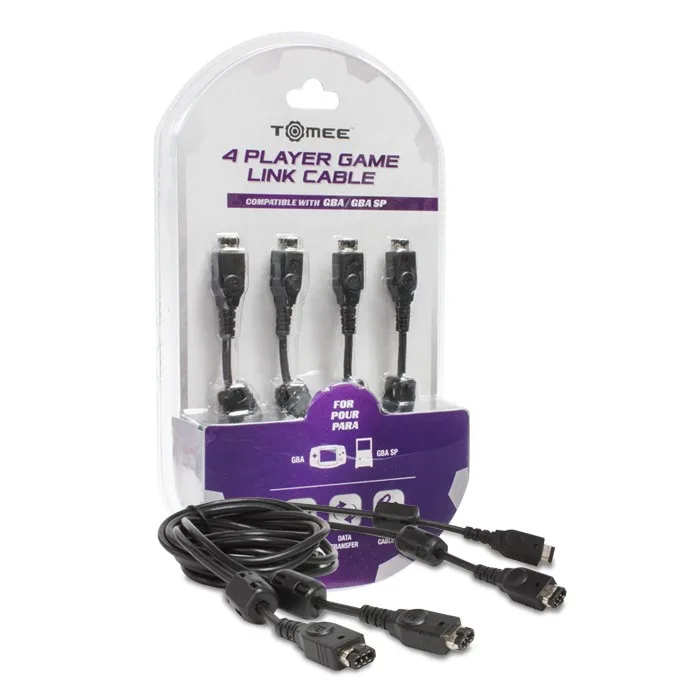
4-Player Game Link Cable for Game Boy Advance - Tomee
-
2-Player Link Cable for Game Boy and Game Boy Color - Tomee: This cable is 5 feet in length and has both connectors on one cable, compatible with Game Boy, Game Boy Color, Game Boy Pocket, and Game Boy Advance. If you want to trade Pokémon or play two-player games across different Game Boy models, this cable covers more systems than the 4-player version.
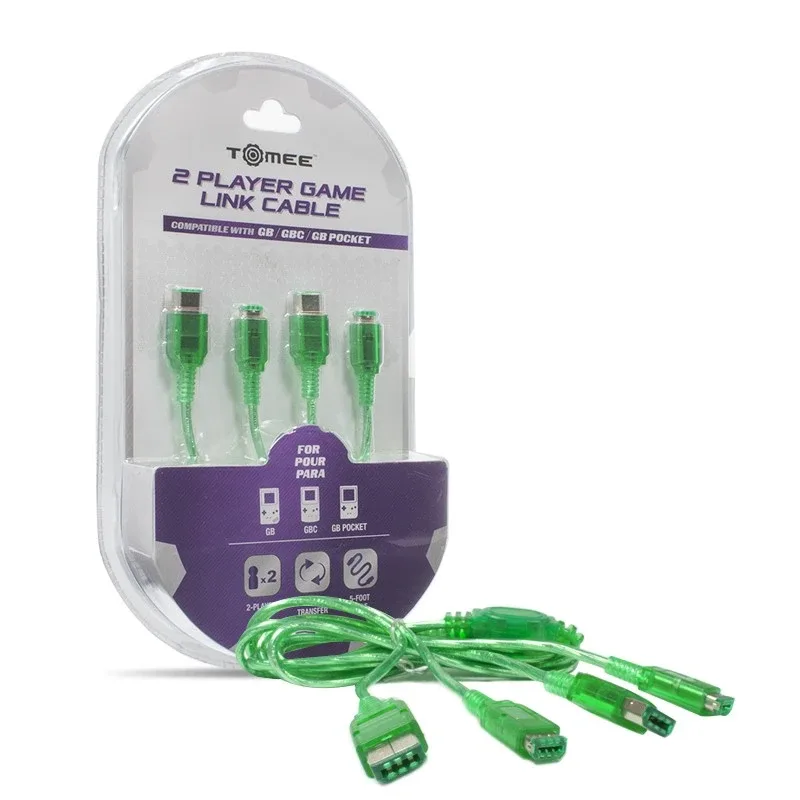
2-Player Link Cable for Game Boy and Game Boy Color - Tomee