Quick answer
Set up your Chopper lightbox in minutes: unbox carefully, choose between USB or battery power, test the LED and remote, then place it where the backlight shines best on your desk.
Before you start: Know your power options
The Chopper lightbox offers two power methods: USB plug-in (cable included) or battery operation. USB gives consistent light without battery swaps, while battery power lets you place the lightbox anywhere without a cord. A remote control is included for both modes — just note the remote needs a 3V lithium battery you'll need to buy locally.
Step-by-step desk setup
- Unbox and inspect: Remove the lightbox from its packaging. Gently pull out the layered paper sheets and acrylic frame. Check that nothing is bent or scratched.
- Choose your power source: Decide between USB plug-in (included cable) or battery power. For battery mode, open the compartment and insert batteries (remote requires a separate 3V lithium battery). If you go battery, test the switch before placing the lightbox in a hard-to-reach spot.
- Assemble the layers: Slide the precision-cut paper sheets into the acrylic frame in the correct order (front to back). The backmost layer should sit flush against the LED panel. Common mistake: Reversing the layer order can blur the image. Check the printed side faces the front.
- Power on and test the remote: Plug in USB or flip the battery switch. Press the remote button to turn on the LED backlight. Cycle through brightness levels if your remote supports it. If the remote doesn't respond, check the battery orientation or try pointing it directly at the sensor.
- Position on your desk: Place the lightbox where the backlight won't cause glare on your monitor. Aim for a spot that complements your other desk items — near your mousepad or figure collection works well. Avoid direct sunlight on the frame; it can fade the layered paper over time.
What's in the box
-
CHOPPER LIGHTBOX: Precision-cut layered paper in a durable acrylic frame with vibrant LED backlight and remote control. The layered paper creates depth, while the LED backlight makes Chopper's design pop — ideal for a desk that needs a subtle anime glow.
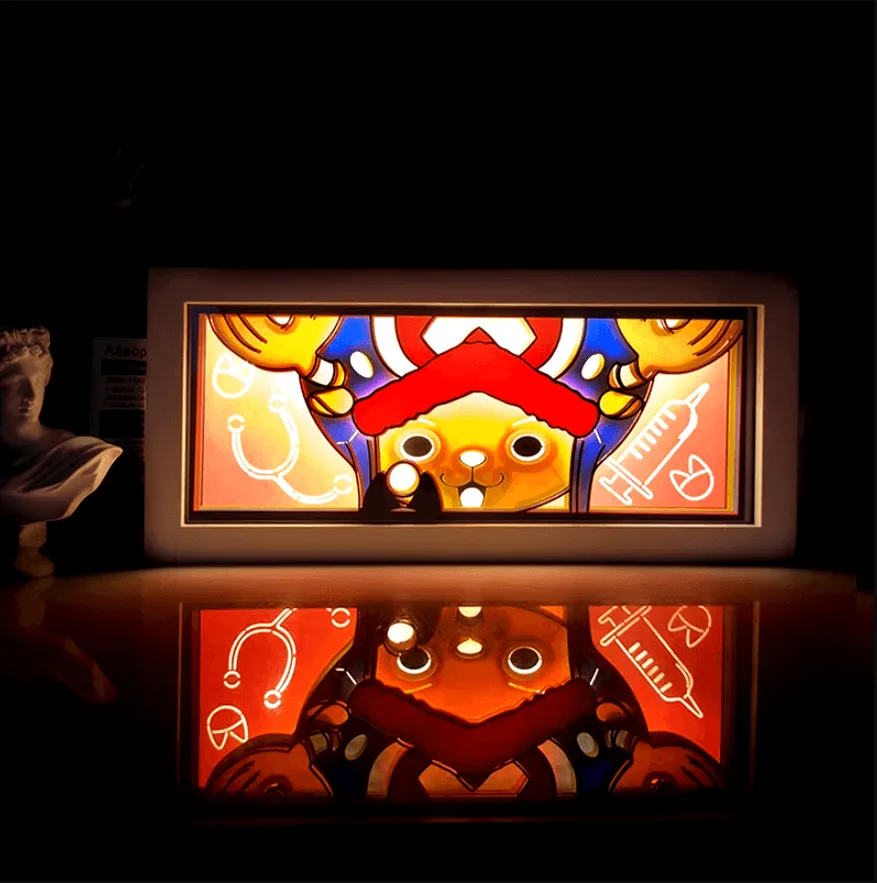
CHOPPER LIGHTBOX


