Quick answer
To set up a platelight for a themed room, choose a location that complements your decor, mount the light securely, and pair it with an acrylic panel to diffuse the glow evenly.
Why placement matters for themed decor
A platelight works best when it reinforces the room's theme rather than competing with it. Placing the light behind a monitor or above a desk draws attention without overwhelming the space. Avoid corners where the light gets trapped or areas with direct glare into your eyes.
Acrylic panels vs bare LEDs
Bare LED strips can look harsh and uneven in a themed setup. Acrylic panels diffuse the light, creating a soft backlit effect that matches the aesthetic of a curated gaming room. The Witchhunter - Path of Exile 2 Platelight Acrylic panel is designed to sit inside your case or mount on a wall, letting the light spread evenly through the artwork.
Step-by-step platelight setup
- Choose your location: Pick a spot that aligns with your room's theme — behind a monitor, under a shelf, or inside a glass PC case. Make sure there is a power outlet nearby and that the surface can support adhesive mounts or screws. A common mistake is placing the light too close to reflective surfaces, which creates hot spots instead of even diffusion.
- Mount the platelight securely: Use the included adhesive strips or screw brackets to attach the platelight to the chosen surface. Press firmly and hold for 10 seconds to ensure a strong bond. For wall mounting, use anchors if the surface is drywall. Check that the mount is level before pressing — once the adhesive sets, repositioning can weaken the grip.
- Attach the acrylic panel: If using a themed acrylic panel like the Witchhunter - Path of Exile 2 Platelight Acrylic, snap or slide it onto the platelight frame. The panel should sit flush so light diffuses evenly through the artwork. Do not force the panel — if it doesn't click in easily, check alignment. A loose panel can cause uneven lighting and fall off over time.
- Connect power and test: Plug the platelight into a USB port or wall adapter. Turn it on and observe the light spread. Adjust the angle or position if you see dark edges or overly bright spots. If the light is too dim, check that the USB port provides enough power. Some monitors or hubs limit output, so use a dedicated adapter when possible.
- Integrate with room lighting: Set the platelight to a color that matches your theme — cool white for a futuristic setup, warm amber for a cozy vibe. Use the remote or app to sync with other RGB devices if supported. Avoid mixing too many colors in one area. Stick to 2-3 complementary shades to keep the room feeling intentional rather than chaotic.
Product spotlight
-
Witchhunter - Path of Exile 2 Platelight Acrylic: Made of high quality, durable acrylic, these panels allow light from our Platelight to diffuse through, creating a gorgeous backlit piece of art, right inside of your computer. Using an acrylic panel turns a plain LED source into a themed display piece that blends with your room's decor instead of looking like a utility light.
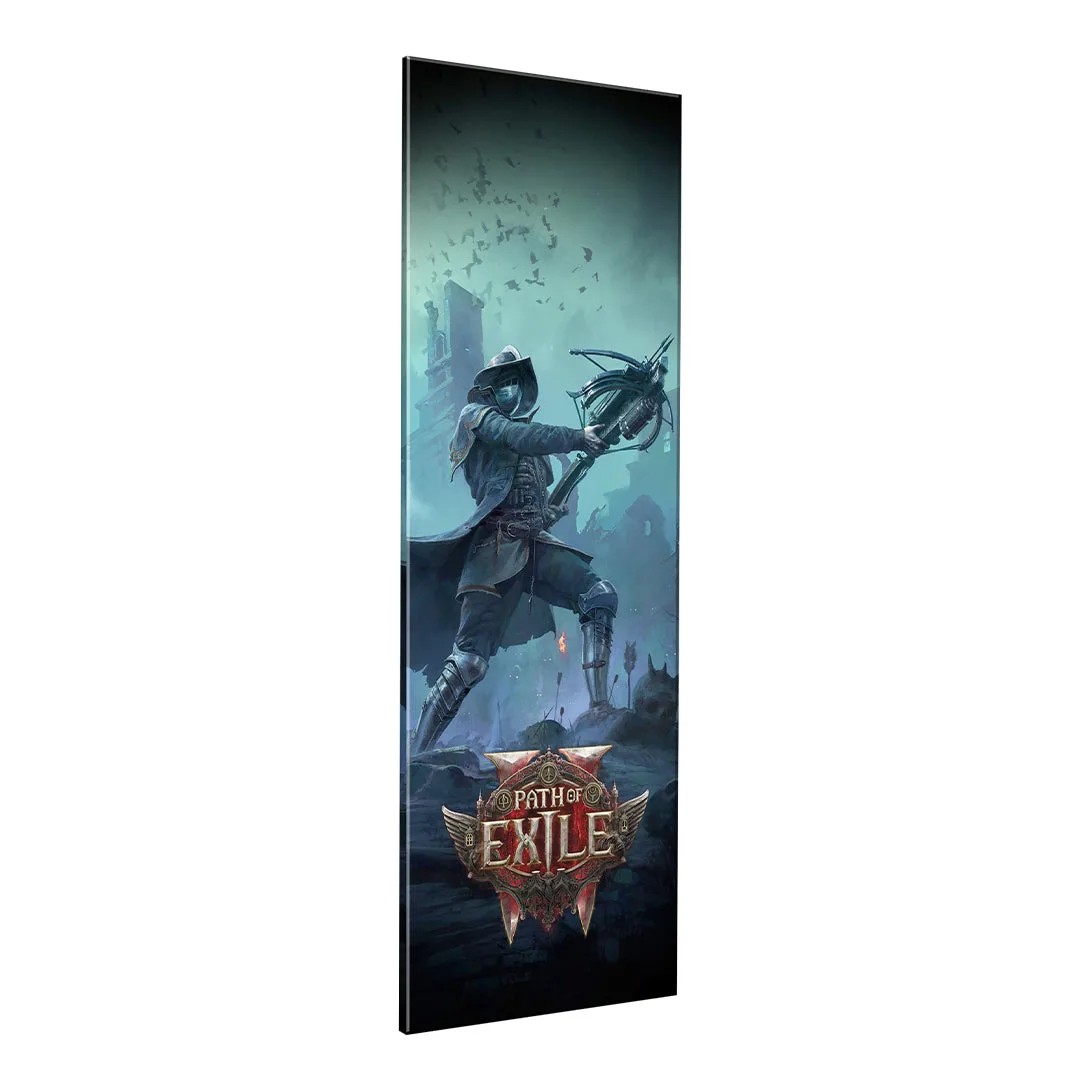
Witchhunter - Path of Exile 2 Platelight Acrylic