Quick answer
To set up the HyperX Clutch Tanto Mini, plug the USB-A cable directly into your Xbox or PC—no pairing required. For Nintendo Switch, use the included USB adapter. The controller is always wired, so just connect and play.
Why choose a wired mini controller
The HyperX Clutch Tanto Mini weighs only 5.8 ounces (165g), making it easy to carry in a backpack or pocket. Its compact size suits younger players or anyone who prefers a smaller grip. However, because it is wired, you cannot use it wirelessly—plan your setup accordingly if you play far from your console or PC.
Platform compatibility notes
The Clutch Tanto Mini is officially licensed for Xbox and works on PC via USB. For Nintendo Switch, you need the included USB adapter (check your box). It does not support PlayStation or mobile devices out of the box, so verify your platform before purchasing.
Setup steps
- Connect to Xbox or PC: Plug the USB-A cable into your Xbox Series X|S, Xbox One, or Windows PC. The controller is recognized immediately—no driver installation needed. Common mistake: Forcing the cable into a USB-C port will not work; the Tanto Mini uses USB-A only. Check that your device has a free USB-A port before starting.
- Connect to Nintendo Switch: Attach the included USB adapter to the Switch dock, then plug the controller into the adapter. The Switch will treat it as a Pro Controller. Common mistake: Trying to plug directly into the Switch handheld mode—this controller requires the dock and adapter. Keep the adapter with your Switch dock so you do not lose it.
- Remap buttons (optional): On Xbox, open the Xbox Accessories app, select the Tanto Mini, and reassign buttons or swap stick functions. On PC, use the same app or third-party software. Common mistake: Forgetting to save your profile before disconnecting—changes are lost if you do not apply them. Create a custom profile for different game genres (e.g., FPS vs. platformers).
- Adjust to the compact layout: The Tanto Mini has a smaller grip and closer stick spacing. Give yourself 30–60 minutes to adapt, especially if you are used to full-size controllers. Common mistake: Gripping too tightly—relax your hands to avoid fatigue. Take short breaks during long sessions to prevent cramping.
- Pack and store for portability: Coil the cable loosely and place the controller in a padded pouch or your backpack’s laptop compartment. The 5.8-ounce weight makes it easy to carry. Common mistake: Wrapping the cable tightly around the controller can damage the USB connector over time. Use a velcro strap or cable tie to keep the cord organized without stress.
Product facts
-
HyperX Clutch Tanto Mini - Gaming Controller: The HyperX Clutch Tanto Mini is a compact, officially licensed wired Xbox controller weighing just 5.8 ounces (165g). Its lightweight design makes it ideal for travel or for gamers with smaller hands, but the wired connection limits placement options.
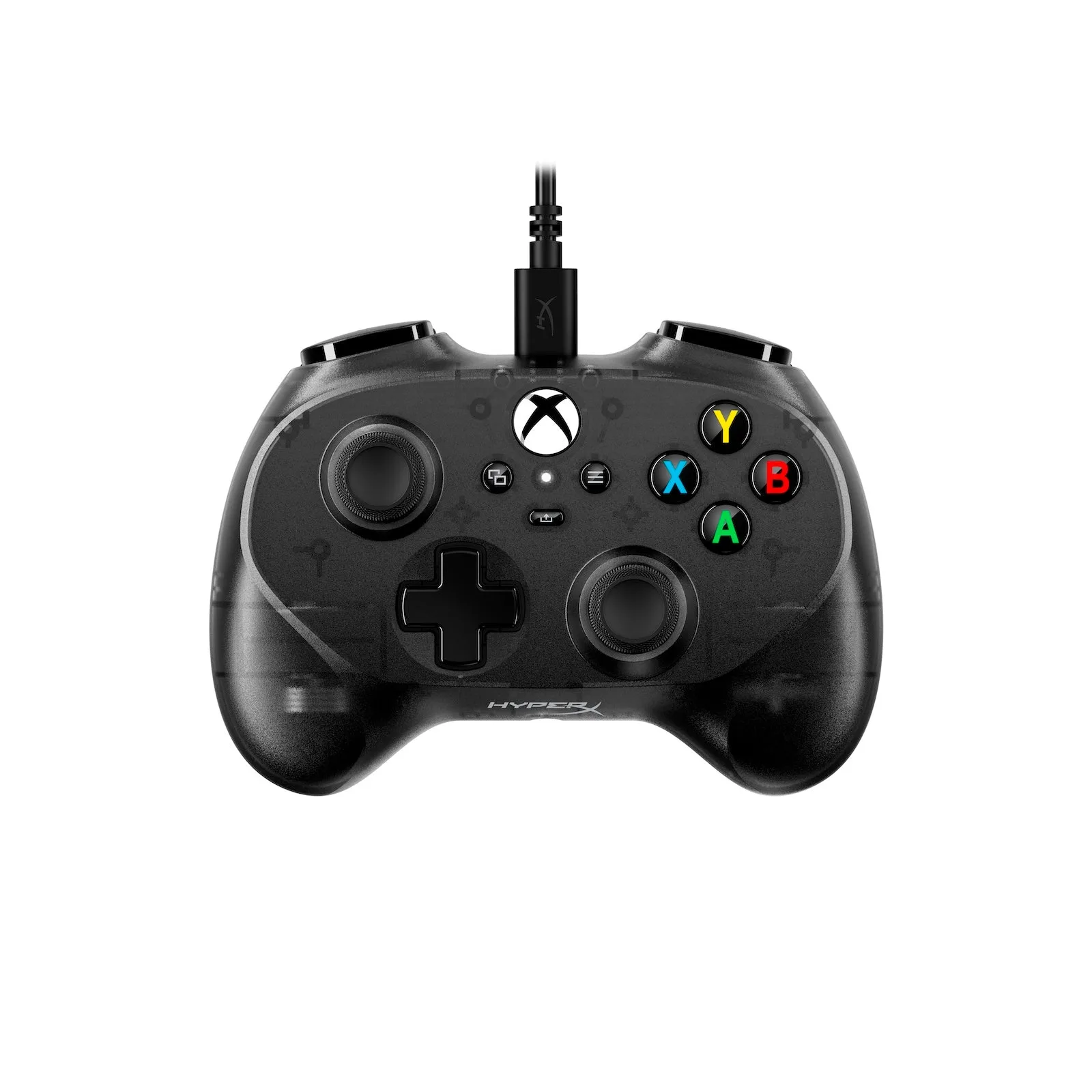
HyperX Clutch Tanto Mini - Gaming Controller