Quick answer
Place the sensor pad under the crib mattress, position the camera to view the crib, and plug in the parent unit. Avoid placing the pad on a spring base or too close to the crib edge.
What you need before starting
The Angelcare AC25-1 comes with a movement sensor pad, a 4.3-inch LCD parent unit, a camera unit, and power adapters. Make sure you have a flat, firm crib base for the sensor pad to work correctly.
The sensor pad detects your baby’s breathing movements through the mattress. It works best with a standard crib mattress that is at least 2 inches thick. Avoid using on waterbeds, air mattresses, or cribs with a spring base that can dampen movement.
Common setup mistakes to avoid
Placing the sensor pad too close to the crib edge can cause false alarms if the baby rolls near the side. Center the pad under the area where your baby's chest will rest.
Do not place the sensor pad on top of the mattress or under a mattress protector that is too thick. The pad needs direct contact with the mattress bottom to detect movements reliably.
Step-by-step setup
- Step 1: Install the sensor pad: Place the sensor pad flat on the crib base, centered under where your baby's chest will lie. Make sure the pad is not folded or near the crib edges. Run the cable out through the crib gap and plug it into the sensor port on the camera unit. Check that the pad lies flat and the cable is not pinched. A common mistake is placing the pad too close to the edge, which can cause false alarms.
- Step 2: Position the camera unit: Mount or place the camera unit on a stable surface near the crib, such as a shelf or wall bracket (not included). Angle the camera so the crib is centered in the 4.3-inch LCD view. Plug in the camera power adapter. Avoid placing the camera on the crib rail where it could be knocked over. Make sure the camera is within 10 feet of the crib for clear video and movement detection.
- Step 3: Set up the parent unit: Plug the parent unit into a power outlet near where you'll be sitting or sleeping. Press the power button to turn it on. The unit will automatically sync with the camera. Adjust the volume and brightness using the side buttons. If the screen shows 'No Signal', move the parent unit closer to the camera or check that both units are plugged in. The parent unit can also run on battery (4 AA batteries, not included) for portable monitoring.
- Step 4: Test the movement alarm: Place a hand on the crib mattress and gently press down. The parent unit should show a movement indicator. Remove your hand and wait 20 seconds. The alarm should sound if no movement is detected. A common mistake is forgetting to turn on the movement detection feature. Press the 'Movement' button on the parent unit until the icon appears on screen. Adjust sensitivity using the menu if false alarms occur.
- Step 5: Final placement check: Place your baby on their back in the crib. Confirm the camera view shows the entire crib area. Make sure the sensor pad cable is out of reach and not a tripping hazard. Keep the parent unit at least 3 feet from the crib for safety. Double-check that the sensor pad is not visible or accessible to your baby. The pad itself is safe but the cable should be secured away from the crib.
Product facts
-
Angelcare® AC25-1 Baby Movement Monitor with Video & Sound: The Angelcare AC25-1 combines movement detection with a 4.3-inch LCD screen for clear video and sound monitoring. You get both movement alerts and a live video feed in one unit, so you don't need separate monitors for breathing and visual checks.
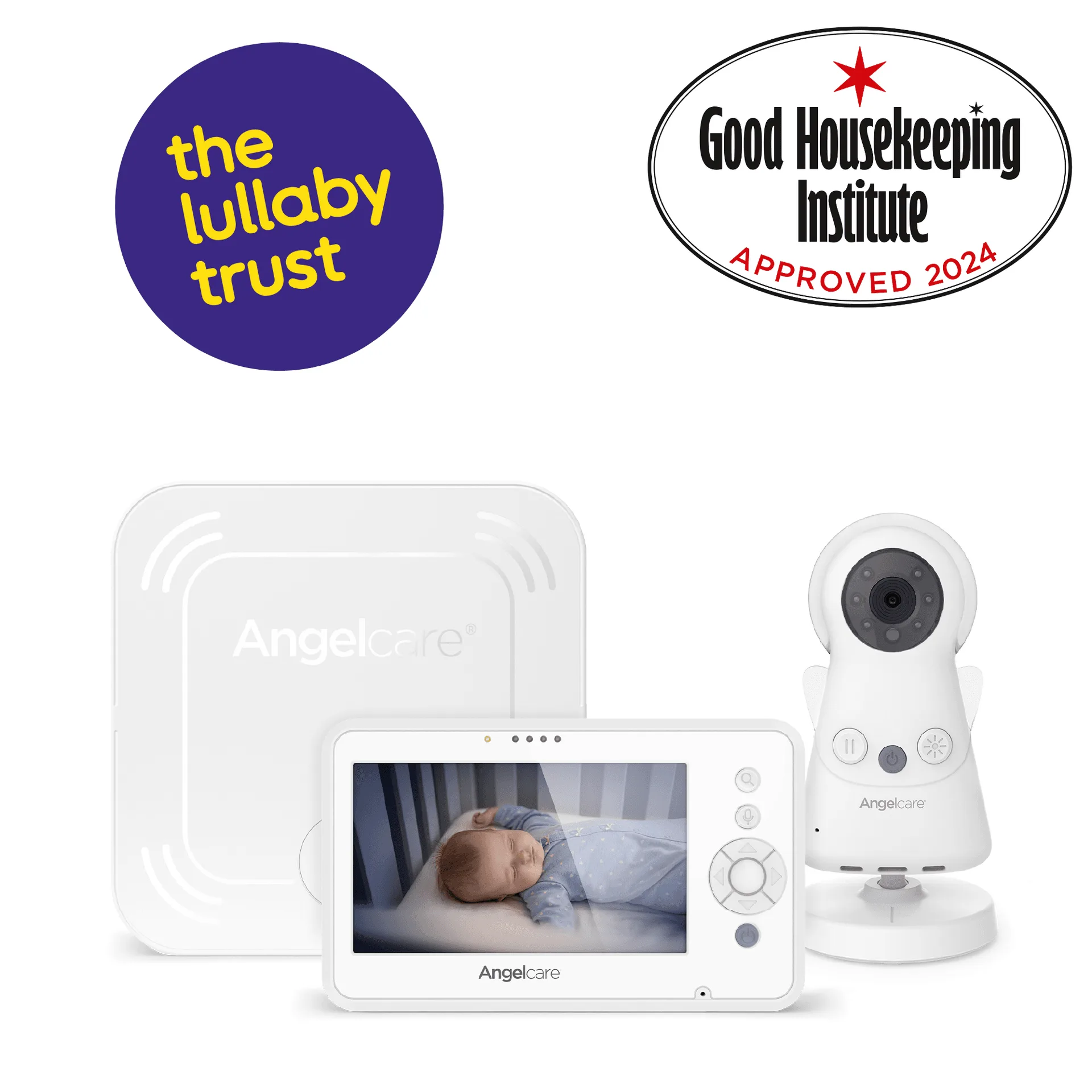
Angelcare® AC25-1 Baby Movement Monitor with Video & Sound