Quick answer
Mount the floodlight camera near an AC junction box, run the included cable, pair it with the Homebase 3 via the eufy Security app, and enable 24/7 recording with a microSD card or the Homebase's local storage.
Why use the Homebase 3 with this floodlight camera
The eufy Floodlight Camera E340 works as a standalone unit, but pairing it with the Homebase 3 unlocks continuous 24/7 recording and expanded local storage. Without the Homebase, you rely on a microSD card (up to 128 GB) inside the camera itself. The Homebase 3 centralizes footage from multiple cameras and adds AI event detection without a monthly subscription.
Wiring considerations for the AC cable
This kit includes an AC cable for hardwired power. You need an outdoor-rated junction box with a constant AC supply. If you are not comfortable with electrical work, hire a licensed electrician. The cable is weather-resistant, but the connection point must be sealed to prevent moisture ingress.
Setup steps
- Prepare the mounting location: Turn off power at the breaker. Remove the existing light fixture and confirm the junction box is rated for outdoor use and can support the camera's weight. Pull the AC cable through the mounting plate. Common mistake: Forgetting to turn off power. Double-check with a voltage tester before touching wires.
- Wire the floodlight camera: Connect the AC cable wires to the junction box wires using wire nuts: black to black (hot), white to white (neutral), and green or bare copper to ground. Tuck the wires into the box and attach the mounting plate securely. Checkpoint: Ensure the cable is not pinched between the plate and the wall. Use silicone sealant around the plate edge for weatherproofing.
- Mount the camera and power on: Align the camera with the mounting plate and tighten the screws. Restore power at the breaker. The camera LED should turn solid blue or flash, indicating it is ready to pair. If the LED does not light, verify the wire connections and that the breaker is on. A loose neutral is a common cause.
- Pair with the Homebase 3 via the app: Open the eufy Security app, tap Add Device, select Floodlight Camera E340, and follow the in-app prompts. Hold the sync button on the camera until you hear a beep, then scan the QR code shown in the app. Common mistake: The camera and Homebase must be within 30 feet of each other during pairing. Move them closer if pairing fails.
- Enable 24/7 recording: In the app, go to the camera settings, select Recording Mode, and choose 24/7. Insert a microSD card (up to 128 GB) into the camera slot or ensure the Homebase 3 has storage installed. Format the card through the app. Without a microSD card or Homebase storage, the camera only records motion-triggered clips. For continuous recording, storage must be present and formatted.
- Adjust motion zones and lighting: In the app, set motion detection zones to avoid false alerts from passing cars or trees. Adjust the floodlight brightness and schedule (auto, manual, or sensor) to suit your preferences. Checkpoint: Test the floodlight manually at night to ensure it covers the desired area. Narrow motion zones to reduce unnecessary recordings.
Product facts
-
eufy Floodlight Camera E340 with AC Cable (2-Cam Kit) + eufy Homebase™ 3: Includes two floodlight cameras with AC cables and one Homebase 3; supports 24/7 recording with a microSD card (up to 128 GB) or the Homebase's local storage. You can choose between onboard storage for each camera or centralized storage through the Homebase, giving you flexibility based on your recording needs.
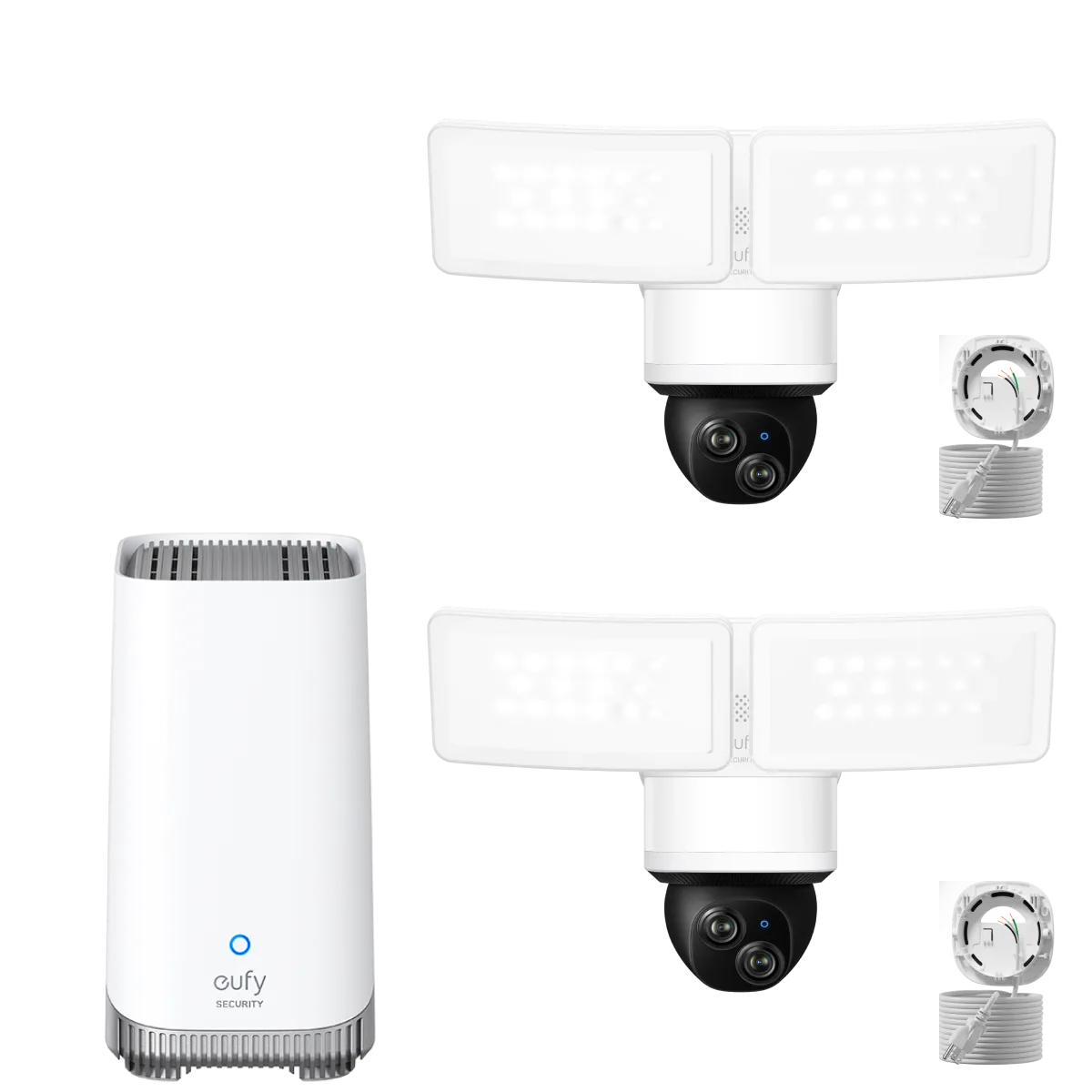
eufy Floodlight Camera E340 with AC Cable (2-Cam Kit) + eufy Homebase™ 3