Quick answer
Set up home karaoke in this order: pick a room with soft surfaces, place the speaker at chest height and slightly behind the singers, connect the microphones before you open a karaoke app, set mic volume low and music volume high, then test one full song and adjust. If your speaker has a screen and wireless mics built in, like the Karaokebox 2120, you can skip the app and pairing steps and go straight to placement and levels.
Choose the right room before you unpack anything
Hard floors, bare walls, and large windows reflect sound and push you toward feedback. A carpeted living room with curtains and a sofa is easier to tune than a garage or kitchen. You do not need a big space: 3–5 meters between the speaker and the main singing spot is enough for a small group. If the only option is a hard room, plan to keep the speaker closer to the singers and the volume lower.
- Avoid placing the speaker in a corner; corners boost bass and make vocals muddy.
- Keep the speaker away from the TV or soundbar to prevent competing audio.
- Leave a walkway so cables are not a trip hazard.
Place the speaker and microphones for clean sound
Put the speaker at roughly chest height on a stable table or stand, angled slightly toward the singers. Do not stand directly in front of the speaker with the microphone pointed at it; that is the fastest route to feedback. Wireless microphones should be held 5–10 cm from your mouth, not touching your lips. If you use a tower-style speaker such as the KaraokeBox 380, keep it upright and give the woofers room to breathe rather than pushing it against a wall.
- Mark the best singing spot with tape during setup so guests return to it.
- Keep spare microphone batteries within reach; a dead mic mid-song kills the mood.
- For groups, set mics on a table between songs instead of leaving them live on a couch.
Connect the karaoke speaker and microphone in the right order
Power the speaker on first, then connect or pair the microphones, then open your karaoke app or streaming source. This order prevents the speaker from defaulting to the wrong input. For Bluetooth mics, pair one at a time and confirm each is working before adding the next. If your speaker has a built-in screen and wireless mics, like the Karaokebox 2120, you can select the song directly on the speaker and skip app pairing entirely. Wired mics are the most reliable option for beginners because there is no pairing step and no battery to charge.
- Check that the mic receiver is not sitting next to the speaker's power supply; that can add hum.
- If you hear nothing, confirm the speaker is on the correct input before changing any volume.
- Label each cable or mic so you can troubleshoot quickly later.
Set levels and fix audio lag before the first song
Start with music at a comfortable level, then bring the microphone volume up until you can hear your voice clearly above the track without it sounding harsh. If your app or TV introduces a delay between the video and the audio, use the app's audio offset or lip-sync setting rather than turning the speaker up. For a portable speaker like the SOUNDBYTE 100, keep it close to the singers so you do not have to push the volume into distortion. Run one full practice song before guests arrive; most problems show up in the first 30 seconds of real singing.
- If you hear a ringing or howling sound, lower the mic volume first, then move the mic away from the speaker.
- Keep the speaker off the floor if the bass sounds boomy.
- Test the quietest and loudest singer in your group, not just yourself.
Home karaoke setup steps
- Step 1: Pick and prepare the room: Choose a carpeted or soft-furnished room, clear a 3–5 meter singing zone, and remove trip hazards before you run any cables. Checkpoint: if the room echoes when you clap, expect feedback problems and plan to keep the volume lower.
- Step 2: Position the speaker and mics: Set the speaker at chest height, angled toward the singers, and keep microphones 5–10 cm from the mouth. Never point a mic at the speaker. Checkpoint: stand in the singing spot and confirm you can hear the music and your own voice without straining.
- Step 3: Power on and connect in order: Turn the speaker on first, then pair or plug in the microphones, then open your karaoke app or select a song on the speaker's screen. Checkpoint: if there is no sound, verify the input source before adjusting volume.
- Step 4: Set music and mic levels: Start with music at a comfortable level, then raise the mic volume until vocals sit clearly above the track without harshness. Checkpoint: if you hear ringing, lower the mic volume first and move the mic away from the speaker.
- Step 5: Fix lag and run a test song: Use the app's audio offset or lip-sync setting if the video and audio do not match, then sing one full song before guests arrive. Checkpoint: a full test song reveals battery, pairing, and feedback issues that a 10-second check misses.
Home karaoke gear that fits this setup
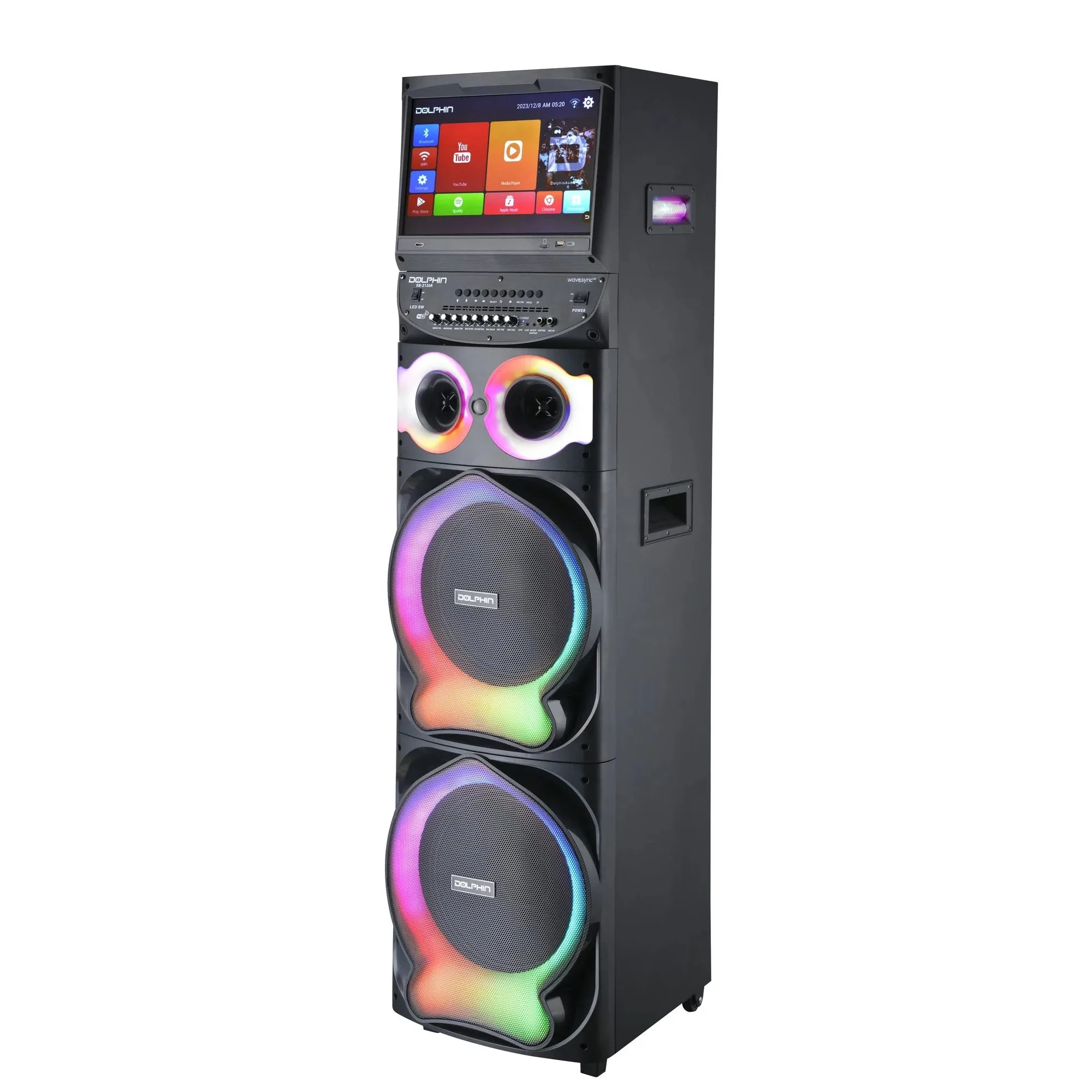
- Karaokebox 2120: Karaokebox 2120 is a dual 12-inch karaoke speaker with a built-in 15.4-inch Android tablet, WaveSync technology, sound-activated LED lights, and dual wireless microphones. The built-in tablet and included wireless mics remove the app-pairing and mic-buying steps, so a beginner can go from box to first song faster.
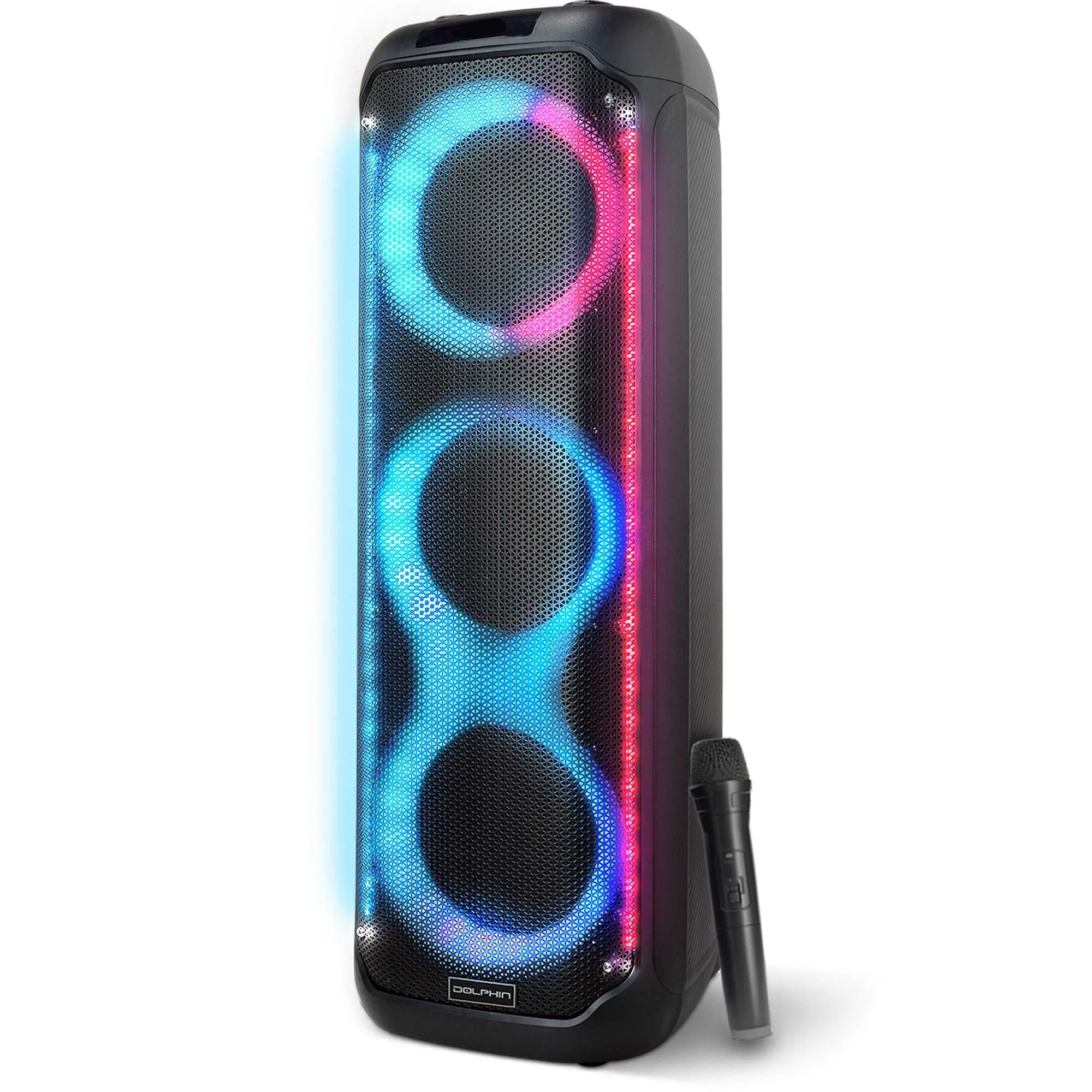
- KaraokeBox 380: KaraokeBox 380 is a Bluetooth tower speaker with three 8-inch woofers, a rechargeable battery, and built-in LED lights with multiple modes. A tower design saves table space in a small room and the rechargeable battery lets you move the setup outdoors without hunting for an outlet.
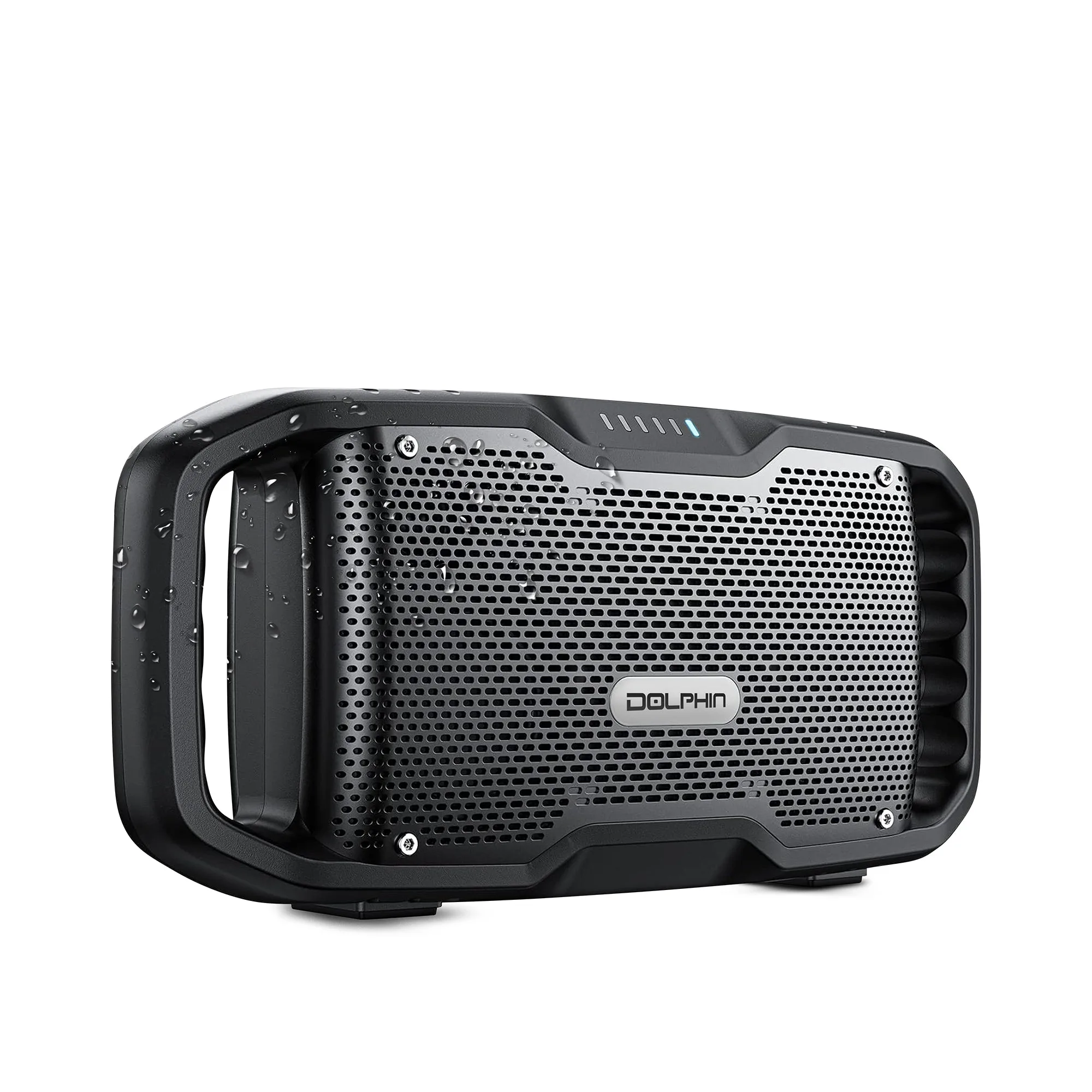
- SOUNDBYTE 100: SOUNDBYTE 100 is a compact speaker with dual woofers, bass boost, IPX5 water resistance, a 20-hour battery, and a built-in power bank. Its small size and battery life suit a casual home setup where the speaker sits close to the singers, and the power bank keeps a phone or tablet charged during a long session.