Quick answer
Start by unpacking each tube and its accessories, then mount the lights on stands or use the built-in magnets for surface attachment, connect power, and pair the included remote to control color and brightness.
Understanding the kit contents
The Nanlite PavoTube II 15C 4 Light Kit includes four RGBWW LED tubes, each with a built-in battery, plus a carrying case, power adapters, mounting brackets, and a wireless remote. Knowing what's in the box saves you from hunting for missing parts later.
Choosing a mounting method
Each tube has 1/4-20 threads on both ends and comes with a metal bracket for stand mounting. For quick placement on metal surfaces, use the built-in magnets. The trade-off: magnets work well on steel beams or car doors but won't hold on wood or drywall.
Step-by-step setup guide
- Unpack and inspect: Open the carrying case and check each tube, power adapter, mounting bracket, and remote. Charge each tube fully using the included USB-C cables and power adapters before first use. A common mistake is assuming the tubes are pre-charged—they ship at roughly 50% charge, so plug them in right away.
- Mount the tubes: Attach the metal mounting bracket to the 1/4-20 thread on one end of the tube, then slide the bracket onto a light stand. Alternatively, place the tube directly on a metal surface using the built-in magnets. When using magnets, ensure the surface is clean and non-slip to prevent the tube from rotating or falling.
- Connect power and pair the remote: Press the power button on the tube to turn it on. Then press and hold the Sync button on the remote until the indicator flashes, and press the Sync button on the tube to pair. Repeat for each tube. If a tube doesn't respond, check that it's within 10 meters of the remote and that no other wireless device is causing interference.
- Adjust color and brightness: Use the remote's CCT (correlated color temperature) mode to dial in white light from 2700K to 7500K, or switch to HSI mode for full RGB color control. Adjust brightness from 0 to 100% in 1% increments. For consistent skin tones, start with CCT mode at 5600K and fine-tune with the green/magenta shift function.
- Configure multi-tube scenes: Group all four tubes to the same channel on the remote so they respond to the same commands. Use the remote's Scene mode to select pre-programmed effects like lightning, fire, or police lights. If you need independent control of each tube, assign them to different channels and use the remote's group select feature.
Product facts
-
Nanlite PavoTube II 15C RGBWW LED Tube 4 Light Kit: The Nanlite PavoTube II 15C RGBWW LED Tube Light combines beginner-friendly ease-of-use with pro-level features in a lightweight, well-balanced fixture with class-leading colour accuracy. This means you can trust the color output for mixed lighting scenarios without needing a separate color meter.
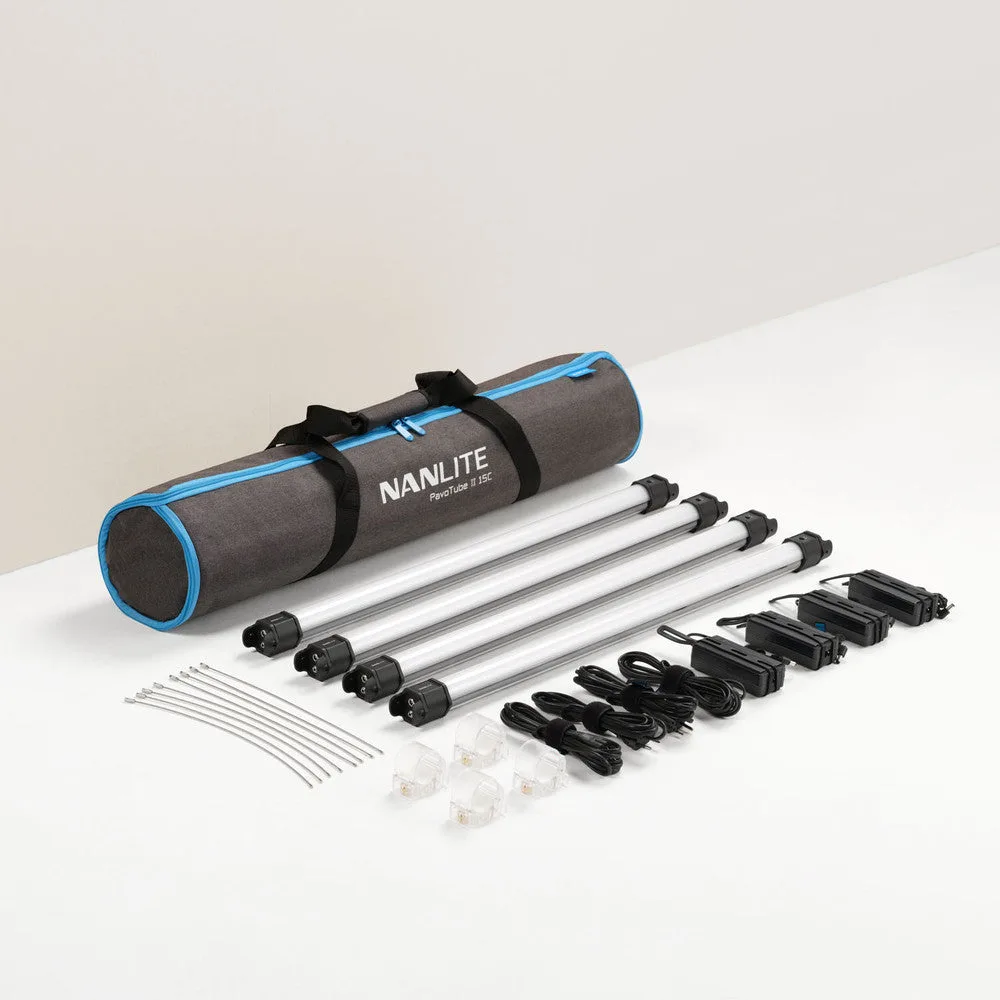
Nanlite PavoTube II 15C RGBWW LED Tube 4 Light Kit
