Quick Answer
To get all-day outdoor monitoring with the Wyze Solar Cam Pan, place it where it gets direct sunlight for most of the day, mount it securely, and configure motion detection zones in the Wyze app.
Why Placement Matters for Solar Charging
The Wyze Solar Cam Pan relies on its integrated solar panel to keep the battery topped up. If the camera sits in heavy shade, the battery may not recharge enough for continuous pan-tilt operation, especially on short winter days.
Aim for at least six hours of direct sun on the panel. South-facing walls or rooflines usually work best in the northern hemisphere. If your chosen spot is too shaded, consider a different mounting point or accept that you may need to recharge the battery manually from time to time.
Mounting Height and Range Trade-offs
The Wyze Solar Cam Pan gives you 360° pan and 70° tilt coverage, so it can watch a wide area from a single position. Mounting it too high can reduce the clarity of faces and license plates, while mounting it too low increases the chance of tampering and limits the view over fences or walls.
A good compromise is 8 to 10 feet above ground, angled slightly downward. This keeps the camera out of easy reach while still capturing useful detail. Because the camera is IP65 weather resistant, it can handle rain and dust, but you still want to avoid placing it under a leaky gutter or where water pools.
Setup Steps
- Choose the mounting spot: Pick a location with at least six hours of direct sunlight on the solar panel and a clear view of the area you want to monitor. Avoid spots where tree branches or roof overhangs will shade the panel during peak sun hours. Check the sun path at different times of day before you drill any holes.
- Charge the battery before mounting: Use the included USB cable to fully charge the camera before you install it. This ensures the camera has enough power to start and complete the first firmware update without interruption. A full initial charge makes the first setup smoother and avoids a low-battery shutdown mid-install.
- Mount the camera securely: Use the mounting bracket and screws on a solid surface like wood siding, brick, or concrete. Make sure the camera is level and that the pan and tilt range is not blocked by walls, posts, or eaves. Tighten all screws and give the camera a gentle tug to confirm it won't shift in high winds.
- Connect the Wyze Solar Cam Pan to the app: Open the Wyze app, tap Add Device, and select the Wyze Solar Cam Pan. Follow the on-screen prompts to connect it to your 2.4 GHz Wi-Fi network and complete the firmware update. If pairing fails, move the camera closer to your router temporarily, then move it back after the update.
- Adjust motion detection and zones: In the camera settings, enable person tracking and set motion zones to cover only the areas you care about. This reduces false alerts from cars, animals, or moving tree branches. Test the detection range by walking through the zone and adjust the sensitivity if you get too many or too few alerts.
- Monitor solar charging and battery health: After a few days, check the battery level in the app to see if the panel is keeping up. If the battery drops steadily, reposition the camera to a sunnier spot or trim nearby branches. Watch the battery trend for at least one week before deciding the placement is good.
Product Facts
-
Wyze Solar Cam Pan: Integrated High-Efficiency Solar Panel The built-in panel reduces how often you need to manually charge the camera, making it easier to run continuous outdoor monitoring.
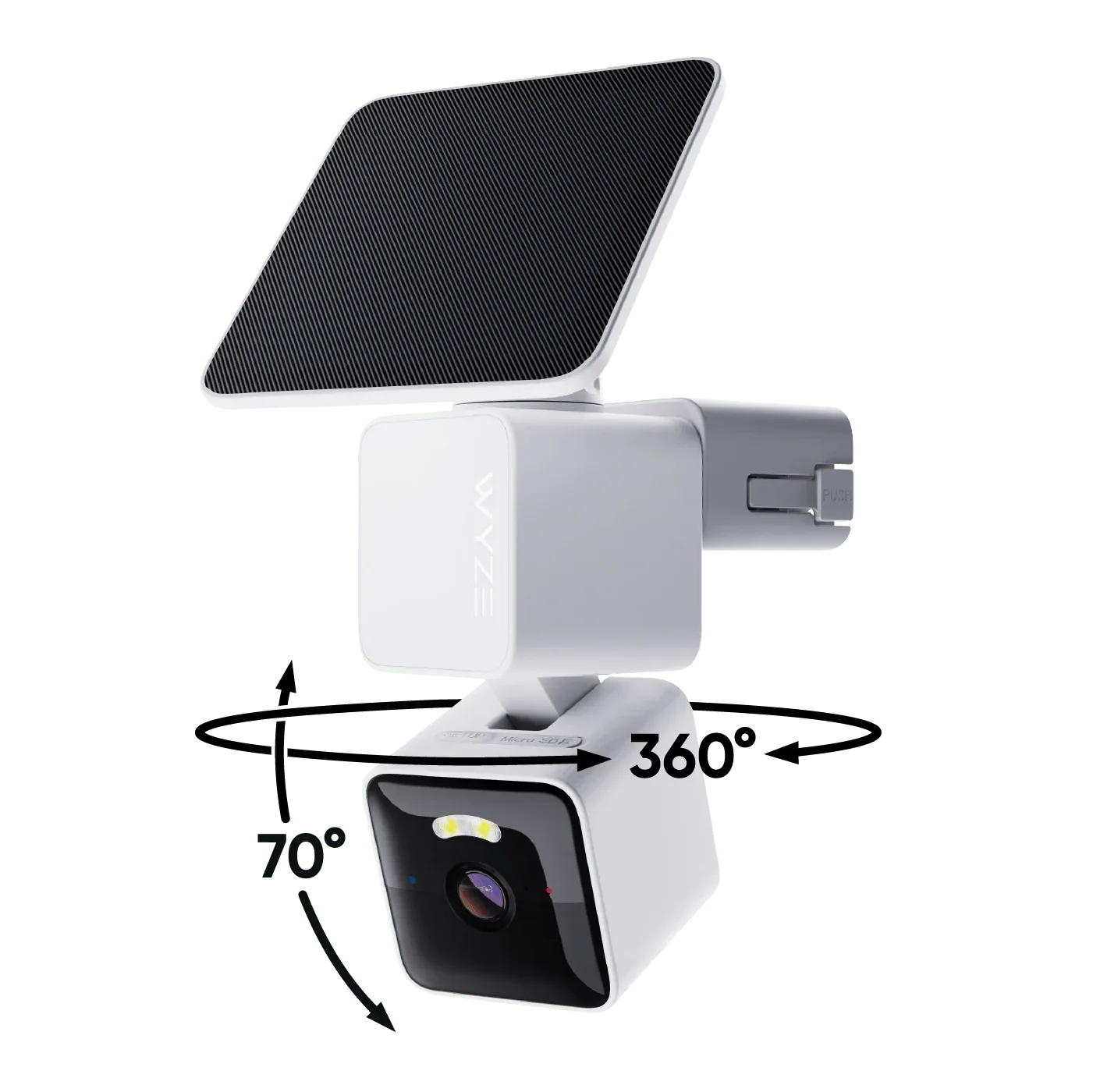
Wyze Solar Cam Pan
-
Wyze Solar Cam Pan: 360° Pan & 70° Tilt Coverage You can cover a wide yard or driveway from one mount point, but the camera needs to be positioned where it can actually rotate without obstruction.
-
Wyze Solar Cam Pan: AI-Powered Person Tracking The camera can follow a person as they move, but you should still set motion zones to reduce false alerts from passing cars or animals.