Quick Answer
Unbox your Cute Camera Kit: Nikon FG, install the lens and batteries, load the film, and you're ready to shoot. This guide walks you through each step.
What's in the Box?
Your Cute Camera Kit: Nikon FG comes with a restored Nikon FG body, a compatible lens, fresh batteries, three rolls of 35mm film, an adjustable canvas strap, and three film canisters. Everything you need to start is included.
Why This Kit Works for Beginners
The Nikon FG offers Program and Aperture Priority modes that handle exposure while you learn, plus full Manual mode for creative control. This range makes it ideal for those new to film photography.
Step-by-Step Setup Guide
- Unbox and Inspect: Open your Cute Camera Kit and lay out all items. Check that the camera body, lens, batteries, strap, and film rolls are present and undamaged. Common mistake: Forgetting to remove the lens cap before attaching the lens.
- Attach the Strap: Thread the adjustable canvas strap through the strap lugs on each side of the Nikon FG body. Secure it firmly so the camera hangs comfortably around your neck or shoulder. Checkpoint: Ensure the strap is not twisted and the clips are fully closed.
- Mount the Lens: Align the lens mounting index (usually a red dot) with the corresponding mark on the camera body. Gently twist the lens clockwise until it clicks into place. Do not force it. Common mistake: Mounting the lens at an angle can damage the bayonet mount. Always align the dots first.
- Install the Batteries: Open the battery compartment on the bottom of the camera. Insert the fresh batteries (usually two LR44 or equivalent) with the correct polarity (+/-). Close the compartment securely. Checkpoint: If the camera doesn't power on, double-check battery orientation and try a fresh set.
- Load the Film: Open the film back by pulling up the rewind knob. Insert a 35mm film cartridge into the left chamber, pull the leader across to the take-up spool, and ensure the sprockets engage. Close the back and advance the film until the frame counter shows '1'. Common mistake: Not pulling the film leader taut enough can cause loose winding and blank frames. Press the film flat against the take-up spool.
- Set the ISO and Mode: Set the film speed (ISO) on the camera's dial to match the film you loaded (e.g., ISO 200 or 400). Choose Program or Aperture Priority mode for automatic exposure, or Manual for full control. Checkpoint: Forgetting to set the ISO will result in over- or underexposed photos. Always match it to your film.
- Take Your First Shot: Frame your subject through the viewfinder, press the shutter button halfway to confirm focus (if using autofocus lens) or focus manually, then press fully to capture the image. Advance the film after each shot. Common mistake: Pressing the shutter button too quickly can cause camera shake. Hold the camera steady and breathe out before shooting.
Product Facts
-
Cute Camera Kit: Nikon FG: The Nikon FG makes film photography feel approachable from the very first roll with Program and Aperture Priority modes. You can start shooting immediately without worrying about exposure settings, then gradually learn manual controls.
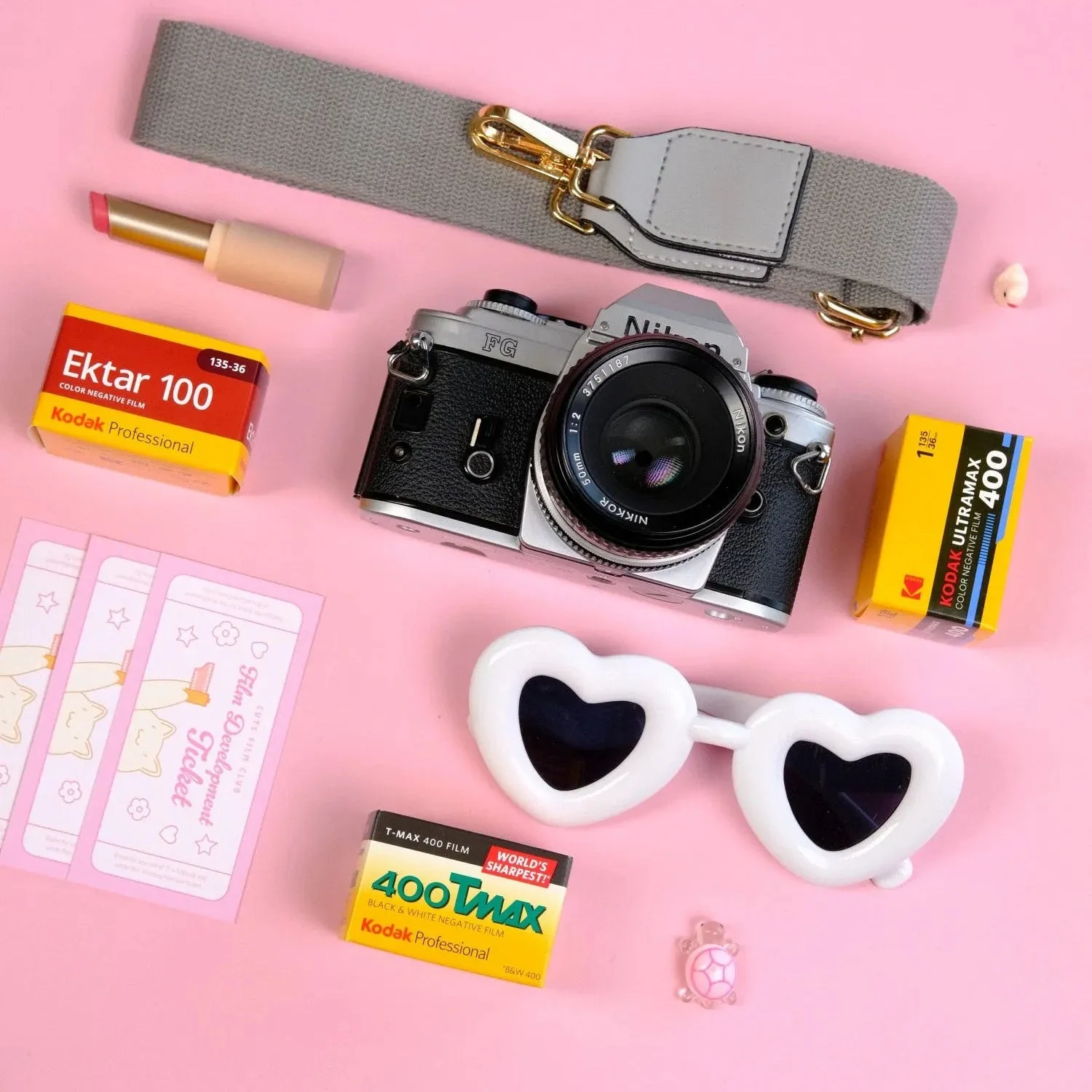
Cute Camera Kit: Nikon FG