Quick Answer
Set up your EDC Pocket Organizer by sorting your work essentials into three zones: daily reach, backup tools, and rarely used items. The Maxpedition E.D.C. Pocket Organizer keeps everything slim and secure.
Why a Dedicated Work Pouch Beats a Loose Pile
Without a dedicated organizer, small items like USB drives, charging cables, and pens end up scattered across your bag or desk. A slim pouch keeps them together and easy to grab.
The Maxpedition E.D.C. Pocket Organizer is designed to kill clutter. Its slim exterior fits inside most work bags without adding bulk, and the large front mesh pocket lets you see small items at a glance.
Choosing the Right Items for Your Work Pouch
Not everything needs to go in your organizer. Focus on items you use at least once a week: a charging cable, a small power bank, a pen, a USB drive, earbuds, and a multitool. Leave out bulky items like full-size notebooks or large chargers.
The E.D.C. Pocket Organizer has enough internal space for a slim power bank and a few cables, but it won't fit a tablet or a thick notebook. That's a trade-off for keeping the pouch compact and portable.
Step-by-Step Setup Guide
- Sort Your Essentials into Three Piles: Empty your pockets and bag. Divide items into daily reach (phone cable, earbuds, pen), backup tools (multitool, small flashlight), and rarely used (extra SIM card, spare microSD). Only the first two piles go into the organizer. Leaving rarely used items out keeps the pouch slim and easy to close.
- Place Daily Reach Items in the Front Mesh Pocket: Put items you grab multiple times a day — like earbuds, a charging cable, or a USB drive — into the large front mesh pocket. This pocket is transparent, so you can see what's inside without opening the main compartment. Avoid overstuffing the mesh pocket; it should close flat to keep the organizer's slim profile.
- Arrange Backup Tools in the Main Compartment: Place your multitool, small flashlight, or backup charging brick in the main compartment. Use the internal dividers to separate items so they don't rattle. Keep heavier items toward the back to balance the pouch. If the main compartment bulges, remove one backup item. A flat organizer fits better in a work bag.
- Secure the Organizer Inside Your Bag: Attach the organizer to a PALS webbing panel inside your work bag, or simply drop it into a front pocket. The slim design slides into most laptop bags without taking up useful space. If your bag lacks PALS webbing, use the organizer as a standalone pouch — it stays closed with a zipper.
Product Facts
-
E.D.C. Pocket Organizer (Buy 1 Get 1 Free Pocket Organizer. Mix and Match in Multiples of 2. All Sales Final.): The E.D.C. Pocket Organizer has a slim-bodied exterior and a large front mesh pocket for visibility. You can see and grab small items like USB drives or earbuds without digging through the pouch.
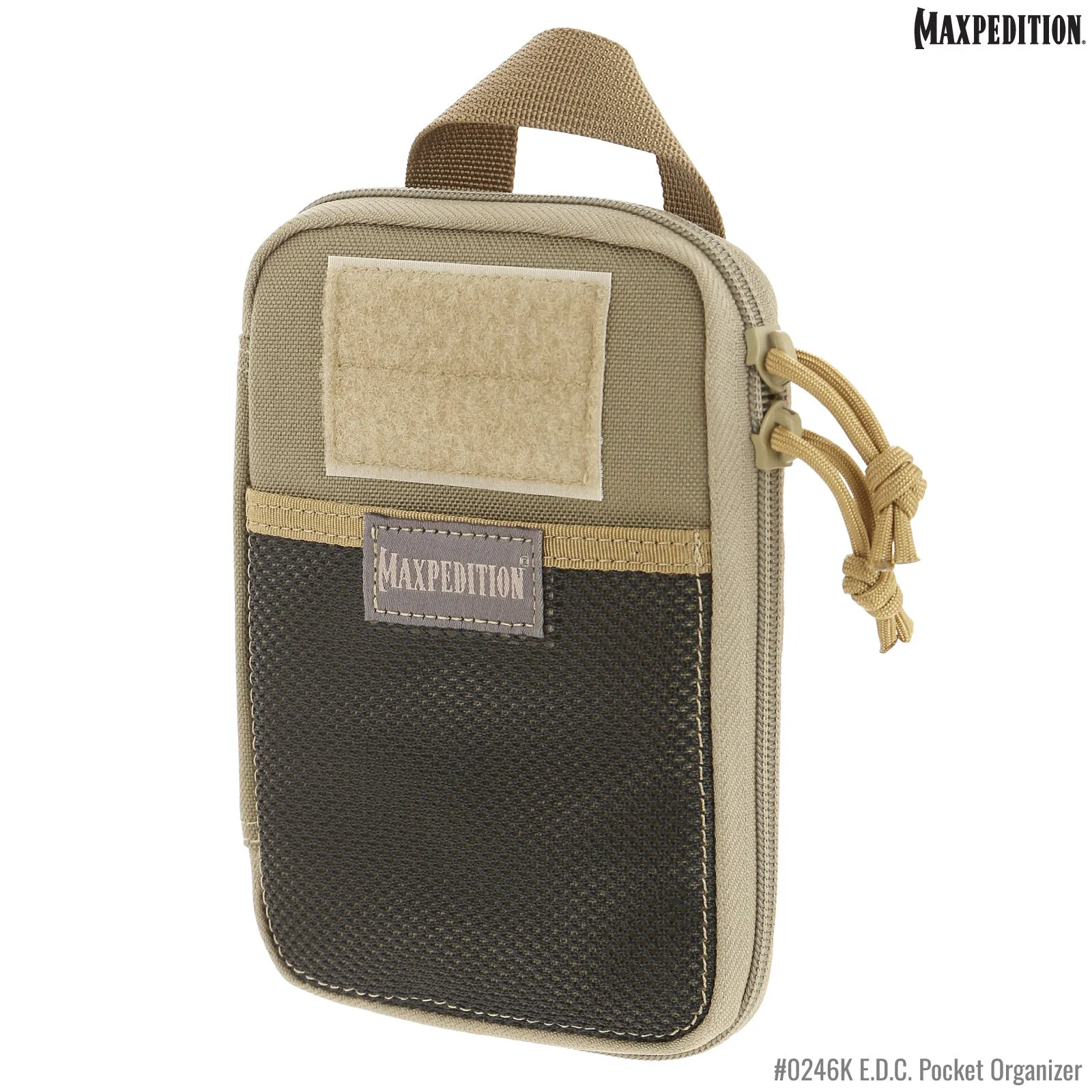
E.D.C. Pocket Organizer (Buy 1 Get 1 Free Pocket Organizer. Mix and Match in Multiples of 2. All Sales Final.)
