Quick answer
Attach the GoTough Extender Arm to your GoPro mount or helmet mount using the built-in permanent screw, then combine with other extension arms to add space and pivots without changing the camera direction.
Why Use an Aluminum Straight Pivot Arm
The GoTough Extender Arm is made from aluminum, designed to hold up to extreme wear and tear. Unlike plastic arms that can flex or crack under heavy use, this arm stays rigid and keeps your camera steady.
Its two-point pivot design lets you extend the camera without changing the direction it is facing. This is especially useful when you need to clear obstacles like helmet edges or roll bars while keeping the shot framed correctly.
Choosing the Right Color
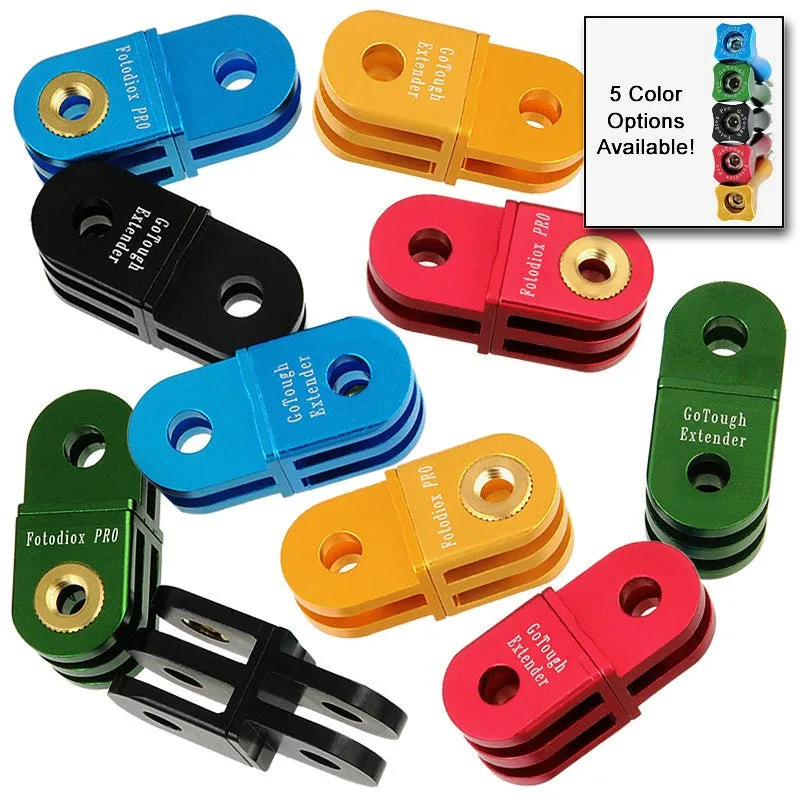
The GoTough Extender Arm is available in five colors, so you can match your gear or make the arm easy to spot. Color choice does not affect performance, but a bright color can help you locate the arm quickly when swapping mounts in the field.
Step-by-Step Setup Guide
- Attach the Arm to Your Mount: Screw the built-in permanent screw on the GoTough Extender Arm into the threaded hole of your GoPro mount, helmet mount, or any adapter with a standard GoPro thread. Tighten it firmly by hand—do not use tools, as aluminum threads can strip. Check that the screw is fully engaged before moving on. A loose connection will cause camera shake.
- Adjust the Pivot Angle: Loosen the pivot joint by turning the knurled knob counterclockwise. Position the arm so the camera faces the direction you want, then tighten the knob clockwise until it is snug. The two-point pivot allows you to extend the camera without changing its facing direction. Do not overtighten the pivot knob—finger-tight is enough. Overtightening can damage the aluminum threads.
- Combine with Additional Arms (Optional): If you need more reach or additional pivots, attach a second GoTough Extender Arm to the first using the same screw mechanism. Each arm adds 2.5 inches of extension and one pivot point. Test the stability of the combined setup by gently shaking the camera. Too many arms can introduce wobble at high speeds.
- Secure the Camera: Attach your GoPro camera to the GoTough Extender Arm using the camera's standard mounting fingers. Press the camera onto the arm's mounting tab until you hear a click. Give the camera a gentle tug to confirm it is locked. If the camera does not click into place, check that the mounting fingers are aligned and free of debris.
- Final Stability Check: Before recording, move the camera through its full range of motion while attached to the arm. Listen for any rattling or clicking sounds. If you hear noise, re-tighten all pivot knobs and the camera mount. A silent setup is a stable setup. Any movement noise will be amplified in your video audio.
Product Details
-
Fotodiox Pro GoTough Extender - Aluminum Straight Pivot Arm Extension (choose from 5 colors) - for GoPro HERO Camera Mounts: Permanent screw built into the extension arm eliminates the need for a separate acorn nut. You won't lose the mounting hardware during setup or while shooting, saving you time and frustration.
Fotodiox Pro GoTough Extender - Aluminum Straight Pivot Arm Extension (choose from 5 colors) - for GoPro HERO Camera Mounts