Quick Answer
Setting up your Path of Exile 2 PC Bundle takes about 30 minutes. Follow these steps to unbox safely, connect cables correctly, and boot into Windows for the first time without common pitfalls.
Why Proper Setup Matters for Your PoE 2 Bundle
The Path of Exile 2 PC Bundle from Starforge arrives fully assembled and tested, but how you handle the first unboxing and connection affects long-term performance. A rushed setup can lead to loose cables, poor airflow, or even damage from static discharge. Taking a few extra minutes now saves troubleshooting later.
This bundle features a custom case print and high-end components designed for PoE 2's endgame. Treating the unboxing with care protects both the artwork and the hardware inside.
Step-by-Step Setup Guide
- Unbox on a Clean, Hard Surface: Place the box on a table or desk, not carpet. Cut the tape, lift the box straight up, and remove the foam inserts. Slide the PC out by gripping the case frame, not the glass panel or fan blades. Set the box aside with all accessories. Common mistake: pulling on the glass side panel can crack it. Always lift by the metal chassis.
- Inspect and Remove Interior Packing: Open both side panels (usually thumb screws) and remove any foam or cardboard wedged inside. Check that the GPU is fully seated and the RAM sticks are locked. Reinstall the panels before moving the PC. Checkpoint: if the GPU sags or isn't clicked into the PCIe slot, reseat it now.
- Connect Power and Display Cables: Plug the power cable into the PSU first, then the wall. Connect your monitor to the GPU ports (horizontal slots near the bottom), not the motherboard ports. Attach keyboard, mouse, and Ethernet or Wi-Fi antenna. Common mistake: plugging the monitor into the motherboard runs off integrated graphics, not the dedicated GPU.
- First Boot and Windows Setup: Press the power button. If the system doesn't start, check the PSU switch is on (I position). Follow Windows setup prompts: select region, connect to network, and sign into your Microsoft account. Skip optional steps like OneDrive backup for now. Checkpoint: if fans spin but no display, power off and reseat the GPU and RAM.
- Install Drivers and Update Windows: Open Windows Update and install all pending updates. Then download the latest GPU drivers from NVIDIA or AMD directly (not from third-party sites). Restart after driver installation. Optionally install the motherboard chipset drivers from the manufacturer's site. Common mistake: using the driver disc that came with the PC often has outdated versions. Always download fresh.
- Install Path of Exile 2 and Configure Settings: Open Steam or the standalone client, log in, and download Path of Exile 2. While it installs, go to the in-game settings and set resolution to your monitor's native, disable V-Sync if you have a high refresh rate display, and adjust graphics preset to your preference. Checkpoint: enable Nvidia Reflex or AMD Anti-Lag for lower input latency in PoE 2.
Product Details
-
Path of Exile 2 PC Bundle - Pro: The Path of Exile 2 PC Bundle features mighty components and a gorgeous case print, built for the endgame. The custom artwork means you should handle the case carefully during unboxing to avoid scratches, and the high-end parts need proper ventilation from the start.
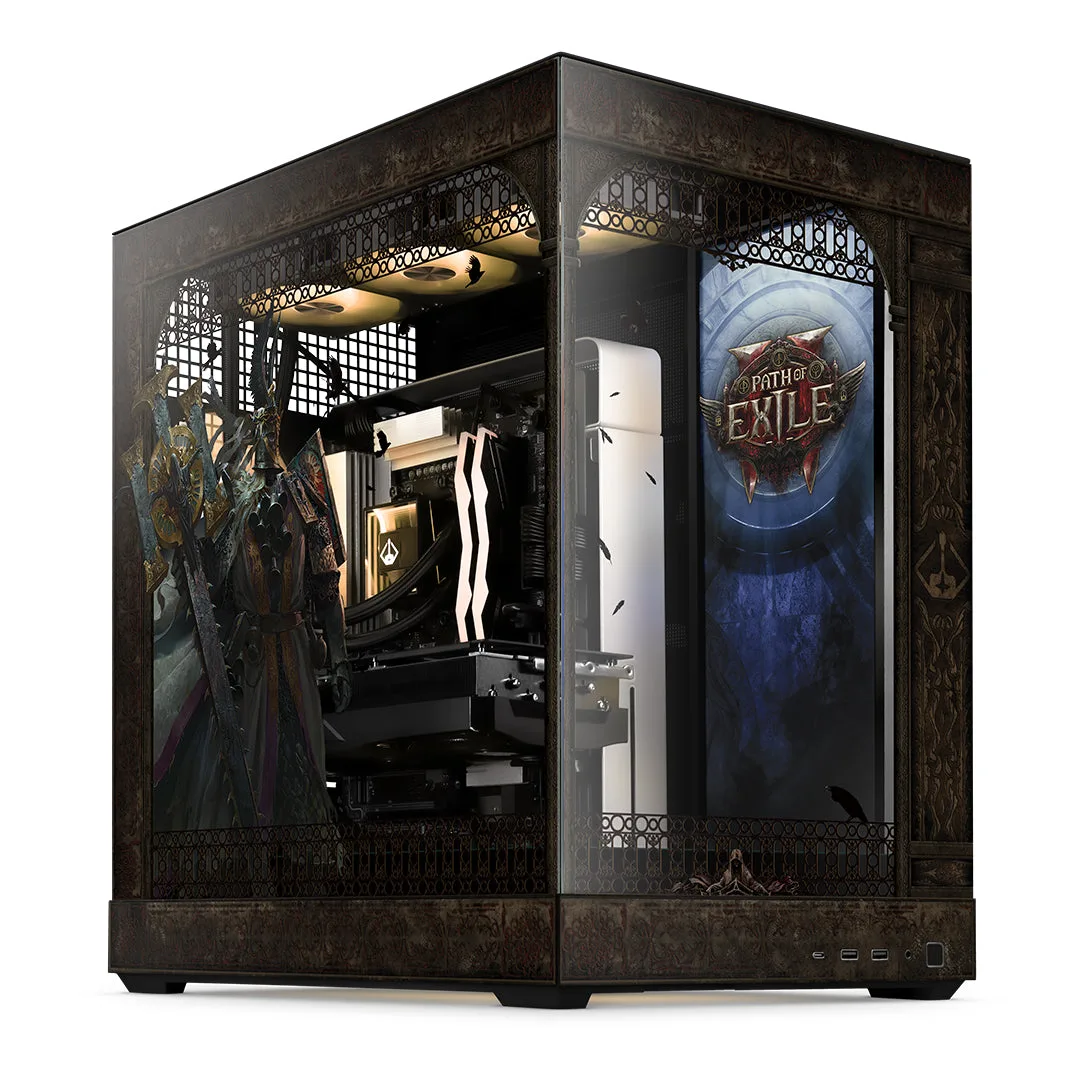
Path of Exile 2 PC Bundle - Pro