Quick answer
Attach the hybrid ND/PL filter, rotate the polarizer to cut glare, then lock exposure and focus on your subject. Start with the lightest ND strength, check the histogram for clipping, and increase strength only if highlights are blown. This keeps shutter speeds and ISO low, which is what actually makes handheld photos look sharper.
Why a hybrid filter sharpens bright-light photos
In bright sun, your iPhone raises shutter speed and ISO to compensate. High ISO adds noise, and very fast shutters can make handheld shots look brittle. A hybrid ND/PL filter cuts light and glare before it reaches the lens, so the camera can use cleaner settings. The polarizer layer also removes reflections from water, glass, and leaves, which restores color and contrast that glare otherwise washes out.
Step 1: Match the filter strength to the scene
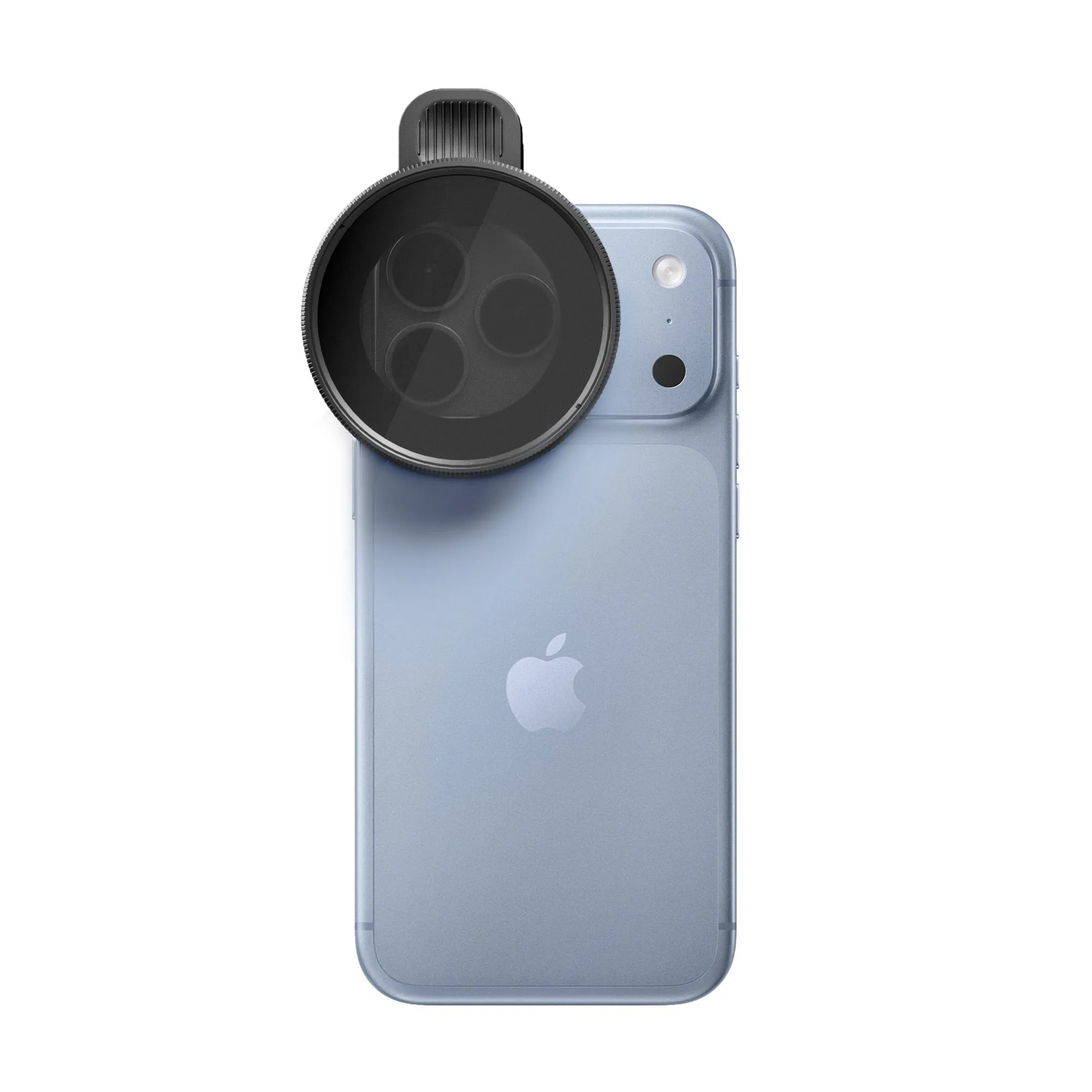
The Hybrid ND/PL Filters - iPhone pack includes three ND strengths, one for every condition. Use the lightest strength for overcast or shaded scenes, a middle strength for open shade or late afternoon, and the strongest for direct sun, snow, or water. If your scene is already dim, remove the filter rather than fighting it.
Step 2: Attach and align without touching the glass
Mount the filter so it sits flat against the iPhone lens. Handle it by the rim, not the glass. A fingerprint on the polarizer scatters light and creates haze that looks like softness. Before you shoot, check that the filter is fully seated; a tilted filter can cause uneven sharpness across the frame.
Step 3: Rotate the polarizer for maximum glare reduction
Slowly rotate the polarizer ring while watching the screen. The effect is strongest when the sun is at a 90-degree angle to your subject. Stop when reflections on water or glass fade and sky contrast deepens. Over-rotating can darken the sky unevenly, so use the screen as your guide, not a fixed position.
Step 4: Lock exposure and focus on the subject
Tap and hold on your subject to lock AE/AF. With the filter attached, the camera sees less light, so it may choose a slower shutter speed. Lock focus on the part of the frame you want sharpest, then recompose. If you are shooting a landscape, lock focus slightly closer than infinity to keep foreground and background acceptably sharp.
Step 5: Check the histogram and adjust
Open the histogram in your camera app. You want highlights to stop just before the right edge. If they clip, rotate to a stronger ND or lower exposure slightly. If the image is too dark, switch to a lighter ND rather than raising ISO. This keeps noise low and detail intact.
Step 6: Stabilize for slower shutter speeds
A filter reduces light, so shutter speeds drop. Brace your elbows against your body, use a wall or tripod, or enable a timer. For video, a filter helps you hold a cinematic shutter speed, but for stills the goal is simply to avoid blur. If you cannot hold steady, increase light or use a lighter ND strength.
Step 7: Clean and store between shots
Use a microfiber cloth to wipe the filter before and after each session. Store it in a case so the glass does not rub against other gear. A clean polarizer preserves contrast; a dirty one adds flare that looks like poor focus. Check the glass under a light before you put it away.
Step-by-step checklist for sharper hybrid ND/PL shots
- Choose the right ND strength: Start with the lightest ND and only go stronger if highlights clip. Match the strength to the light, not to a preset. Checkpoint: if the scene looks dim on screen, remove the filter or switch to a lighter ND.
- Attach the filter cleanly: Seat the filter flat and handle it by the rim. A fingerprint on the glass causes haze that mimics soft focus. Checkpoint: inspect the glass for smudges before every session.
- Rotate the polarizer for glare: Turn the ring slowly until reflections fade and sky contrast improves. The best angle is with the sun to your side. Checkpoint: stop rotating when the sky darkens unevenly.
- Lock exposure and focus: Tap and hold on your subject to lock AE/AF. With less light entering, the camera may pick a slower shutter speed. Checkpoint: confirm focus on the exact area you want sharpest.
- Verify with the histogram: Keep highlights just inside the right edge. If they clip, use a stronger ND or lower exposure slightly. Checkpoint: avoid raising ISO to brighten a filtered shot.
- Stabilize for the slower shutter: Brace yourself, use a support, or enable a timer. A filter lowers light, so handheld blur becomes the main risk. Checkpoint: if you cannot hold steady, switch to a lighter ND.
- Clean and store the filter: Wipe the glass with a microfiber cloth and store it in a case. Clean optics preserve contrast and sharpness. Checkpoint: a dirty polarizer adds flare that looks like poor focus.
Product facts
- Hybrid ND/PL Filters - iPhone: Built with cinema-grade optics, the Hybrid Filter combines exposure control and polarization without the bulk of a multi-filter setup. You get both light cutting and glare reduction in one filter, which means fewer swaps and less chance of misalignment while shooting.
- Hybrid ND/PL Filters - iPhone: The pack includes three ND strengths, one for every condition. You can match the filter to bright sun, open shade, or overcast light instead of forcing one strength to work everywhere.
- Hybrid ND/PL Filters - iPhone: Fixed ND glass delivers consistent, color-neutral exposure and controlled shutter speeds without the distortion or color cast of variable ND filters. Colors stay true and sharpness holds up across the frame, so you spend less time correcting in post.