Quick answer
Start a photo grid notebook by choosing a grid-format notebook like the Modern Photo Grid from Papier, then systematically arrange your photos in the grid cells, adding captions or dates to preserve the story behind each image.
Why a photo grid notebook works for memory keeping
A photo grid notebook gives you a structured layout that keeps your memories organized without the fuss of traditional scrapbooking. The grid lines act as guides, so you don't need to measure or align each photo by eye.
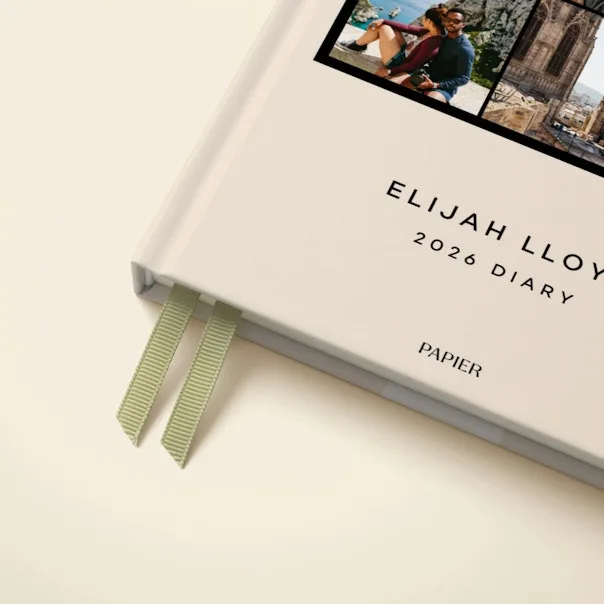
The Modern Photo Grid from Papier features a minimalist grid design that works well for both personal and professional settings. Its clean look helps your photos stand out, and the structured format makes it easy to fill multiple pages consistently.
Choosing the right photo grid notebook
Look for a notebook with a grid pattern that matches the size of your printed photos. The Modern Photo Grid offers a tidy, structured layout that suits standard 4x6 or 3x5 prints. If you plan to include Polaroid or square photos, check that the grid cells accommodate those dimensions.
Paper quality matters too. Heavier paper prevents ink bleed if you write captions, while lighter paper keeps the notebook slim. The Modern Photo Grid uses quality paper from Papier, known for its smooth surface that works well with most pens and adhesives.
How to start your photo grid notebook
- Select your photos: Choose 6-12 photos that tell a single story or capture a theme, such as a vacation or a birthday. Print them in a consistent size (e.g., 4x6) so they fit the grid cells without cropping. Common mistake: printing photos in mixed sizes can make the grid look unbalanced. Stick to one size per page.
- Arrange photos in the grid: Lay the photos on the notebook page before gluing. Try different arrangements—symmetrical for a formal look, or slightly staggered for a casual feel. Leave one or two cells empty for captions or decorative elements. Checkpoint: step back and see if the arrangement tells a story. Move photos around until the sequence feels natural.
- Attach photos and add notes: Use a glue stick or double-sided tape to secure each photo. Then write dates, names, or short memories in the empty cells or along the margins. Keep the handwriting consistent for a polished finish. Common mistake: using too much glue can wrinkle the paper. Apply a thin, even layer to the back of each photo.
- Add personal touches: Include ticket stubs, stickers, or washi tape to complement the photos. Place these in empty grid cells or along the edges to maintain the structured look. Avoid overloading the page—leave some white space for balance. Checkpoint: after adding extras, close the notebook and check that nothing bulges. Flat pages keep the book in good condition.
Product facts
-
Modern Photo Grid: The Modern Photo Grid from Papier features a minimalist grid layout for a sleek, curated presentation. The grid guides your photo placement, so you get a clean, organized look without needing design skills.
Modern Photo Grid