Quick answer
Mount the flash, set your camera to manual or aperture priority, enable ETTL, and bounce the flash off a ceiling or wall for soft, natural-looking light.
Why a mini speedflash instead of the built-in flash
A mini speedflash like the Kenro Mini Speedflash for DSLR is far more powerful than your camera's pop-up flash, with a guide number of GN32 (ISO 100). It also tilts and swivels, letting you bounce light off ceilings or walls for softer shadows and more flattering portraits.
Because it weighs only 150g without batteries and stands just 11cm tall, it balances well on smaller DSLR and mirrorless bodies without making the setup front-heavy. The trade-off is that it runs on AA batteries, so you'll want spares for extended shoots.
When to use manual flash instead of ETTL
ETTL (through-the-lens metering) works great for fast-changing scenes like events or family gatherings because the camera automatically adjusts flash output. But in studio-like setups where the distance between flash and subject stays constant, manual flash gives you consistent exposure shot after shot.
If you're new to flash, start with ETTL. Once you understand how distance and aperture affect exposure, experiment with manual power settings for more creative control.
How to use your mini speedflash in 5 steps
- 1. Mount and lock the flash: Slide the flash's hot shoe into your camera's hot shoe mount until it clicks. Tighten any locking ring or lever to prevent accidental disconnection. Check that the flash sits flush and doesn't wobble. A loose connection can cause misfires.
- 2. Set your camera to a flash-friendly mode: Switch your camera to Manual (M) or Aperture Priority (Av/A). Start with 1/60s shutter speed and f/5.6 aperture. Adjust ISO to 200–400 for indoor use. Shutter speeds faster than 1/200s may cause a black band on the image (sync speed limit). Stay at or below your camera's sync speed.
- 3. Enable ETTL and tilt the head: Turn on the flash and set it to ETTL mode. Tilt the flash head 45–60° toward the ceiling or a wall. This creates a large, soft light source. Avoid pointing the flash directly at the subject unless you want harsh shadows and red-eye.
- 4. Take a test shot and check the histogram: Press the shutter halfway to let the flash pre-fire for metering, then take a full shot. Review the histogram to ensure highlights aren't clipped. If the image is too bright, increase aperture (higher f-number) or move farther from the subject. If too dark, open the aperture or increase ISO.
- 5. Adjust flash exposure compensation if needed: Use the flash exposure compensation (FEC) control on the flash or camera to fine-tune brightness. Start at -0.7 EV for a natural look, then adjust. FEC changes only the flash output, not the ambient exposure. Use it when the subject looks overexposed but the background is fine.
Product spotlight
-
Kenro Mini Speedflash for DSLR: Guide number GN32 (ISO 100) despite being only 11cm high and weighing 150g without batteries. This means you get enough power to light a subject 10 meters away at ISO 100, yet the flash stays compact enough for everyday carry.
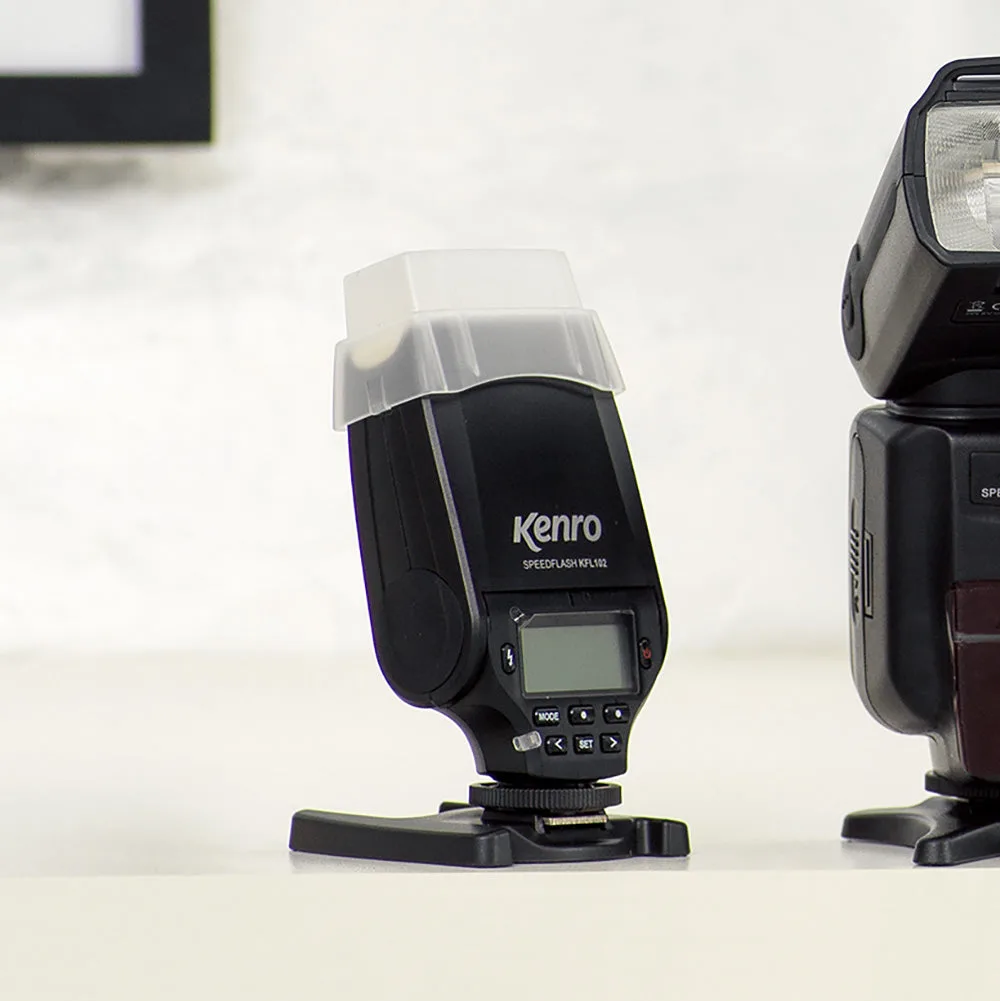
Kenro Mini Speedflash for DSLR