Quick answer
To view old negatives with a slide viewer, insert batteries, place the slide or film strip on the illuminated stage, and look through the magnifying lens. The Kenro X3 offers 3x magnification and a 6500K LED for true-to-life color, while the Kenro X2 provides 2x magnification for mounted slides.
Choosing the right viewer for your film
Desktop slide viewers are designed for standard 35mm mounted slides and, in some cases, film strips. The Kenro X2 works only with mounted slides because it relies on a push-down trigger to engage the light. The Kenro X3 accepts both mounted slides and 35mm film strips, making it more versatile if you have uncut negatives. Neither model handles medium format or larger film sizes, so check your film type before purchasing.
Lighting and magnification differences
The built-in light source is critical for seeing detail in dense negatives. The Kenro X3 uses a 6500K LED, which mimics daylight and helps you judge color and exposure accurately. The Kenro X2 uses a standard LED; it is adequate for casual inspection but may not reveal subtle color casts. Magnification also matters: 3x on the X3 lets you examine grain and sharpness, while 2x on the X2 gives a broader view of the whole frame without as much detail.
How to use a slide viewer for old negatives
- Insert batteries and turn on the light: Open the battery compartment and insert the required AA batteries (4 for the Kenro X3, 2 for the Kenro X2). Switch the unit on. For the X2, you will need to press a slide down onto the stage to engage the light trigger. Check that the light is bright and even before inserting your slide. Dim or flickering light usually means low batteries.
- Place your slide or film strip on the viewing stage: For mounted slides, simply set the slide into the slot or on the illuminated area. For film strips (Kenro X3 only), lay the strip flat on the stage so the frame you want to view is centered under the lens. Handle film strips by the edges only; fingerprints on the film will show up magnified and can be mistaken for dust or scratches.
- Look through the magnifying lens and adjust your position: Bring your eye close to the glass lens. Move the slide or film slightly until the image is sharp. The lens is fixed-focus, so you adjust by moving the slide rather than turning a focus ring. If the image looks blurry, you may be too far from the lens. Press your eye gently against the rubber eyecup (if present) for the clearest view.
- Clean the lens and slide before each use: Use a soft, lint-free cloth to wipe the glass lens and the slide surface. Compressed air can remove loose dust. Avoid liquid cleaners on the viewer lens unless specified by the manufacturer. Dust on the lens can look like image defects. Clean the lens first, then recheck the slide before deciding a negative is damaged.
Product facts
-
Kenro X3 Slide Viewer: The Kenro X3 Slide Viewer offers 3x magnification for standard 35mm film and mounted slides, with a glass magnifying lens and a built-in 6500K LED light source. The higher magnification and daylight-balanced LED make it easier to inspect fine details and judge color accuracy in old negatives.
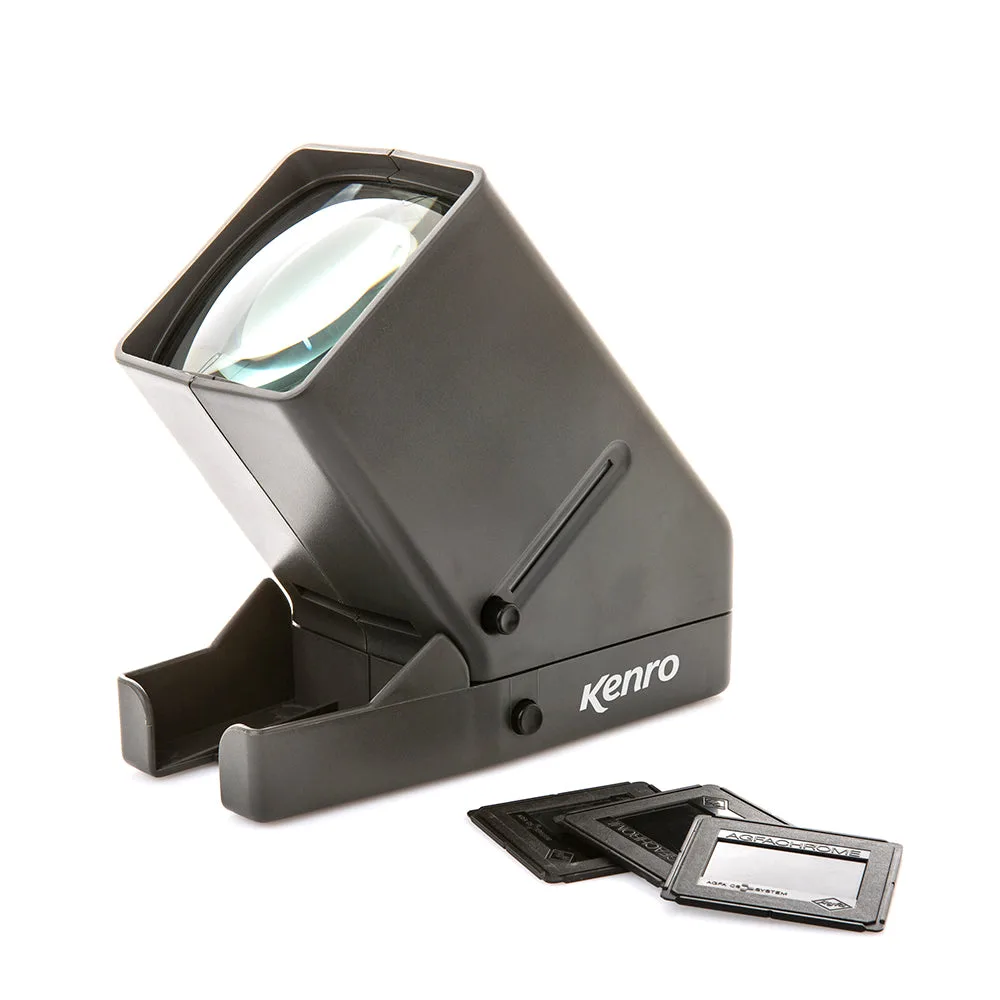
Kenro X3 Slide Viewer
-
Kenro X2 Slide Viewer: The Kenro X2 Slide Viewer provides 2x magnification for standard 35mm mounted slides, with a glass lens and a push-down light trigger that activates when you insert the slide. It is a simpler, more affordable option for quickly checking mounted slides, but it does not accept unmounted film strips.
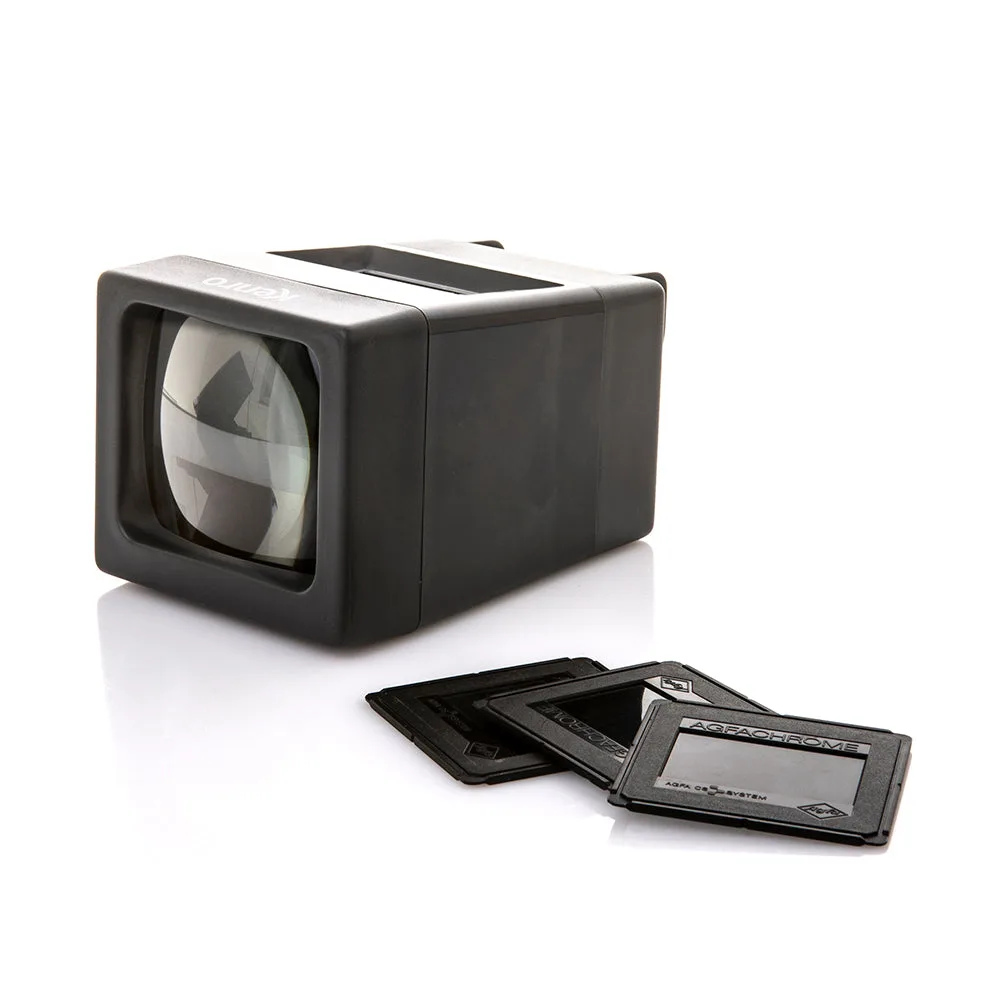
Kenro X2 Slide Viewer