Quick answer
Use the CDN Waterproof Timer to measure your pour-over brew time from first pour to finish. Set it to minutes and seconds, start when water hits the grounds, and stop when the dripper empties.
Why timing matters for pour over
Pour-over coffee relies on consistent extraction. A few seconds off can make your cup taste sour or bitter. The CDN Waterproof Timer gives you a clear, large display so you can track bloom time, pour intervals, and total brew time without squinting.
The timer is waterproof, so you can keep it near your setup without worrying about spills. Its simple controls mean you can focus on pouring, not fiddling with buttons.
Step-by-step guide
- Set the timer to minutes and seconds: Press the MODE button until the display shows minutes and seconds (MM:SS). For pour over, you want seconds precision, not hours. Common mistake: leaving the timer in hour mode. Always check the display before starting.
- Start the timer when water first hits the grounds: Press the START/STOP button the moment you begin your first pour (bloom). This captures the full extraction time, including the bloom phase. Common mistake: starting the timer after the bloom. This skews your total brew time and makes recipe adjustments unreliable.
- Track your pour intervals: Use the timer to space out your pours. For a typical 3-pour recipe, aim for 30 seconds between each pour. The large display lets you see the time from across the counter. Common mistake: forgetting to reset between pours. Use the timer's lap or split function if available, or simply note the time at each pour.
- Stop the timer when the dripper is empty: Press START/STOP again as soon as the last drip falls. Record the total brew time (e.g., 3:30) for future reference. Common mistake: stopping too early while coffee still drips. Wait until the stream becomes intermittent drops.
- Reset for the next brew: Press and hold the CLEAR button until the display returns to zero. Wipe the timer with a damp cloth if any coffee splashed on it. Common mistake: not resetting before the next brew. Always clear the display to avoid confusing times.
Product facts
-
CDN Waterproof Timer: This family-owned business has been a global leader in kitchen equipment for over 30 years. The large font helps you quickly scan which brews are about to finish. The easy-to-read display lets you glance at your brew time from a distance, so you can keep your hands on the kettle and pourer.
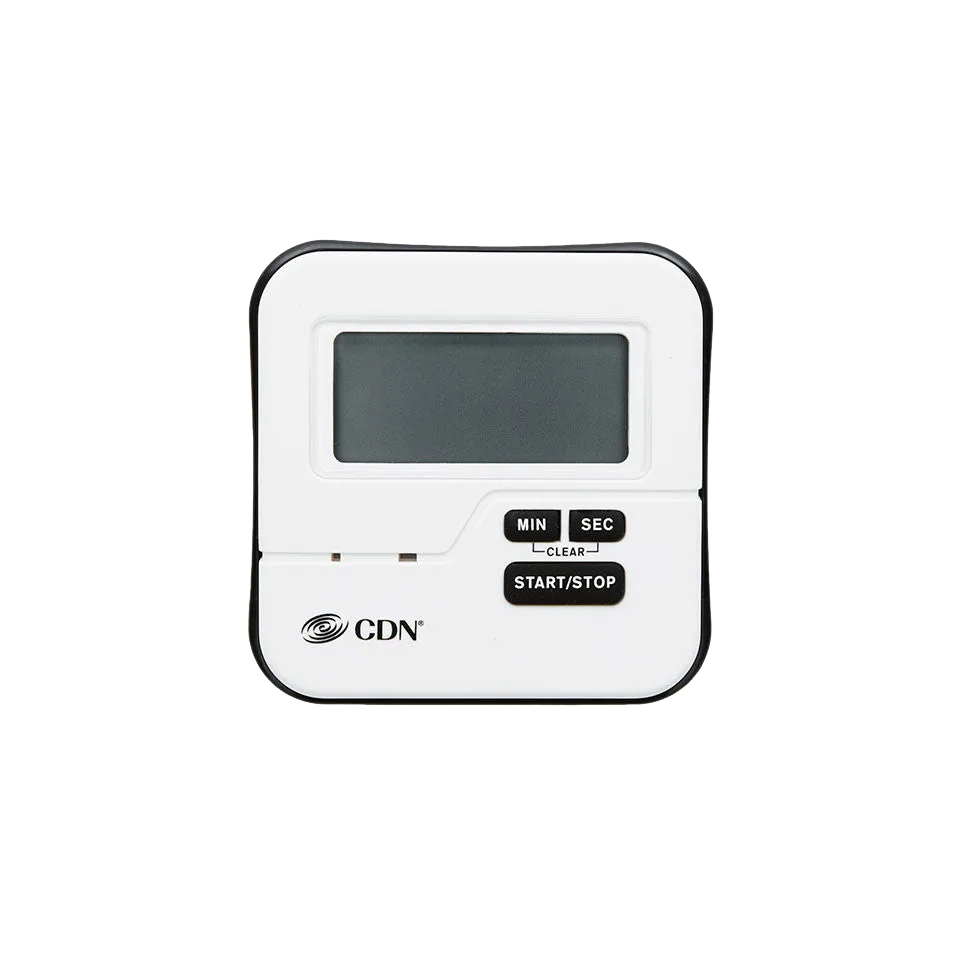
CDN Waterproof Timer