Quick Answer
A USB dummy battery replaces your camera's rechargeable battery and connects to a power bank or wall outlet, giving you unlimited runtime for time-lapses, live streams, or all-day shoots.
Why Use a Dummy Battery Instead of Swapping Batteries
Swapping batteries mid-shoot risks missing a critical moment and introduces a gap in power. A dummy battery eliminates that by providing continuous power from an external source. The trade-off: you lose portability since the camera is tethered to a power bank or AC adapter. This setup works best for stationary or tripod-based work.
USB vs. Traditional Dummy Batteries
Older dummy batteries required a specific AC adapter with a barrel connector. Modern USB dummy batteries let you power your camera from any standard USB power bank, phone charger, or laptop port. The convenience comes with a limitation: the power bank must deliver at least 5V/2A output to match the dummy battery's input requirement. Check your power bank's specs before relying on it for a long shoot.
How to Set Up a USB Dummy Battery for Continuous Shooting
- 1. Confirm Camera Compatibility: Check your camera model against the dummy battery's compatibility list. For example, the RDP LP-E17A works with Canon M3, M5, and M6. Using the wrong model can damage the battery compartment or camera electronics. Double-check the camera model number, not just the battery type.
- 2. Choose the Right Power Source: Use a power bank or USB wall adapter that can output at least 5V/2A. A 10,000 mAh power bank typically provides 6–10 hours of shooting depending on your camera's draw. Avoid using a computer USB port unless it's a dedicated charging port—standard data ports may not supply enough current. Label your power bank with its output rating so you don't grab an underpowered one in a hurry.
- 3. Insert the Dummy Battery Properly: Open the camera battery door and slide the dummy battery in the same orientation as a regular battery. Route the USB cable through the battery door notch (if your camera has one) or leave the door slightly ajar. Never force the cable—this can pinch wires or damage the connector. If the battery door doesn't close fully, use a rubber band or gaffer tape to hold it shut without pressing on the cable.
- 4. Connect and Test Power: Plug the USB cable into your power source, then turn on the camera. The camera should power on as if a fresh battery is installed. If it doesn't, check the cable connection and power bank output. A common mistake is using a cable that only charges but doesn't carry data—most dummy batteries need a standard USB power cable, not a charge-only cable. Test the setup at home before your shoot to avoid surprises in the field.
- 5. Secure Cables and Prevent Accidental Disconnection: Use a cable tie or velcro strap to keep the USB cable from pulling out during movement. For tripod shoots, run the cable along a leg and secure it with clips. A sudden yank can disconnect power mid-shot and corrupt files on some cameras. Keep a spare power bank or cable in your bag—a dead power bank still stops the shoot.
Dummy Battery Options
-
RDP FZ-100 Dummy Battery for Sony FZ100 with USB connection: USB connection with input 5V 2-4A and output DC8V 4A; conversion efficiency 92%; cable length 150 cm. This Sony FZ100 dummy battery works with most power banks that output at least 5V/2A, and the 150 cm cable gives you flexibility to place the power source away from the camera.
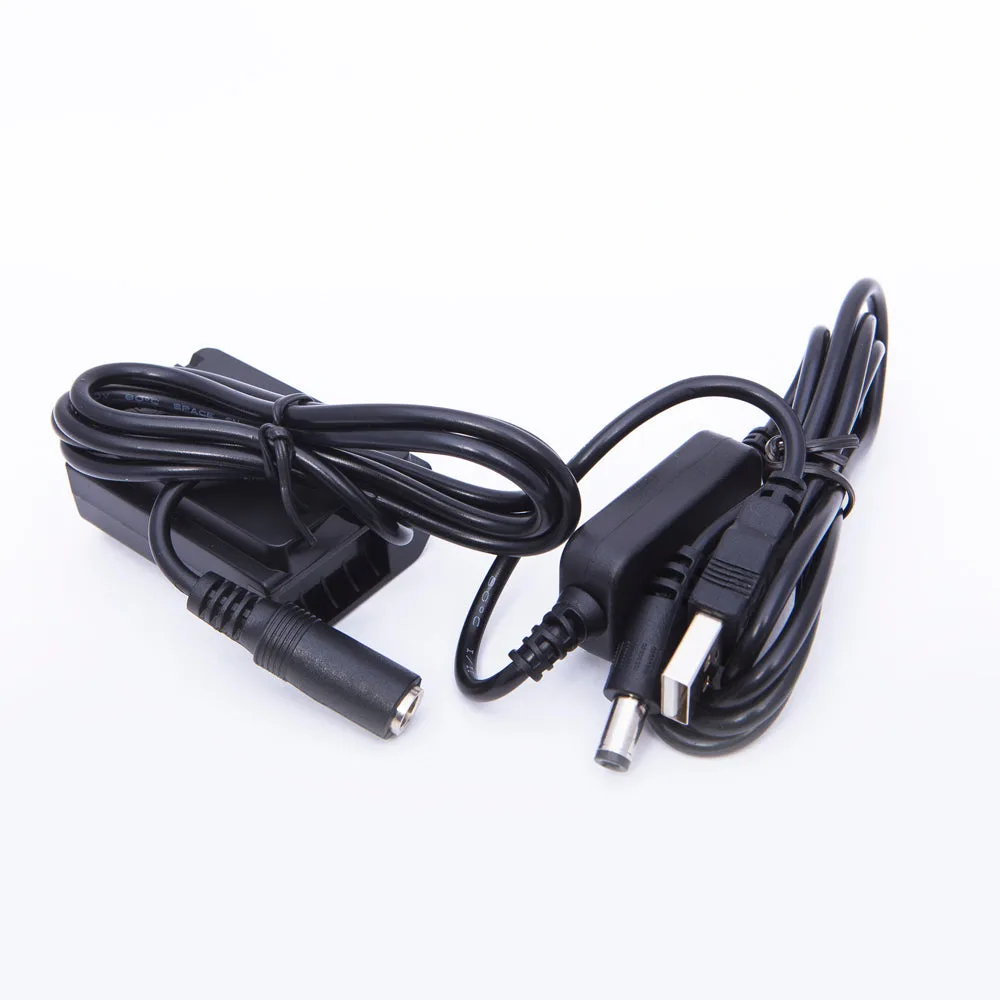
RDP FZ-100 Dummy Battery for Sony FZ100 with USB connection
-
RDP LP-E17A Dummy Battery for Canon LP-E17 with USB connection: USB connection with input 5V 2-4A and output DC8V 4A; compatible with Canon M3, M5, and M6 cameras. If you shoot with Canon mirrorless bodies like the M series, this dummy battery lets you use the same power bank setup without needing a separate adapter.
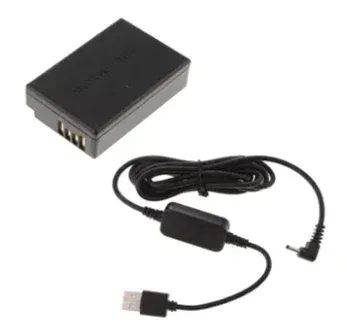
RDP LP-E17A Dummy Battery for Canon LP-E17 with USB connection


