Quick Answer
Mount the Kenro KFL101 on your camera hotshoe, set your camera to TTL mode, and adjust flash exposure compensation as needed. For off-camera use, switch to S1 or S2 slave mode and trigger with your built-in flash.
Why the Kenro KFL101 Works for Both Canon and Nikon Shooters
The Kenro Standard Speedflash (KFL101) is designed with dual compatibility, supporting both Nikon i-TTL and Canon e-TTL systems on the same flash head. This makes it a practical choice if you own cameras from both brands or share gear with photographers using a mix of systems. You don't need to buy separate flashes for each system.
Step-by-Step Setup Guide
- 1. Attach the Speedflash to Your Camera: Slide the Kenro KFL101 onto your camera's hotshoe until it clicks into place. Tighten the locking ring to secure it. Common mistake: Forgetting to lock the flash can cause it to slip off during shooting.
- 2. Set the Flash to TTL Mode: Press the mode button until TTL appears on the LCD. This lets the camera control flash power automatically for proper exposure. Checkpoint: If your camera doesn't communicate with the flash, ensure the hotshoe contacts are clean and the flash is fully seated.
- 3. Adjust Flash Exposure Compensation: Use the +/- button to dial in flash exposure compensation (e.g., +0.7 EV for fill light). A common mistake is leaving it at 0 EV for every scene, which can lead to overexposed highlights or underexposed subjects.
- 4. Enable High-Speed Sync (HSS) for Fast Shutter Speeds: Press the HSS button to activate high-speed synchronization. This allows you to use shutter speeds faster than the camera's normal flash sync speed (e.g., 1/2000s) to freeze action or darken ambient light. Checkpoint: HSS reduces flash power, so you may need to move the flash closer or raise ISO.
- 5. Use Slave Mode for Off-Camera Flash: Switch to S1 or S2 slave mode. In S1 mode, the flash fires when it detects any burst of light. In S2 mode, it ignores the pre-flash from TTL systems and fires on the main flash. Common mistake: Using S1 with TTL pre-flash can cause the slave to fire too early, resulting in underexposure. For reliable off-camera triggering, always use S2 mode when your camera is in TTL.
Product Facts
-
Kenro Standard Speedflash (Canon & Nikon Fit): The Kenro KFL101 is compatible with both Nikon i-TTL and Canon e-TTL systems on the same flash head. You can use the same flash with different camera brands without needing an adapter or a second unit.
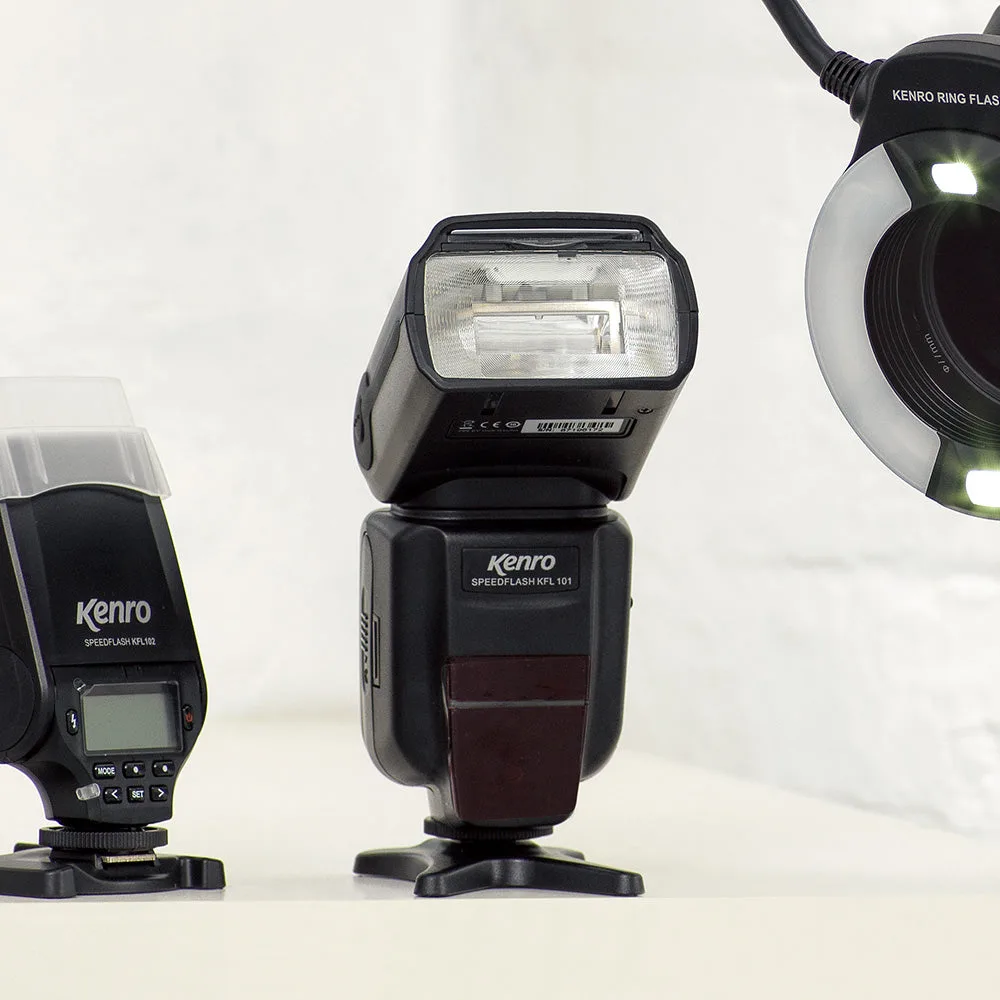
Kenro Standard Speedflash (Canon & Nikon Fit)