Quick Answer
Use the KeySmart NanoStylus as a barrier between your finger and public touchscreens. Attach it to your KeySmart key organizer so it's always within reach, and use the stylus tip to tap, swipe, and type without direct skin contact. After each use, wipe the tip with a sanitizing cloth to keep it clean.
Public touchscreens are everywhere—ATMs, self-checkout kiosks, airport check-in screens, and even elevator buttons. Each one is a hotspot for germs, and tapping them with your bare finger can leave you exposed to bacteria and viruses. The KeySmart NanoStylus offers a simple, practical solution: a compact stylus that keeps your hands clean while you interact with these shared surfaces.
In this guide, we'll walk you through how to attach the NanoStylus to your KeySmart, use it effectively on various touchscreens, and maintain it for long-lasting hygiene. Whether you're an everyday carry enthusiast or just someone who wants to avoid germs, these steps will help you get the most out of your stylus.
Why Use a Stylus for Public Touchscreens?
Public touchscreens are notorious for harboring germs. Studies have shown that shared screens can contain a variety of bacteria and viruses, and even though many are harmless, some can make you sick. Using a stylus creates a physical barrier, reducing the risk of transferring pathogens from the screen to your hands.
The KeySmart NanoStylus is specifically designed for this purpose. Its precision tip works on capacitive touchscreens (the type used on most modern devices) and is small enough to attach to your keychain or KeySmart organizer. This means you always have a hygienic option available, without needing to carry a bulky pen.
- Always carry a small hand sanitizer or disinfectant wipes to clean the stylus tip after use.
Step-by-Step Guide to Using the KeySmart NanoStylus
Follow these steps to make the most of your NanoStylus, from setup to daily use.
- Check that the stylus tip is clean before each use to avoid transferring dirt or grime.
How to Use the KeySmart NanoStylus: 5 Steps
- Attach the NanoStylus to Your KeySmart: Slide the NanoStylus onto the KeySmart's screw post or attach it via the keyring hole, depending on the model. Ensure it sits snugly and doesn't obstruct other keys or tools. Check that the stylus is secure before heading out to avoid losing it.
- Locate the Touchscreen You Need to Use: Identify the public touchscreen you need to interact with, such as an ATM or self-checkout kiosk. Stand at a comfortable distance and position your hand to hold the stylus like a pen. Avoid touching the screen with your other hand while using the stylus.
- Use the Stylus Tip for All Interactions: Tap, swipe, and type using the stylus tip. The NanoStylus is designed for capacitive screens, so it will respond to your touches just like a finger. Apply gentle pressure—no need to press hard. If the screen doesn't respond, check that the tip is clean and that you're using the correct end.
- Clean the Stylus Tip After Each Use: After finishing, wipe the stylus tip with a disinfectant wipe or a cloth with alcohol. This removes any germs picked up from the screen and keeps the tip hygienic for next time. Make it a habit to clean the stylus immediately after use to prevent cross-contamination.
- Store the NanoStylus Back on Your KeySmart: After cleaning, return the NanoStylus to its spot on your KeySmart. Ensure it's clipped or secured properly so it doesn't fall off during the day. Regularly inspect the attachment point for wear and tear to ensure the stylus stays put.
KeySmart Products to Complement Your NanoStylus
- KeySmart® Flex | World's 1st Compact Key Organizer | Holds Up to 8 Keys.: KeySmart Flex is the world's first compact key organizer. KeySmart Flex makes your keys organized, compact and comfortable to carry! Holds up to 8 of your existing keys and can be expanded to accommodate even more keys by adding and using our exclusive expansion kits Create a reliable compact utility key organizer by adding KeySmart mini tools, such as: Quick Release Keychain, Bottle Opener, Deep Carry Pocket Clip,... The KeySmart Flex provides a sturdy base to attach your NanoStylus, keeping it accessible and secure. Its expandable design lets you add the stylus without sacrificing space for your essential keys.
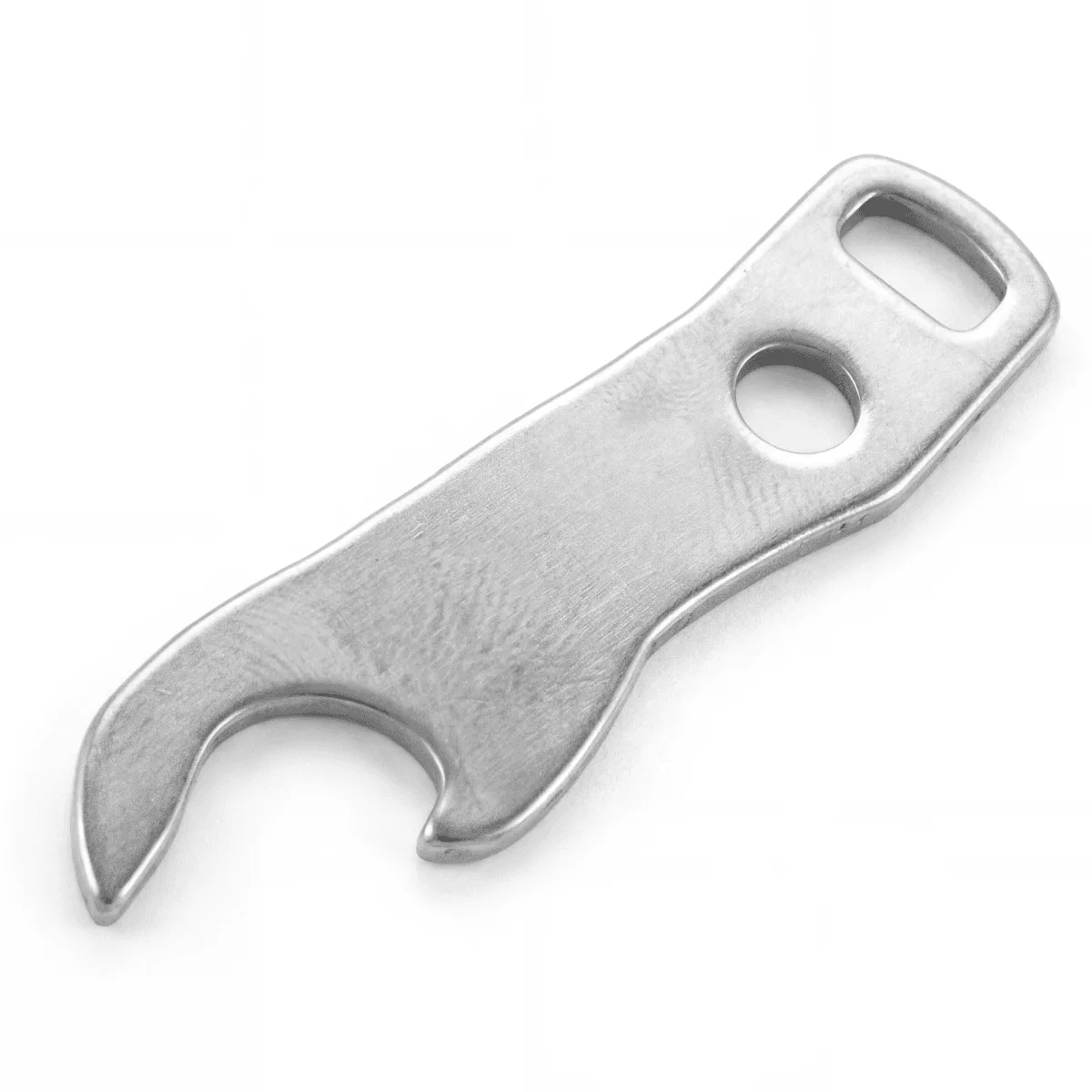
Bottle Opener
- Pocket Clip | Clip Your KeySmart® To Any Pocket or Purse: Clip your KeySmart® to any pocket to make it readily accessible. With its no-snag design, the pocket clip allows KeySmart to be suspended part way into your pocket. Attaching a Pocket Clip to your KeySmart ensures your NanoStylus is always within quick reach, so you can use it without fumbling through your bag or pockets.
The KeySmart NanoStylus is a simple, effective tool for avoiding germs on public touchscreens. By following these steps, you can keep your hands cleaner and reduce the risk of picking up unwanted bacteria. Pair it with a KeySmart organizer and a pocket clip to make it a seamless part of your everyday carry.