Why a knitting calculator makes pattern adjustments easier
When you want to knit a pullover in a different size or with a different yarn, the numbers in the pattern no longer match your gauge. A knitting calculator is a simple mechanical tool that helps you convert the desired amount of stitches and rows for any clothing size and yarn thickness. Instead of doing the math yourself, you measure your gauge, set the slider, and read the adjusted counts directly.
How to use a knitting calculator for resizing
The process works in two main steps: measure your gauge, then convert your pattern numbers.
- 1. Measure your gauge with the counting frame: Knit a small swatch, then use the calculator's counting frame to determine the amount of stitches and rows per 10 cm. This is your personal gauge for the yarn and needle size you plan to use.
- 2. Set the slider to your gauge value: Once you know your stitches per 10 cm, set the knitting calculator's slider to that value on the scale from 8 to 49 stitches per 10 cm.
- 3. Read the converted stitch and row counts: A viewing window directly shows the stitch and row count for lengths from 1 cm to 100 cm. Look up the length you need from your pattern (for example, the chest width or sleeve length) and read the corresponding number of stitches or rows.
What the Prym knitting calculator offers
-
Knitting Calculator: The knitting calculator by Prym helps determine pin gauges, count stitches and rows, and convert the desired amount of stitches and rows for any clothing size and yarn thickness. This is the core function you need when adjusting a pattern to your own gauge or a different size.
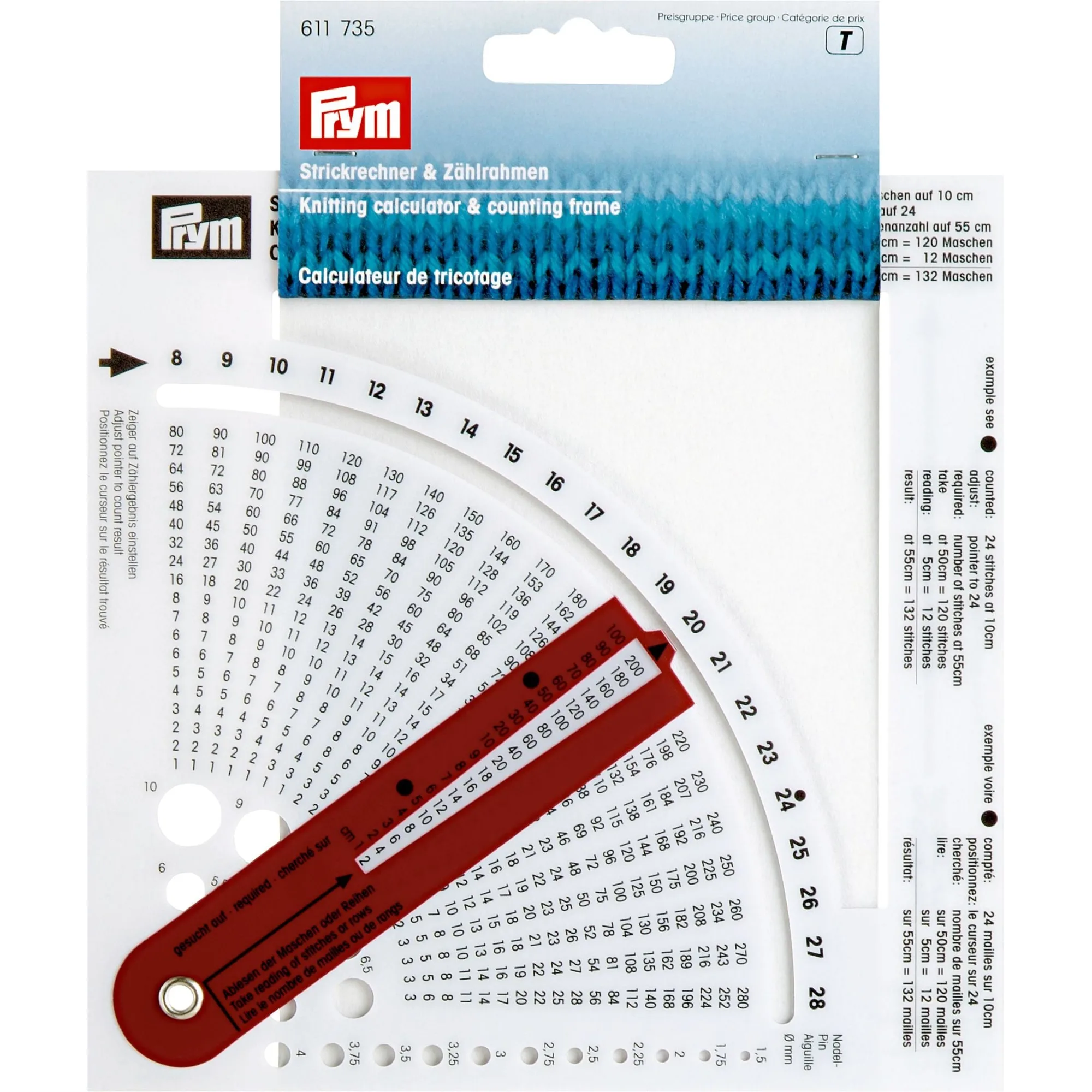
Knitting Calculator
-
Knitting Calculator: It has 20 measurement holes for determining pin gauges between 1.5 mm and 10 mm. You can also use the tool to check your knitting needle size, which is useful when your needles are unmarked or you're unsure of the size.
-
Knitting Calculator: The calculator is made of stable plastic and is designed for easily counting stitch and row numbers. It's a durable, lightweight tool that you can keep with your knitting supplies and use on any project.
Practical tips for accurate pattern adjustments
Always measure your gauge on a swatch that's large enough to be accurate, and wash it the same way you'll wash the finished garment. If your stitch count per 10 cm falls outside the 8 to 49 range, the calculator won't be able to convert for you, so check your gauge before starting. Remember that the calculator works for both stitches and rows, so you can use it for horizontal adjustments (like width) and vertical adjustments (like length).
Limitations to keep in mind
The supplied information does not include detailed instructions for every possible resizing scenario, such as shaping armholes or necklines. The calculator gives you the basic stitch and row counts, but you may still need to adjust pattern shaping based on your own measurements. It also doesn't account for different stitch patterns that may have a different gauge than your stockinette swatch, so test your gauge on the actual stitch pattern when possible.