Quick answer
The Oral-B iO app pairs with your brush via Bluetooth, then uses Smart Coach to give real-time feedback, track your brushing habits, and help you hit the dentist-recommended two minutes. Start by downloading the app, pairing your brush, and following the guided setup to personalize your routine.
If you own an Oral-B iO toothbrush, you already have a powerful tool for a deep clean. But the real magic happens when you connect it to the Oral-B app. The app turns your brush into a smart coach that tracks your coverage, pressure, and timing, so you can improve your technique and build healthier habits.
In this guide, we'll walk you through every step of using the Oral-B iO app—from pairing your brush to interpreting your brushing data. Whether you're new to the iO series or just haven't explored the app yet, these tips will help you get more out of your brushing routine.
Why Use the Oral-B iO App?
The Oral-B iO app is designed to do more than just track time. It uses the sensors in your iO handle to give real-time feedback on which areas you've cleaned, how much pressure you're applying, and whether you're brushing long enough. That data helps you correct mistakes you might not notice, like pressing too hard or missing your back molars.
The app also stores your brushing history, so you can spot patterns over time. For example, if you consistently miss your upper right quadrant, the app will show that in your coverage map. This kind of insight is like having a dental hygienist watch over your shoulder—without the awkwardness.
- Real-time feedback on pressure and coverage
- Personalized coaching based on your brushing style
- Historical data to track progress and spot missed areas
How to Pair Your Oral-B iO Brush with the App
Before you can use any app features, you need to pair your brush with your smartphone. Start by downloading the Oral-B app from the App Store or Google Play. Make sure your brush is fully charged, as a low battery can interrupt the pairing process.
Open the app and create an account or log in. Then, turn on your toothbrush and hold it near your phone. The app should detect your brush automatically and prompt you to pair it via Bluetooth. Follow the on-screen instructions to complete the setup. If the app doesn't find your brush, check that Bluetooth is enabled and that your brush is within a few feet of your phone.
- Ensure your brush is charged before pairing
- Keep your phone close to the brush during setup
- If pairing fails, restart the app and try again
Setting Up Your Smart Coach Profile
Once paired, the app will ask you a few questions to personalize your coaching. You'll enter your brushing habits, any dental concerns (like sensitivity), and your goals. This information helps the Smart Coach tailor its feedback to your needs.
For example, if you have sensitive gums, the app might remind you to use a gentler setting or suggest a softer brush head. If you're trying to whiten your teeth, it might encourage you to focus on areas with more staining. Take your time with this setup—the more accurate your profile, the more useful the coaching will be.
- Be honest about your habits and concerns
- Update your profile if your dental needs change
- Use the app's suggestions to choose the right brushing mode
Using the Brushing Tracker and Smart Coach Features
The core of the app is the brushing tracker. When you start brushing with your iO handle, the app automatically begins a session. It shows a real-time map of your mouth, highlighting areas you've cleaned and flagging spots you've missed. It also monitors your pressure—if you brush too hard, the app will alert you to ease up.
After you finish, the app gives you a score and detailed feedback. You can see how long you brushed, how much coverage you achieved, and whether you used consistent pressure. The Smart Coach then offers tips for improvement, like 'Spend more time on your lower left molars' or 'Try a softer grip to reduce pressure.'
- Follow the on-screen map to ensure even coverage
- Pay attention to pressure alerts to protect your gums
- Review your score after each session to track progress
Reviewing Your Brushing History and Progress
The app stores every brushing session, so you can review your history over days, weeks, or months. This is invaluable for spotting trends. Maybe you brush well on weekdays but slack off on weekends, or you consistently miss the same area. The app's calendar view makes these patterns obvious.
Use this data to set small goals. For example, aim for a 100% coverage score for three consecutive days, or try to reduce your average pressure. The app also celebrates milestones, which can be motivating for kids and adults alike.
- Check your weekly or monthly reports for patterns
- Set achievable goals based on your data
- Use the app's reminders to maintain a consistent routine
Step-by-Step: Master Your Oral-B iO App Routine
- Download and Pair: Download the Oral-B app, create an account, and pair your iO brush via Bluetooth. Ensure the brush is charged and close to your phone. Checkpoint: Confirm the app shows your brush as connected before moving on.
- Personalize Your Profile: Enter your brushing habits, dental concerns, and goals. This tailors Smart Coach feedback to your needs. Checkpoint: Review your profile settings after a week to see if any adjustments are needed.
- Brush with Real-Time Feedback: Start a brushing session with the app open. Follow the on-screen mouth map and pressure alerts to improve coverage and technique. Checkpoint: Aim for a coverage score of at least 90% each session.
- Review and Improve: After brushing, check your score and feedback. Use the history feature to spot patterns and set goals for improvement. Checkpoint: Set a weekly goal, like reducing pressure alerts or improving coverage in a specific area.
Product Features That Enhance the App Experience
- iO Series 2 Rechargeable Electric Toothbrush Starter Kit, Pure White: The iO Series 2 is compatible with the Oral-B app and includes a starter kit with a brush handle and one brush head. If you're new to the iO line, this starter kit gives you everything you need to start using the app's basic tracking features without a big investment.
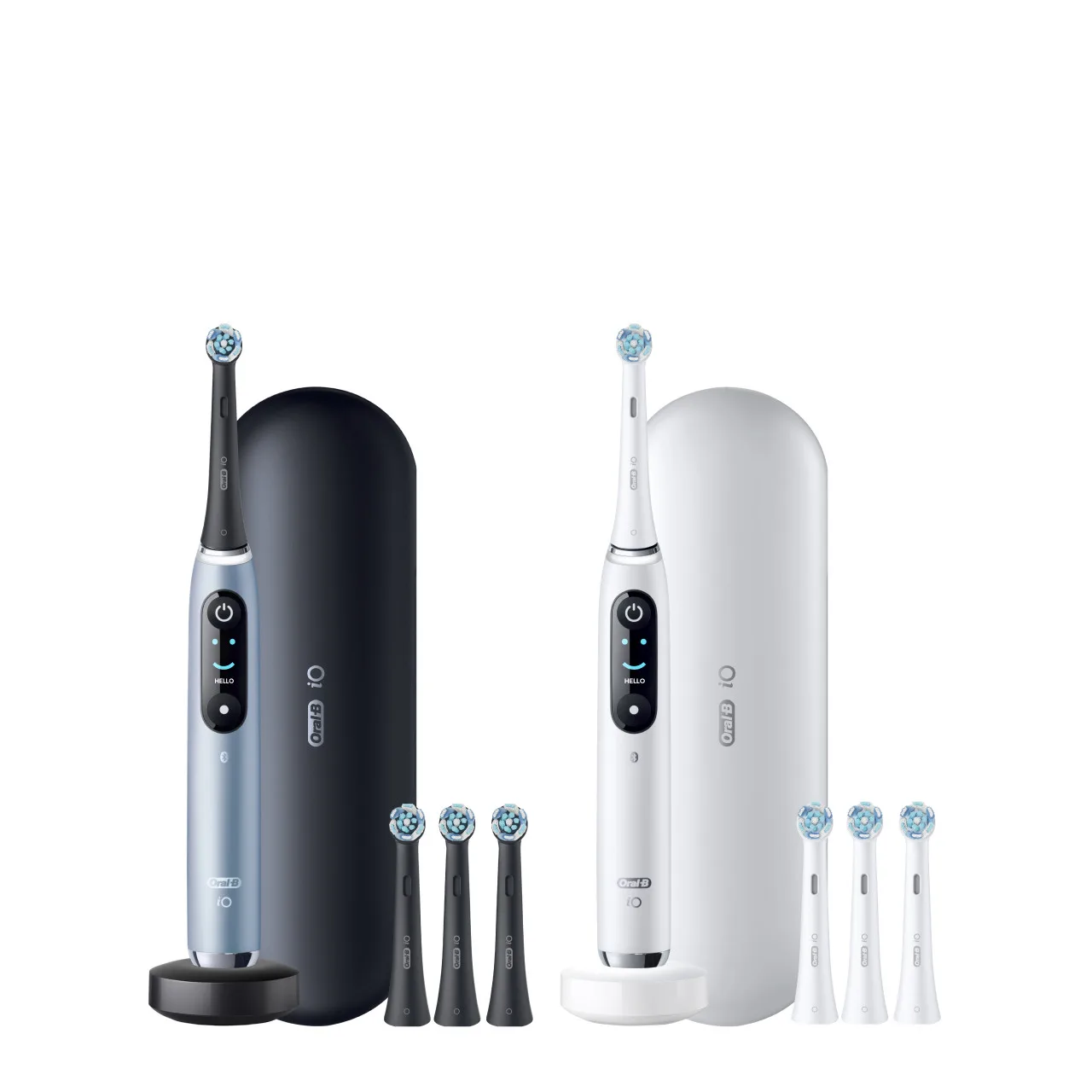
- Oral-B iO Series 8 Twin Pack, Violet Ametrine + White Alabaster: The iO Series 8 offers advanced features like a smart pressure sensor and multiple brushing modes, all of which are fully integrated with the Oral-B app. For those who want the full Smart Coach experience, the Series 8 provides richer data and more personalized feedback, making the app even more valuable.
The Oral-B iO app is more than a gimmick—it's a practical tool that helps you brush better and build healthier habits. By following these steps, you'll turn your daily brushing into a guided, data-driven routine that can lead to cleaner teeth and healthier gums. So, if you haven't paired your iO brush yet, now is the perfect time to start.