Quick answer
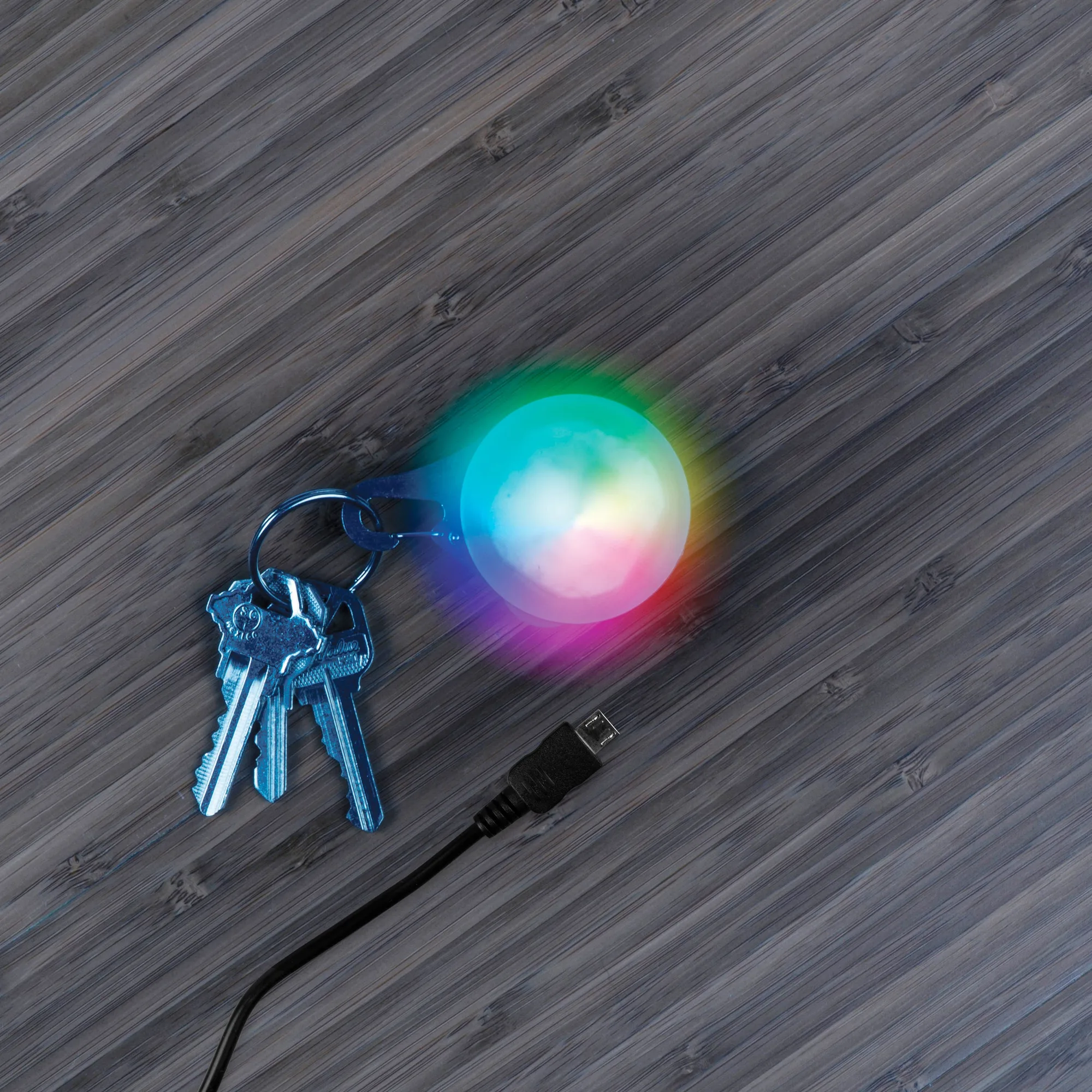
Clip a rechargeable carabiner light like the SpotLit XL to your tent loop, backpack strap, or gear handle, then use the Disc-O Select button to choose a steady or color-changing mode for hands-free camping light.
Why choose a rechargeable carabiner light over a traditional lantern
A rechargeable carabiner light is smaller, lighter, and clips directly onto gear, so you don’t need a separate stand or hook. It also eliminates the need for disposable batteries, which is convenient on multi-day trips. The trade-off is lower total brightness compared to a full-size lantern, so it works best as a task light for cooking, reading, or finding items in the tent rather than lighting up an entire campsite.
How to use a rechargeable carabiner light for camping — step by step
- Charge the light fully before your trip: Plug the micro USB cable into the SpotLit XL and a USB power source. A full charge takes about 1–2 hours. Common mistake: assuming it’s charged out of the box — always check the indicator light before heading out. Charge overnight before your first use so you start with a full battery.
- Clip the carabiner to your gear or tent: Open the spring-loaded gate and attach it to a tent loop, backpack daisy chain, or gear hammock. Make sure the gate closes fully so it doesn’t fall off. Common mistake: clipping it to a loose strap that lets the light swing and bump against hard surfaces. Choose a fixed point like a tent pole loop for stable light.
- Turn on the light and select your color mode: Press the Disc-O Select button once for white, again for red, again for multi-color fade, and hold for a color cycle. Common mistake: pressing too fast and skipping the mode you want — pause one second between presses. Use red mode inside the tent to preserve night vision and avoid attracting bugs.
- Position the light for the task at hand: Angle the light by rotating the carabiner or adjusting the strap it’s clipped to. For reading, clip it to a tent ceiling loop so it shines downward. Common mistake: leaving it pointed at your face, which creates glare and reduces usable light. Test the angle before dark so you don’t have to fumble in the dark.
- Turn off and recharge after use: Press and hold the button until the light turns off. Recharge the SpotLit XL before storing it so it’s ready for the next trip. Common mistake: storing it with a dead battery, which can reduce long-term battery life. Make recharging part of your post-trip gear checklist.
Product facts
-
SpotLit® XL Rechargeable Carabiner Light - Disc-O Select™: The SpotLit XL features Disc-O Select “choose your color” technology and is micro USB rechargeable. You can pick a color that preserves night vision (red) or creates ambiance (multi-color), and recharge it from a power bank or car charger without carrying spare batteries.
SpotLit® XL Rechargeable Carabiner Light - Disc-O Select™