Quick answer
Clip a ring light onto your phone, position it just above eye level and about arm’s length away, then adjust brightness and colour temperature to match the room. For the most flattering makeup photos, start with the light slightly above your face, use a neutral-to-warm setting, and check that your foundation and highlighter look true to life on screen before you shoot.
Why ring light setup changes your makeup photos
A ring light creates a soft, even glow that minimises harsh shadows and helps your makeup read clearly on camera. Unlike a phone flash, which can wash out colour and flatten texture, a continuous ring light lets you see exactly how your foundation, blush, and highlighter will appear before you take the shot. The key is matching the light’s intensity and colour to your environment so your skin looks natural, not overexposed or orange.
Match brightness to your room, not the other way around
Start with the lowest brightness setting and increase it until your face is evenly lit without blowing out highlights. If you’re in a bright room, you may only need the first or second level; in a darker space, you’ll need more. The goal is to add light, not overpower existing light. A common mistake is maxing out brightness, which can make foundation look chalky and erase subtle contour or blush. Check your phone screen as you adjust: if you can’t see the texture of your skin or the edges of your highlighter, turn it down.
Choose colour temperature that flatters your skin tone
Ring lights often have adjustable colour temperature, from cool daylight to warm indoor. For makeup photos, a neutral setting (around 4000–5000K) usually gives the most accurate colour. If your skin looks grey or ashy, try a slightly warmer setting; if it looks yellow or orange, go cooler. The best lighting for makeup selfies is the one that makes your foundation match your neck and your blush look like a natural flush, not a stripe. Test a few settings and compare on your phone screen before committing.
Position the light for flattering shadows
Place the ring light directly in front of you, slightly above eye level, so it casts a soft, even light across your face. If the light is too low, you’ll get shadows under your eyes and nose; too high, and you’ll lose definition in your cheekbones. For a more sculpted look, angle the light slightly to one side to create gentle shadows that define your features. Keep the light about arm’s length away—close enough to brighten, far enough to avoid a hotspot on your forehead.
Use the right phone settings for beauty content
Turn off your phone’s flash and HDR, as these can fight with the ring light and cause uneven exposure. If your phone has a portrait mode, use it to blur the background and keep the focus on your makeup. Lock the exposure and focus on your face by tapping and holding the screen. For video, shoot in 4K if you have storage, but 1080p is fine for social media. Always check a test shot: zoom in to see if your highlighter looks too intense or your foundation looks patchy.
Step-by-step ring light setup for makeup photos
- Clip the ring light onto your phone: Attach the ring light securely to your phone or tablet, making sure the clip doesn’t cover your camera lens or buttons. Adjust the angle so the light faces forward. Checkpoint: give it a gentle tug to confirm it’s stable before you start shooting.
- Position yourself and the light: Hold the phone at eye level or slightly above, about arm’s length away. The ring light should be centered around your face, not off to one side. Mistake to avoid: holding the phone too close, which can cause a bright hotspot on your forehead.
- Set brightness to the lowest level and increase as needed: Start at level 1 and tap through the 3 levels until your face is evenly lit without harsh shadows. In a bright room, you may stay at level 1; in a dark room, you might need level 3. Checkpoint: look at your phone screen—if your foundation looks chalky or your highlighter disappears, reduce brightness.
- Adjust colour temperature if available: If your ring light has adjustable colour temperature, set it to neutral or slightly warm. Compare how your skin looks on screen against a mirror in natural light. Mistake to avoid: leaving it on a cool setting that makes your skin look grey or washed out.
- Lock focus and exposure on your face: Tap and hold your face on the phone screen to lock focus and exposure. This prevents the camera from adjusting mid-shot and keeps your makeup looking consistent. Checkpoint: take a test shot and zoom in to check that blush and highlighter look natural, not overdone.
- Take a few test shots and review: Shoot from slightly different angles and distances to see what flatters your face shape. Review the photos on a larger screen if possible to catch any colour shifts. Next step: once you find your ideal setup, note the brightness level and distance so you can recreate it quickly.
Product facts
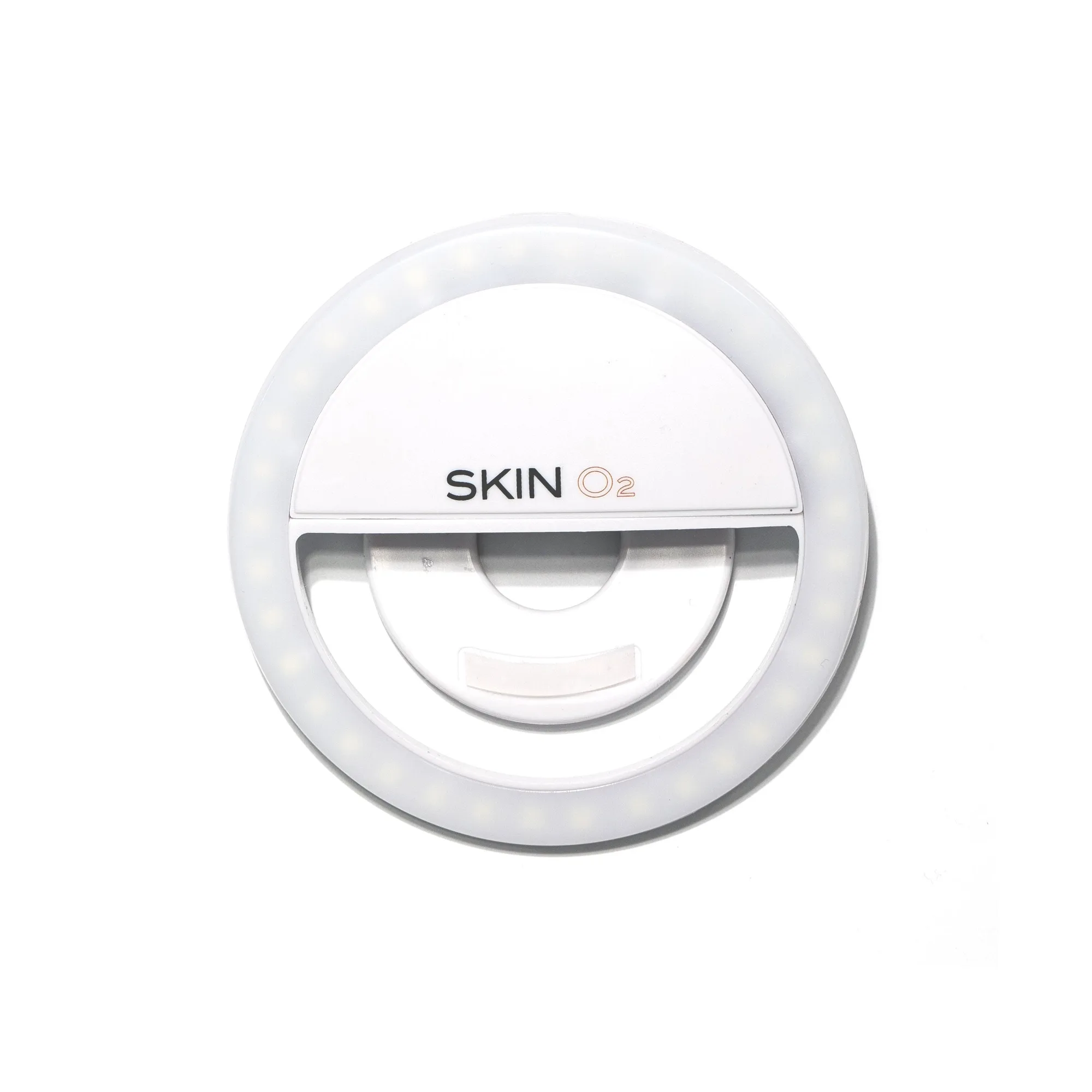
- Selfie Phone Ring Light: Selfie Phone Ring Light clips onto any smartphone or tablet and has 3 levels of brightness with 36 built-in LED continuous full light bulbs. The clip-on design means you don’t need a tripod, and the three brightness levels let you adjust from subtle fill light to brighter illumination depending on your room.