Quick answer
A variable ND-CPL 2-in-1 filter lets you control exposure and reduce reflections with one twist, making it ideal for run-and-gun video. Start with the filter set to its lowest density, then rotate the ring until your exposure looks right while checking for glare reduction.
Why choose a 2-in-1 filter over separate filters?
A variable ND-CPL 2-in-1 filter combines two essential tools into one: adjustable light reduction (ND) and polarization (CPL). This saves time on set and avoids stacking filters, which can cause vignetting on wide-angle lenses. The trade-off is that you cannot independently adjust ND and CPL strength; rotating the ring changes both simultaneously. For most video work, this is a practical compromise that keeps your rig simple and your shots consistent.
Common pitfalls with variable filters in video
Variable ND filters can create a cross-hatch pattern (X-effect) when turned to maximum density, especially on wide-angle lenses. To avoid this, stay within the middle range of the adjustment ring. Also, because the CPL effect is tied to the ND rotation, you may need to re-aim your camera or adjust the filter angle to maintain polarization as you change exposure. Practice a few setups before a shoot to find the sweet spot.
Step-by-step guide: Using a variable ND-CPL 2-in-1 filter for video
- Mount the filter on your lens: Screw the filter onto the front thread of your lens. Ensure it is snug but not over-tightened. If your lens has a rotating front element, lock focus and zoom before attaching to avoid unintended rotation. Common mistake: Forgetting to lock the lens barrel can cause the filter to rotate with focus, changing your exposure mid-shot.
- Set the filter to its lowest density: Rotate the adjustment ring to the minimum ND setting (ND4, about 2 stops). This gives you a bright viewfinder image to compose and focus. Checkpoint: If the image is too bright at the minimum setting, your camera's base ISO may be too high; lower it first.
- Adjust exposure with the filter ring: While looking at your camera's exposure meter or histogram, slowly rotate the filter ring toward higher density until the exposure reads correctly. For video, aim for a shutter speed of 1/48 or 1/50 at 24fps/30fps, then use the filter to dial in exposure. Common mistake: Turning the ring too fast can overshoot the correct exposure; make small, incremental adjustments.
- Check and optimize polarization: The CPL effect is linked to the same rotation. After setting exposure, pan your camera or rotate the filter slightly to see if glare or reflections are reduced. If the polarization is not ideal, you may need to compromise between exposure and glare reduction. Checkpoint: For maximum CPL effect, aim the camera at a 35-degree angle to the reflective surface before adjusting exposure.
- Lock the filter position and start recording: Once both exposure and polarization look good, avoid touching the filter ring during the take. If lighting changes, pause and repeat steps 3-4. Common mistake: Accidentally bumping the ring during a shot causes visible exposure shifts; use a filter with a locking mechanism or tape the ring if needed.
Product facts
-
K&F Concept 58mm Variable Filter ND4-ND64 & CPL 2-in-1 Lens Filter: 58mm Variable ND4-ND64 + CPL 2-in-1 lens filter with 2-6 stops of adjustable light reduction for photo and video. This range covers most daylight scenarios, letting you keep a wide aperture or slow shutter speed without overexposing, while the built-in CPL cuts glare from water, glass, or foliage.
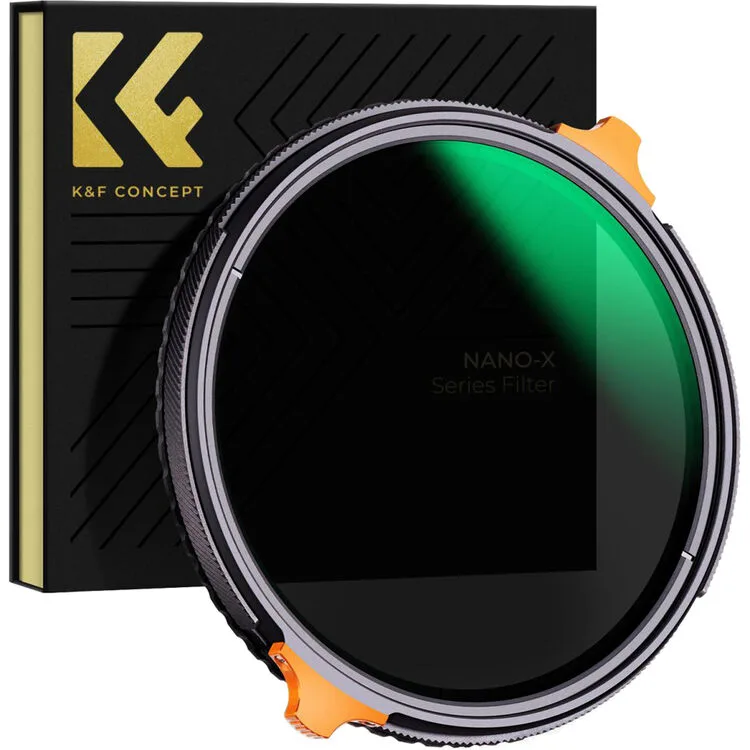
K&F Concept 58mm Variable Filter ND4-ND64 & CPL 2-in-1 Lens Filter