Quick answer
The Hoya RM90 is a 3 mm thick infrared longpass filter that transmits wavelengths above roughly 900 nm. It is a solid choice for near-IR imaging, fluorescence, and spectroscopy where you need to block visible light while passing IR. Its performance is straightforward, but getting the best results depends on matching the filter size to your setup and handling it correctly.
What the Hoya RM90 does and does not do
The Hoya RM90 is a stock optical filter made from Hoya's RM90 glass, which is designed to transmit infrared radiation while absorbing visible wavelengths. It has a thickness of 3 mm, which is typical for longpass filters that need to maintain mechanical rigidity. The exact cut-on wavelength is not specified in the catalog data, but the 'RM90' designation indicates it starts transmitting near 900 nm. This makes it suitable for applications like night-vision systems, IR photography, and thermal imaging where you want to eliminate visible light contamination.
A common misconception is that the RM90 blocks all visible light completely. In practice, it strongly attenuates visible wavelengths but may pass a small amount of deep red light. For most near-IR work this is not a problem, but if you need total visible blocking, you may need to stack it with another filter or choose a different longpass filter with a steeper cut-on. Also, because the filter is 3 mm thick, it can introduce a slight shift in focus when used in camera lenses, so you should refocus after mounting it.
Choosing the right size for your setup
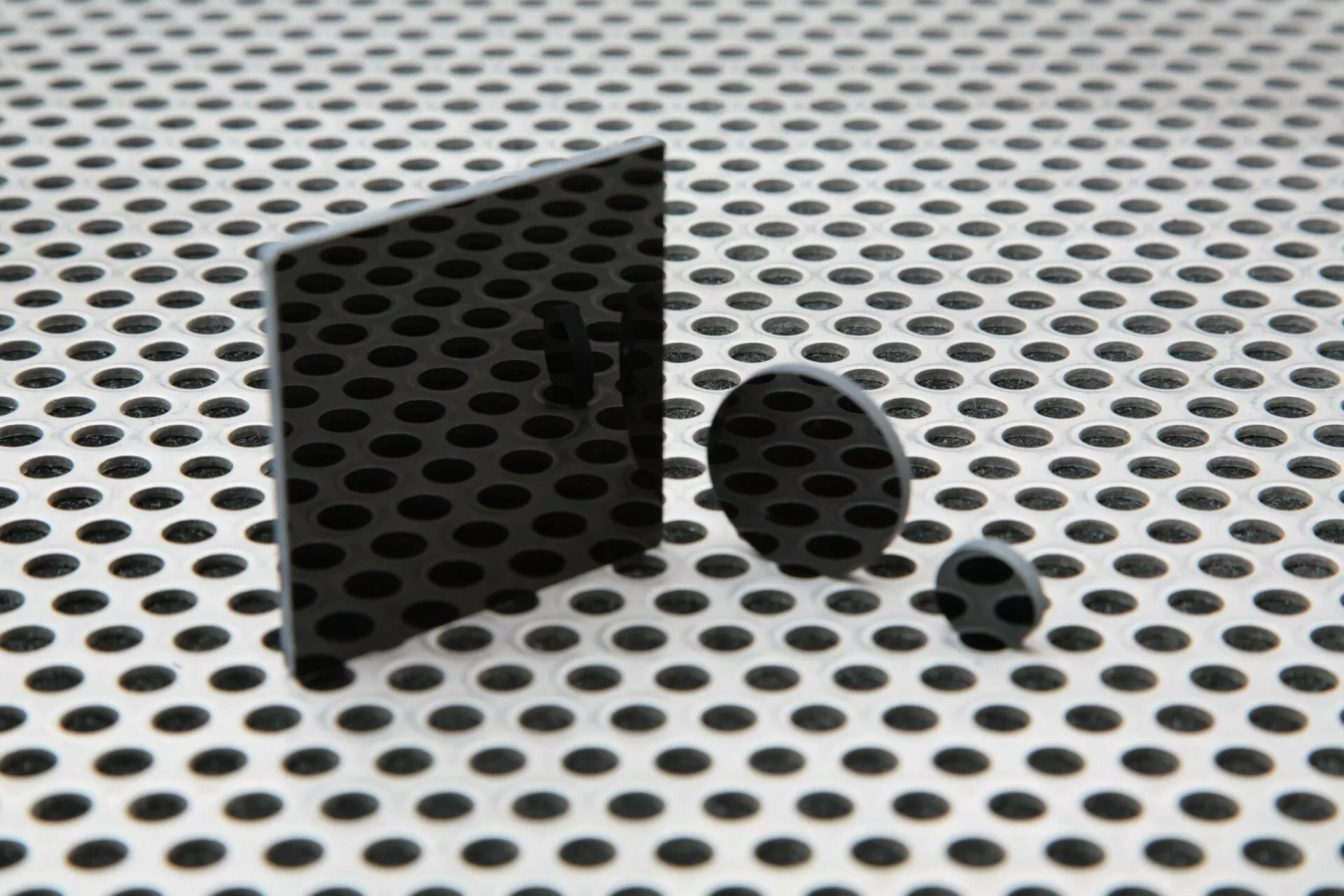
The Hoya RM90 is available in several diameters and a square format. For example, the Ø 12.5 mm version (part HRM9012) is ideal for small sensor cameras or fiber-coupled systems, while the Ø 25 mm version (HRM9025) fits standard C-mount lenses and 1-inch optics. The 50 x 50 mm square filter (HRM9050) works well in filter holders or for larger imaging sensors. All versions have the same 3 mm thickness and optical properties, so your choice is purely mechanical.
One common mistake is ordering a filter that is too small for the lens or sensor. The filter should cover the entire optical path without vignetting. Measure the clear aperture of your lens or the sensor diagonal, then add a few millimeters for the retaining ring. If you are unsure, the 25 mm diameter is a safe default for most 1-inch or smaller sensors.
How to use the Hoya RM90 filter: step-by-step
- Check your optical path for size compatibility: Measure the clear aperture of your lens or sensor. Choose the RM90 diameter that fully covers it without obstruction. For a typical 1-inch sensor, the 25 mm version works well. A filter that is too small causes vignetting. Always verify the clear aperture before ordering.
- Mount the filter securely without over-tightening: Screw the filter into a compatible filter holder or lens thread. Use gentle finger pressure only. Over-tightening can stress the 3 mm glass and cause distortion or breakage. Hand-tighten only. If the filter does not seat smoothly, check for thread debris or cross-threading.
- Refocus your imaging system after mounting: The 3 mm glass shifts the focal plane slightly. Adjust the focus of your camera or microscope until the IR image is sharp. Autofocus systems may not compensate correctly. Always refocus manually after adding the filter. Autofocus may hunt or lock onto visible light leakage.
- Test for visible light leakage in your setup: Place the filter in front of a bright white light source and look for any deep red transmission. If visible light leaks through, add a second longpass filter or use a different blocking filter. A small amount of deep red may pass. For critical applications, verify with a spectrometer or by comparing IR-only and white-light images.
- Clean the filter only when necessary: Use a blower to remove loose dust first. If smudges remain, use a lens tissue with a drop of isopropyl alcohol. Wipe gently from center to edge. Do not use abrasive cloths or paper towels. Scratches or coatings damage cannot be repaired. Clean sparingly and store the filter in a padded case when not in use.
Hoya RM90 filter specifications
- Hoya RM90: Diameter 12.5 mm, thickness 3 mm, part numbers HRM9012 / HRM-9012 / HRM 9012. This compact size fits small optics like microscope eyepieces or fiber collimators. Ensure your holder accepts 12.5 mm optics.
- Hoya RM90: Diameter 25 mm, thickness 3 mm, part numbers HRM9025 / HRM-9025 / HRM 9025. The 25 mm size is the most versatile for C-mount lenses and standard 1-inch filter threads. It is the recommended starting point for most users.
- Hoya RM90: Square 50 x 50 mm, thickness 3 mm, part numbers HRM9050 / HRM-9050 / HRM 9050. The square format fits slide-in filter holders and large sensor cameras. It offers more surface area but requires a compatible square mount.