Quick answer
For most professional workloads, an Intel Core workstation offers a strong balance of single-threaded performance and platform stability. Focus on CPU core count, memory capacity, and storage speed rather than raw clock speed alone.
CPU: Core count vs. clock speed
Intel Core processors span a wide range of core counts and frequencies. Higher core counts benefit rendering, video encoding, and virtualization, while higher clock speeds improve responsiveness in CAD, audio production, and single-threaded applications. The trade-off is that more cores can increase heat output and power draw, which may require a more robust cooling solution in your custom PC workstation.
Memory: Capacity and speed matter
Workstation tasks often demand more RAM than gaming. 32 GB is a practical starting point for most professional workflows, with 64 GB or more recommended for large datasets, virtual machines, or complex simulations. Memory speed (MHz) can affect performance in memory-bound tasks, but capacity usually takes priority. Check the motherboard's supported memory configuration before finalizing your build.
Storage: NVMe vs. SATA
NVMe SSDs offer significantly faster read and write speeds compared to SATA SSDs, which translates to quicker file transfers, faster application loading, and smoother multitasking. For a workstation, an NVMe drive as the primary boot and application drive is recommended, with a secondary SATA SSD or HDD for bulk storage. The trade-off is higher cost per gigabyte for NVMe.
Decision rules for your workstation build
- CPU choice: Choose an Intel Core i7 or i9 processor for most workstation tasks. i5 can suffice for lighter workloads like office productivity or 2D design.
- RAM configuration: Start with 32 GB DDR4 or DDR5. Upgrade to 64 GB if you work with large files, multiple virtual machines, or 4K+ video editing.
- Storage priority: Use an NVMe SSD for the operating system and applications. Add a second drive for project files and archives. Verify that your motherboard supports the number and type of drives you plan to install.
- GPU selection: For 3D rendering, video editing, or machine learning, invest in a dedicated workstation GPU (NVIDIA RTX or AMD Pro series). For CPU-bound tasks, a mid-range GPU is sufficient.
- Cooling and power: Higher core count CPUs and powerful GPUs generate more heat. Choose a liquid cooler for sustained workloads and a power supply with at least 20% headroom above peak draw. Use a PSU calculator to estimate your build's power requirements before purchasing.
Product spotlight
-
Intel Core Workstation: The Intel Core Workstation from MAINGEAR is a custom PC built around an Intel Core processor platform, positioned as a workstation-oriented configuration. This means you get a system optimized for professional applications from the start, with a known platform that simplifies driver and software compatibility.
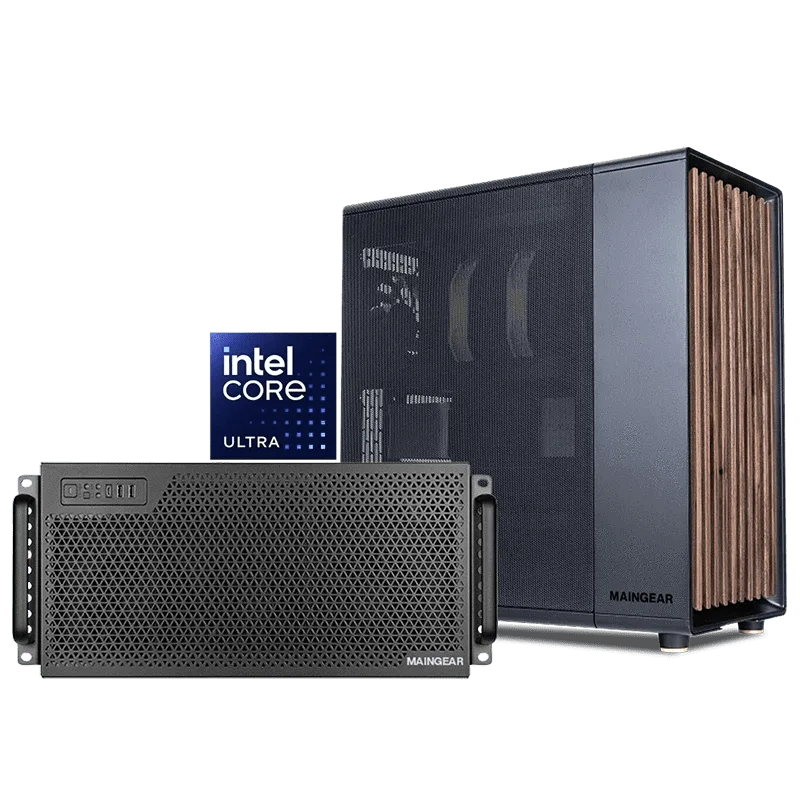
Intel Core Workstation
Who is this for?
Best for
- Professionals who need a reliable, stable platform for CPU-intensive tasks like software development, CAD, or audio production
- Users who prefer a pre-configured custom PC with Intel Core processors and want to avoid the complexity of a fully custom build
Not ideal for
- Gamers who prioritize high frame rates and GPU performance over CPU multitasking
- Users who need extreme multi-core performance for heavy rendering or scientific simulations (consider an Intel Xeon or AMD Threadripper workstation)