Quick answer
Use the adjustable focus wheel, brace the phone, and switch to manual exposure to get the sharpest results with the SANDMARC Telephoto 10x lens on iPhone 18 Pro.
Why the Telephoto 10x needs a different approach
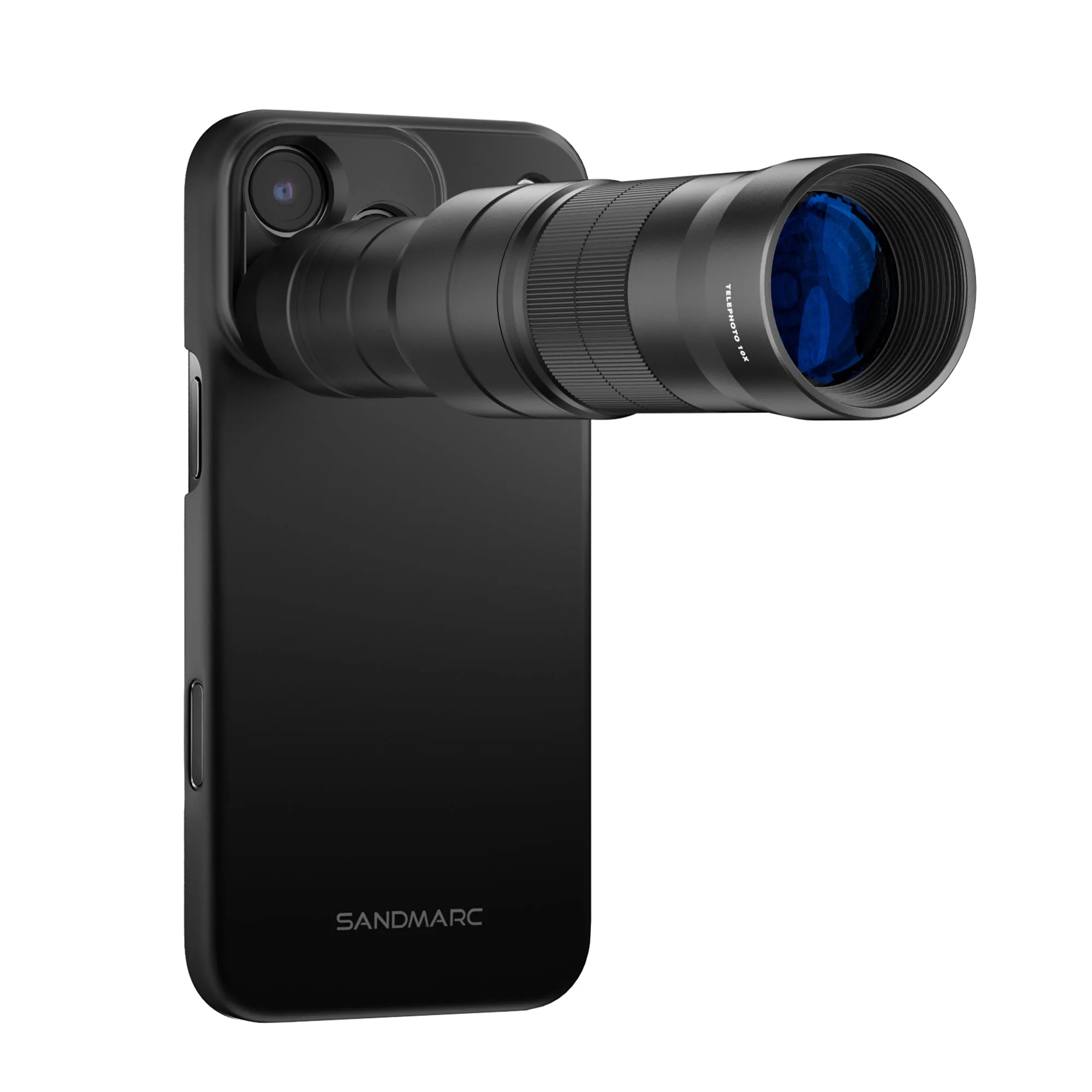
At 10x optical magnification (240mm full-frame equivalent), even tiny hand movements blur the frame. The iPhone 18 Pro's built-in stabilization helps, but the added weight and leverage of an external lens demand a more deliberate shooting technique. You also lose the phone's automatic multi-frame processing at this magnification, so you need to nail focus and exposure in one shot.
Steps for sharp telephoto shots
- 1. Set up the lens and brace your phone: Attach the Telephoto 10x lens to a compatible SANDMARC case or lens mount. Hold the phone with both hands or press it against a solid surface (wall, railing, table). A tripod or mini-pod gives the best results. Common mistake: shooting one-handed at 10x. Even a slight shake becomes obvious in the final image.
- 2. Use the adjustable focus wheel: Rotate the focus ring on the lens barrel until your subject appears crisp in the viewfinder. Start by turning it all the way to infinity, then dial back slowly until the subject snaps into focus. Checkpoint: the iPhone's autofocus may override your manual wheel adjustment. Tap the screen to lock focus after you set the ring.
- 3. Lock exposure and use a fast shutter speed: Tap and hold on the subject to lock AE/AF, then drag the sun icon down to darken the exposure slightly. This prevents blown highlights and forces the camera to use a faster shutter speed (1/250s or faster) to reduce motion blur. Common mistake: letting the iPhone auto-expose in bright scenes. It often picks a slower shutter speed that ruins sharpness.
- 4. Shoot in burst mode or use a timer: Hold the shutter button to fire a burst of 5–10 frames, then pick the sharpest one later. Alternatively, use the 3-second self-timer to let the phone settle after you press the button. Checkpoint: burst mode works best when the subject is stationary. For moving subjects, switch to the native Camera app's 'Action' mode if available.
Gear used
-
Telephoto 10x Lens Edition - iPhone 18 Pro: The Telephoto 10x lens delivers 10x optical magnification (equivalent to 240mm on a full-frame camera) and includes an adjustable focus wheel to lock onto far-off subjects. The focus wheel lets you fine-tune sharpness manually, which is essential because autofocus can hunt or lock onto the wrong plane at extreme zoom.
Telephoto 10x Lens Edition - iPhone 18 Pro