Quick answer
Use the Joby HandyPod Clip Extend Tripod as a pocket-sized tabletop tripod, selfie stick, or clip-on ledge mount. Attach your phone or a light camera via the 1/4-inch thread, then adjust the legs or clip for stability.
Why the HandyPod Clip Extend suits phone-first creators
At 106g, the HandyPod Clip Extend disappears into a pocket or clips to a bag with its built-in carabiner. That makes it a realistic always-with-you option for impromptu phone photography and vlogging. The three-in-one design—tabletop tripod, selfie stick, and mantis-style ledge mount—covers most casual shooting angles without a separate phone clamp.
The 1/4-inch thread is the key connection point. It accepts a wide range of accessories, from phone holders to compact cameras, but you need to match your device's mounting option. Check whether your phone holder or camera has a 1/4-inch socket; if not, you'll need an adapter.
Where it works well—and where it doesn't
The HandyPod Clip Extend is most at home on a stable tabletop, a shelf, or a clamped ledge. It is not a substitute for a full-size tripod in windy conditions or with heavier cameras. The catalog does not list a maximum load capacity, so treat it as a support for lightweight phones and compact cameras only. If you need to hold a DSLR or a large lens, choose a sturdier tripod.
The clip mechanism is handy for vlogging on the go, but it needs a suitable edge thickness. Test the clip on your intended surface before relying on it for a shoot.
Setting up the HandyPod Clip Extend: step by step
- Attach your phone or camera: Screw your phone holder or camera onto the 1/4-inch thread until snug. For phones, use a holder with a 1/4-inch socket; for compact cameras, use the camera's tripod socket. Common mistake: over-tightening or cross-threading—turn gently and stop when resistance increases. Check that the device is secure but not forced.
- Choose your mode: tabletop, selfie stick, or clip mount: For tabletop use, unfold the legs and place on a level surface. For selfie stick use, extend the stick and hold it steady. For clip mount, open the clip and attach to a ledge or edge up to the clip's capacity. Common mistake: using the clip on a surface that is too thick or slippery—test the grip before letting go. Always test stability with a gentle shake before trusting the mount.
- Adjust the angle and lock it down: Use the ball head or joint (if present) to level the phone or camera. Tighten any locking collar or knob. Common mistake: leaving the joint loose, causing the device to droop mid-shot. If your HandyPod has a locking mechanism, engage it fully. Re-check the angle after attaching cables or a power bank.
- Shoot and review stability: Take a test shot or short video. For video, watch for wobble or drift. Common mistake: ignoring slight movement that becomes obvious in playback. If you see drift, reposition the tripod or use a more stable surface. A quick test shot saves a ruined take.
Product facts
-
Joby HandyPod Clip Extend Tripod (1/4'): Weighs only 106g and combines a tabletop tripod, selfie stick, and mantis-style ledge mount. You can carry it everywhere and switch between handheld and hands-free shooting without extra gear.
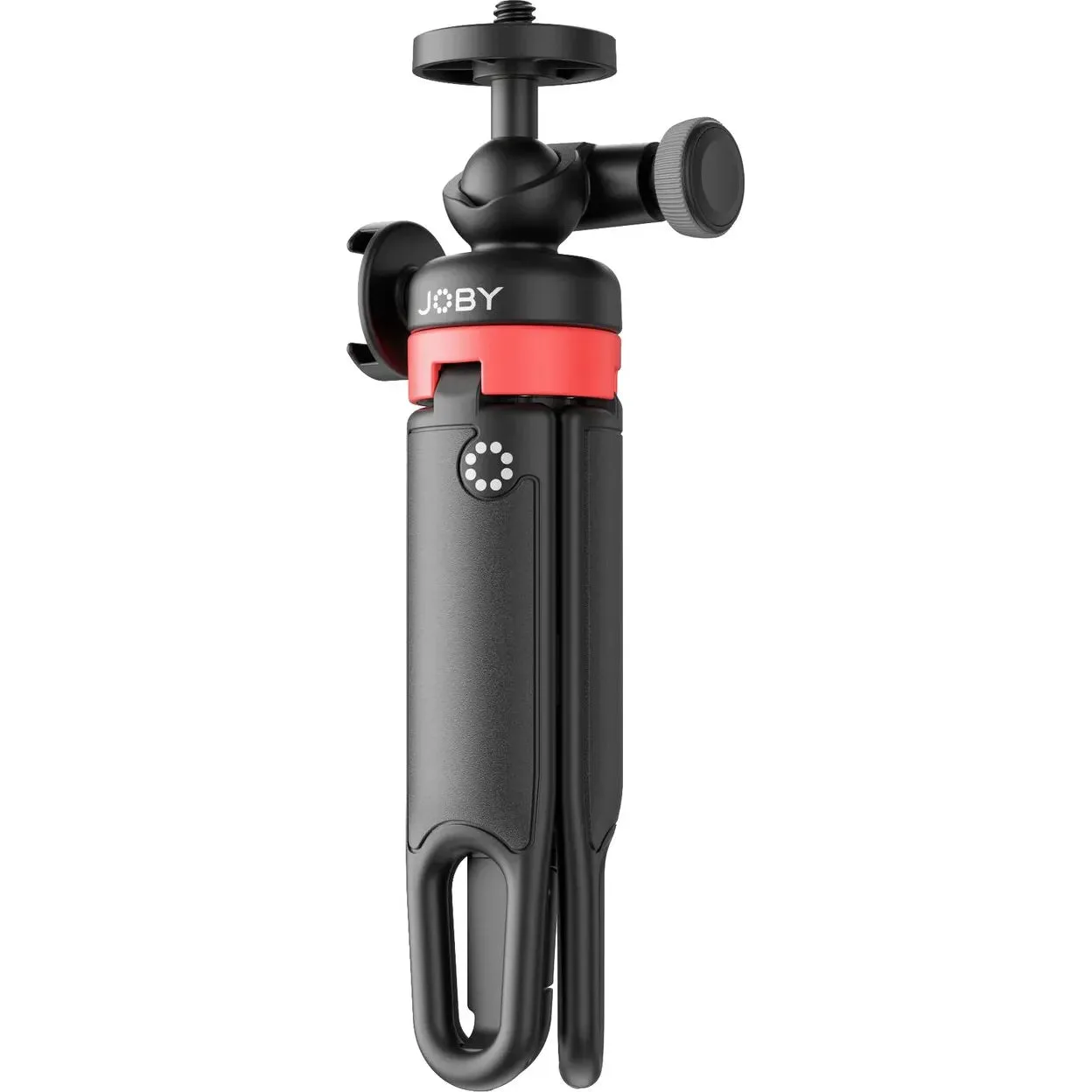
Joby HandyPod Clip Extend Tripod (1/4')
-
Joby HandyPod Clip Extend Tripod (1/4'): Has a built-in carabiner for clipping to a bag or belt. Keeps the tripod within easy reach so you're more likely to have it when a shot appears.