Quick answer
Set up the KaraokeBox 380 by placing it near a wall on a stable surface, connecting your TV or phone via Bluetooth or an available input, and keeping volume moderate for apartment use. Its three 8-inch woofers deliver deep bass even at lower levels, so you do not need to push it loud in a small room. Pair your microphone before adjusting volume, and use the built-in LED modes to set the mood without extra lighting.
Why the KaraokeBox 380 fits small rooms
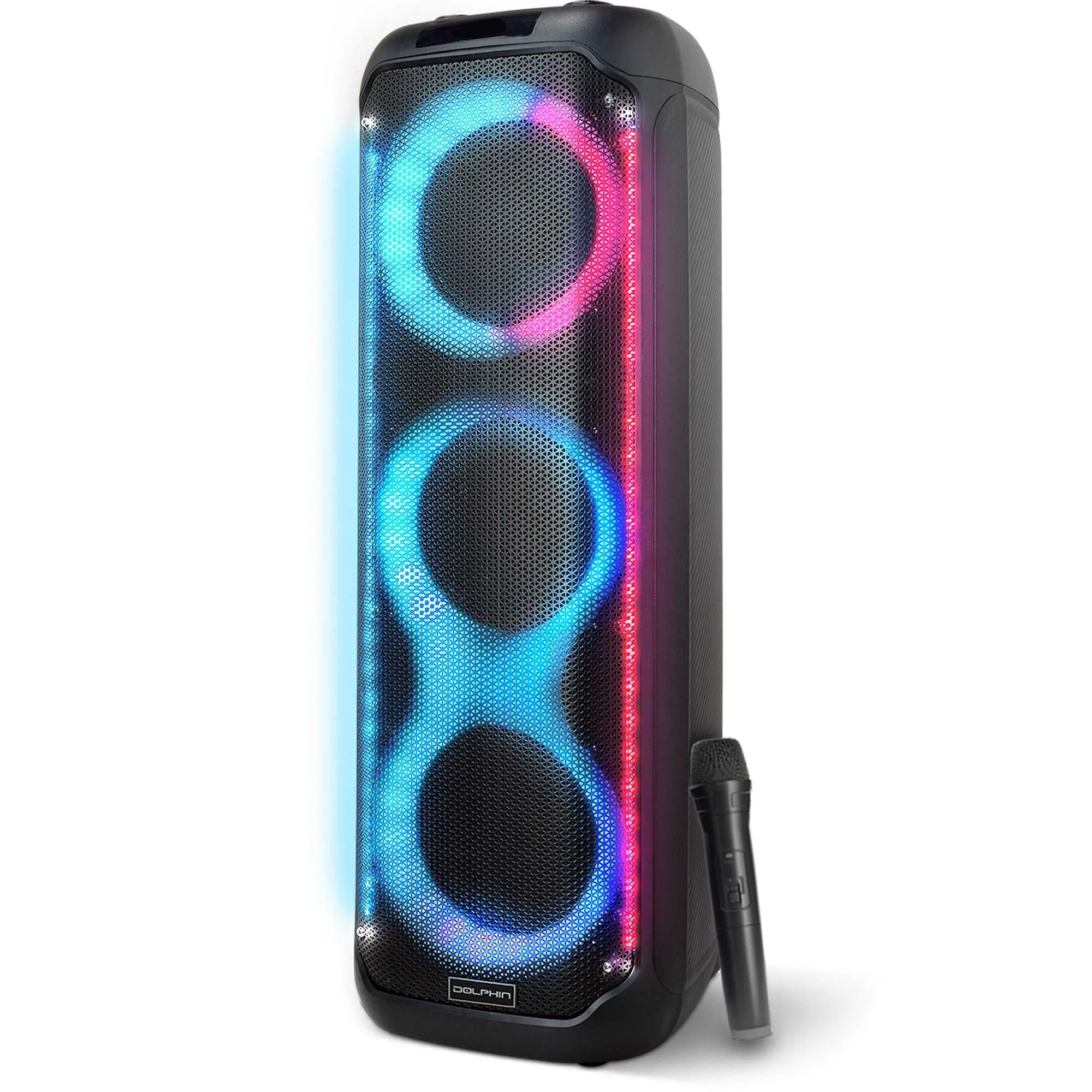
The KaraokeBox 380 is a Bluetooth tower speaker with three 8-inch woofers, designed to produce powerful sound and deep bass. In a small room, that bass output means you can keep the master volume low and still hear full-range audio. The rechargeable design and built-in LED lights with multiple modes make it easy to move between rooms or outdoors without hunting for an outlet. For apartment karaoke, the key is using its efficiency rather than its maximum output.
Placement that keeps bass controlled
Put the speaker on a sturdy shelf or floor stand at least a few inches from the wall. Corner placement boosts bass, which can overwhelm a small room; pulling it slightly forward reduces boominess. If you are in an apartment, avoid placing it directly against a shared wall. A rug or felt pads under the base can reduce vibration transfer to the floor.
Connections for TV, phone, and microphones
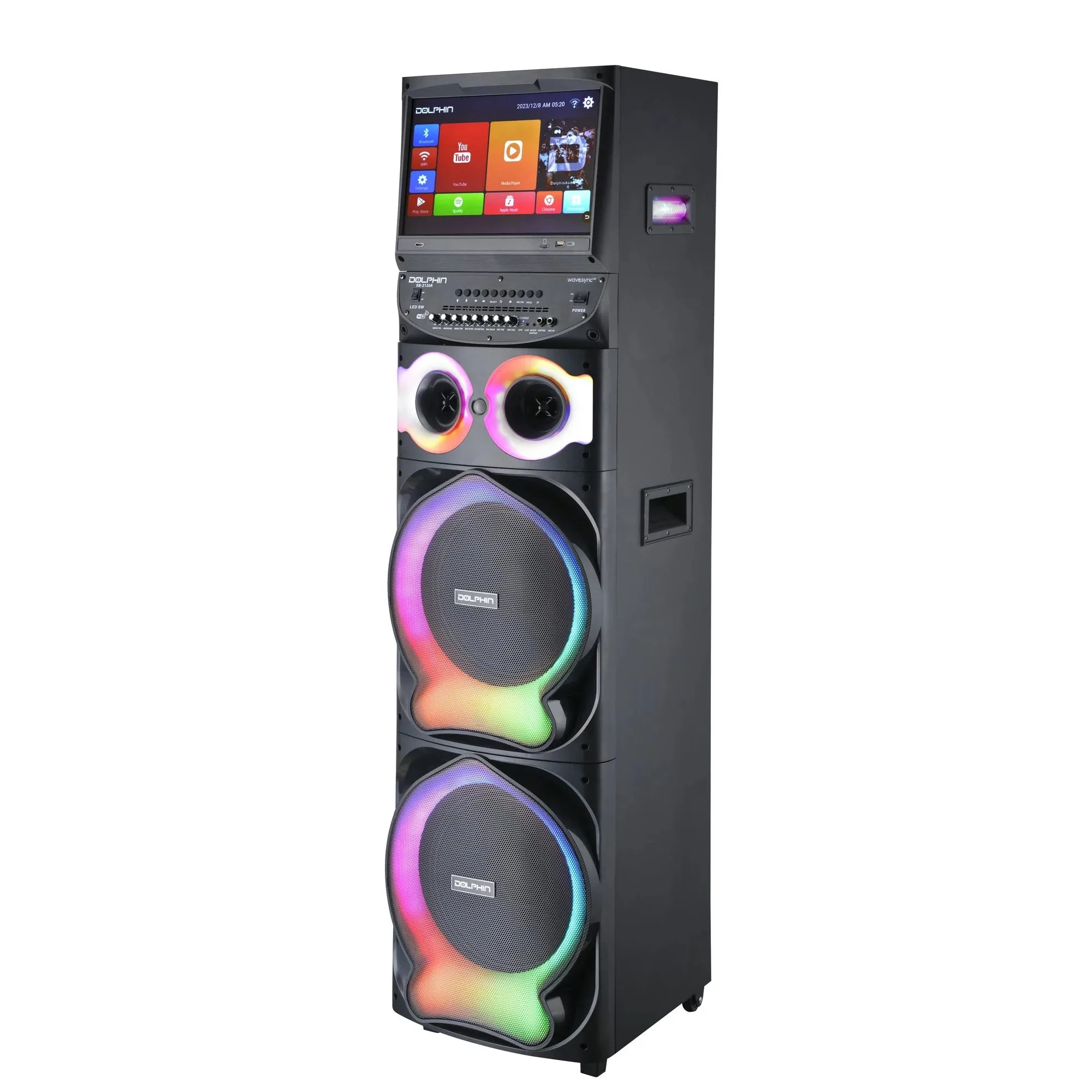
The KaraokeBox 380 offers versatile input options. For most small-room setups, Bluetooth is the fastest way to connect a phone, tablet, or smart TV. If your TV has no Bluetooth, use an available wired input. The KaraokeBox 380 microphone connects through its dedicated input—check the label on the back panel. If you plan to use two microphones, confirm the speaker supports dual inputs before buying a second mic. For a more advanced setup with a screen and dual wireless microphones, the Karaokebox 2120 includes a built-in 15.4-inch Android tablet and WaveSync technology, but it is larger and better suited to a dedicated room.
Volume and LED settings for apartment use
Start with the master volume at about 25 percent and the microphone volume at 50 percent. Speak or sing at normal level and adjust the mic up until you hear yourself clearly without feedback. Keep the LED lights on a low or slow mode if you want ambient light without distraction. The rechargeable battery means you can move the speaker to a different room without unplugging, but remember to charge it fully before a party.
Step-by-step KaraokeBox 380 setup
- Unbox and position the speaker: Place the KaraokeBox 380 on a stable, level surface at least a few inches from the wall. Avoid corners if you want tighter bass. Common mistake: putting it directly against a shared apartment wall, which sends bass into your neighbor's space. Checkpoint: the speaker should not wobble when you touch it.
- Power on and charge if needed: Connect the power adapter or rely on the rechargeable battery if it is already charged. A full charge lets you move the speaker without cables. Common mistake: assuming a new unit is fully charged—charge it overnight before a party. Checkpoint: the power indicator should show a steady light.
- Connect your audio source: Enable Bluetooth on your phone, tablet, or TV and pair with the KaraokeBox 380. If your TV lacks Bluetooth, use an available wired input. Common mistake: leaving the TV speakers on, which causes echo—mute the TV when using the KaraokeBox 380. Checkpoint: play a test song and confirm sound comes only from the KaraokeBox 380.
- Connect the microphone: Plug the KaraokeBox 380 microphone into its dedicated input. If you have a second mic, verify the speaker supports dual inputs before connecting. Common mistake: plugging the mic into the wrong jack—look for the mic icon or label. Checkpoint: tap the mic gently; you should hear it through the speaker.
- Set volume and LED modes: Start with master volume low and mic volume at about half. Increase mic volume until your voice is clear but not feeding back. Choose an LED mode that matches the room—slow fade for background, sound-activated for parties. Common mistake: raising the mic volume too high, which causes squealing feedback. Checkpoint: speak at normal level; if you hear a high-pitched ring, lower the mic volume.
- Test and adjust for the room: Play a familiar song and walk around the room. If bass sounds boomy, move the speaker away from the wall. If vocals are buried, raise the mic volume slightly. Common mistake: setting volume once and never adjusting—small rooms need different levels for different songs. Checkpoint: you should hear both music and vocals clearly from your usual seat.
Product facts
- KaraokeBox 380: The KaraokeBox 380 is a Bluetooth tower speaker with three 8-inch woofers, a rechargeable design, built-in LED lights with multiple modes, and versatile input options. Three 8-inch woofers produce deep bass at low volumes, which suits small rooms and apartments where you cannot play loud.
- Karaokebox 2120: The Karaokebox 2120 is a dual 12-inch karaoke speaker with a built-in 15.4-inch Android tablet, WaveSync technology, dual wireless microphones, and a sound-activated LED light show. If your small-room setup grows into a full karaoke system, the 2120 adds a screen and wireless mics, but its size and output are better for a dedicated room.