Quick answer
A 360° rotating laptop stand lets you share your screen instantly without lifting the device, reduces neck strain by bringing the screen to eye level, and supports better posture during long work or study sessions.
Why rotation matters beyond convenience
Rotating a laptop stand 360 degrees is not just about showing your screen to someone across the table. It also helps when you switch between a laptop and an external monitor, or when you need to quickly glance at a second device without twisting your neck. The movement is smooth and requires no lifting, which means less interruption to your workflow.
Ergonomics and height adjustment go hand in hand
A stand that rotates but cannot adjust height or tilt misses half the benefit. The TECKNET BASICS Laptop Stand combines full rotation with height and tilt adjustment from 0 to 180 degrees, so you can set the screen at eye level and still rotate freely. This reduces neck strain by up to 50% according to the manufacturer, making it a solid choice for all-day use.
Trade-off: stability on uneven surfaces
Because a rotating base adds moving parts, the stand may feel slightly less stable on a soft or uneven desk compared to a fixed riser. For most hard, flat desks this is not an issue, but if your workspace has a wobbly table, check that the stand's rubber feet or grip pads are adequate before relying on the rotation feature.
Frequently asked questions
Does a 360° rotating stand work with all laptop sizes?
Most rotating stands, including the TECKNET BASICS model, are designed for 10 to 17-inch laptops. Always check the weight capacity and platform dimensions before buying, especially for larger gaming laptops.
Can I use a rotating stand while standing?
Yes, if the stand is height-adjustable. The TECKNET stand lets you adjust both height and tilt, so you can use it at a standing desk or a counter. The rotation works the same whether sitting or standing. Pair with a desk that allows standing height to get the full ergonomic benefit.
Does rotation affect cable management?
A rotating base can twist cables if they are routed tightly. Leave some slack in your charging and peripheral cables, or use a cable clip on the back of the stand to keep them tidy without restricting movement.
Product facts
-
TECKNET BASICS Laptop Stand, 360° Rotating Base, Ergonomic Foldable Aluminum Alloy Riser, Height Adjustable, Compatible with MacBook, Dell, HP and All 10‑17" Laptops‑Black: The TECKNET BASICS Laptop Stand offers 360° full rotation, letting you share your screen instantly without lifting the laptop. This makes it easy to collaborate in meetings or switch between devices without breaking your posture.
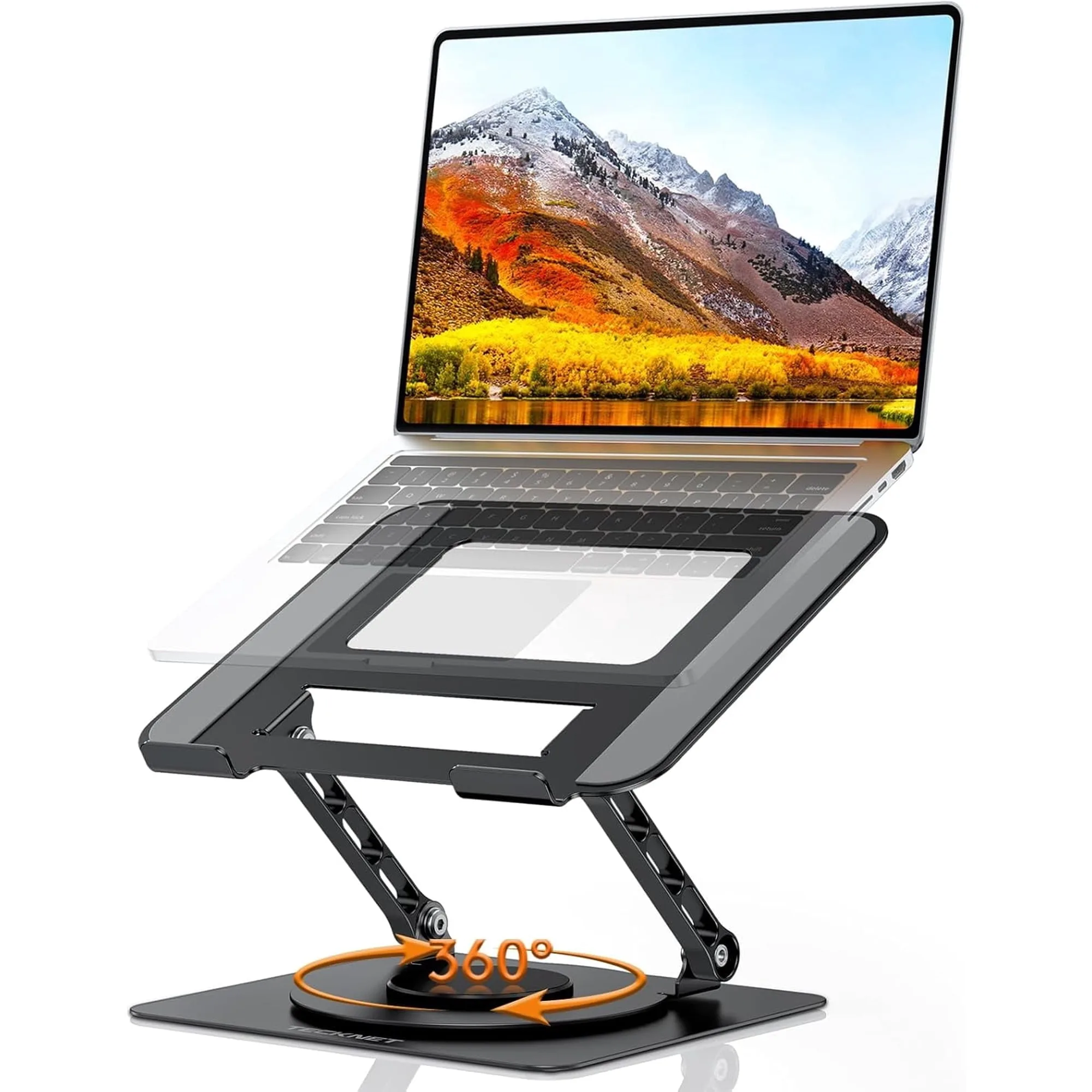
TECKNET BASICS Laptop Stand, 360° Rotating Base, Ergonomic Foldable Aluminum Alloy Riser, Height Adjustable, Compatible with MacBook, Dell, HP and All 10‑17" Laptops‑Black