Quick Answer
Installing the LensCoat on your Canon RF 24-70 f2.8 L IS takes about 10 minutes. Follow the steps below to fit the main cover and optional zoom sleeve securely.
Why a LensCoat Matters for Your RF 24-70
The Canon RF 24-70 f2.8 L IS is a workhorse lens that sees heavy use in the field. A LensCoat cover protects it from scrapes and bumps, preserving resale value. It also helps break up the lens shape, making you less noticeable to wildlife.
The cover comes with an optional zoom sleeve that covers the exposed section when the lens is zoomed. This adds protection without restricting movement.
Installation Steps for the LensCoat Canon RF 24-70 f2.8 L IS Cover
- Step 1: Clean the Lens Surface: Wipe the lens barrel with a microfiber cloth to remove dust, oil, or moisture. Any debris trapped under the cover can cause scratches over time. Common mistake: Skipping cleaning can leave grit that abrades the lens finish.
- Step 2: Stretch the Main Cover Over the Lens: Starting at the front of the lens, carefully stretch the neoprene cover over the barrel. Work it evenly around the circumference to avoid bunching. Align any cutouts with lens controls (focus ring, zoom ring). Common mistake: Pulling too hard on one side can tear the material or misalign the cutouts.
- Step 3: Adjust the Fit Around Controls: Press the cover firmly around the focus and zoom rings, ensuring buttons and switches remain accessible. The neoprene should sit snugly but not restrict ring rotation. Common mistake: Leaving the cover too loose can cause it to shift during use and block controls.
- Step 4: Attach the Optional Zoom Sleeve: If you plan to zoom frequently, slide the included zoom sleeve over the exposed section of the lens barrel. Position it so it covers the area that becomes visible when zoomed out, without interfering with the zoom mechanism. Common mistake: Installing the sleeve too tightly can bind the zoom ring; leave a small gap for movement.
- Step 5: Check All Seams and Edges: Run your fingers along all edges of the cover and sleeve. Ensure no part is folded under or catching on lens components. Test the zoom and focus rings through their full range. Common mistake: A folded edge near the lens hood mount can prevent proper hood attachment.
Product Facts
-
LensCoat® Canon RF 24-70 f2.8 L IS: LensCoat® for the Canon RF 24-70 f2.8 L IS offers protection from scrapes and bumps, preserving resale value, and helps break up the shape of your lens. This cover keeps your lens looking newer longer and reduces glare that can spook wildlife.
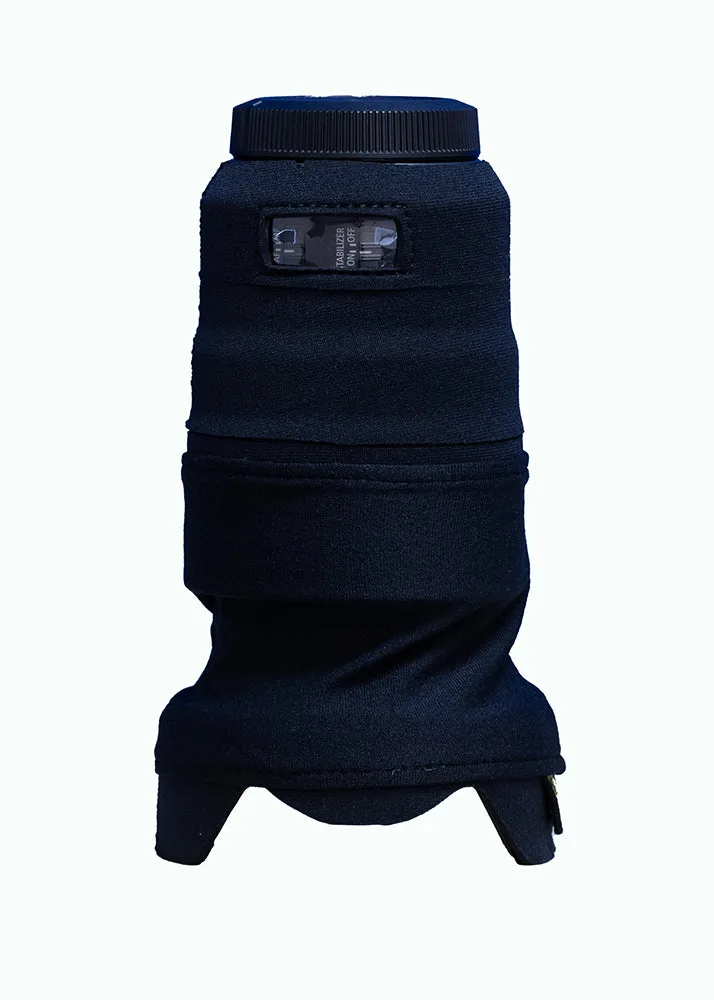
LensCoat® Canon RF 24-70 f2.8 L IS