Quick Answer
Installing the LensCoat on your Canon RF 24-105mm F2.8L IS USM takes about 10 minutes. The key is to align the seams with the lens controls and avoid stretching the material over the zoom ring.
Why Fit Matters for the RF 24-105mm F2.8L
The RF 24-105mm F2.8L has a complex barrel with multiple control rings and switches. A poorly fitted cover can bunch around the zoom ring or block the focus ring, making adjustments difficult. The LensCoat is designed to match the lens contours, but careful installation is still needed to keep all controls accessible.
The cover also helps break up the lens shape, making it less noticeable to wildlife — useful if you shoot birds or skittish animals. And it protects the lens body from scrapes and bumps, preserving resale value.
Step-by-Step Installation Guide
- 1. Clean the Lens Barrel: Wipe the lens body with a microfiber cloth to remove dust, oil, or moisture. Any debris trapped under the cover can scratch the finish over time. Check that the lens is completely dry before proceeding.
- 2. Orient the Cover: Hold the LensCoat so the seam lines up with the bottom of the lens (opposite the controls). The cover is shaped to match the lens profile; forcing it upside down will cause bunching. A common mistake is installing the cover with the seam on top, which can interfere with the zoom ring.
- 3. Slide Over the Rear Element First: Start by slipping the cover over the rear of the lens (the mount side). Work it forward gently, pulling the material over the zoom ring and focus ring. Do not yank or stretch the Neoprene excessively. If the cover resists near the lens hood, it may be twisted — rotate it slightly to realign.
- 4. Align Control Cutouts: Once the cover is in place, check that the cutouts for the zoom ring, focus ring, and switches are centered. Adjust by shifting the cover slightly left or right. The LensCoat should not block any button or switch. If a cutout is off by more than 1/8 inch, remove the cover and restart — stretching it to compensate will cause permanent sagging.
- 5. Smooth Out Air Bubbles and Wrinkles: Starting from the center of the lens, press the cover outward toward the edges. Use your palm to smooth any wrinkles. Pay extra attention around the zoom ring, where wrinkles can catch on your hand during shooting. Small wrinkles near the lens hood often settle after a few hours of use.
- 6. Final Check and Adjustment: Mount the lens on your camera, zoom through the full range, and turn the focus ring. The cover should move with the rings without bunching. If it slips or blocks movement, remove and reinstall with better alignment. After 24 hours, check the cover again — Neoprene can relax slightly, so a minor re-tightening may be needed.
Product Facts
-
LensCoat® RF 24-105MM F2.8L IS USM: LensCoat for the Canon RF 24-105MM F2.8L IS USM offers protection from scrapes and bumps, preserving resale value, and helps break up the lens shape for wildlife photography. This means your lens stays in better condition when you shoot in rough terrain or brush, and you can get closer to animals without spooking them.
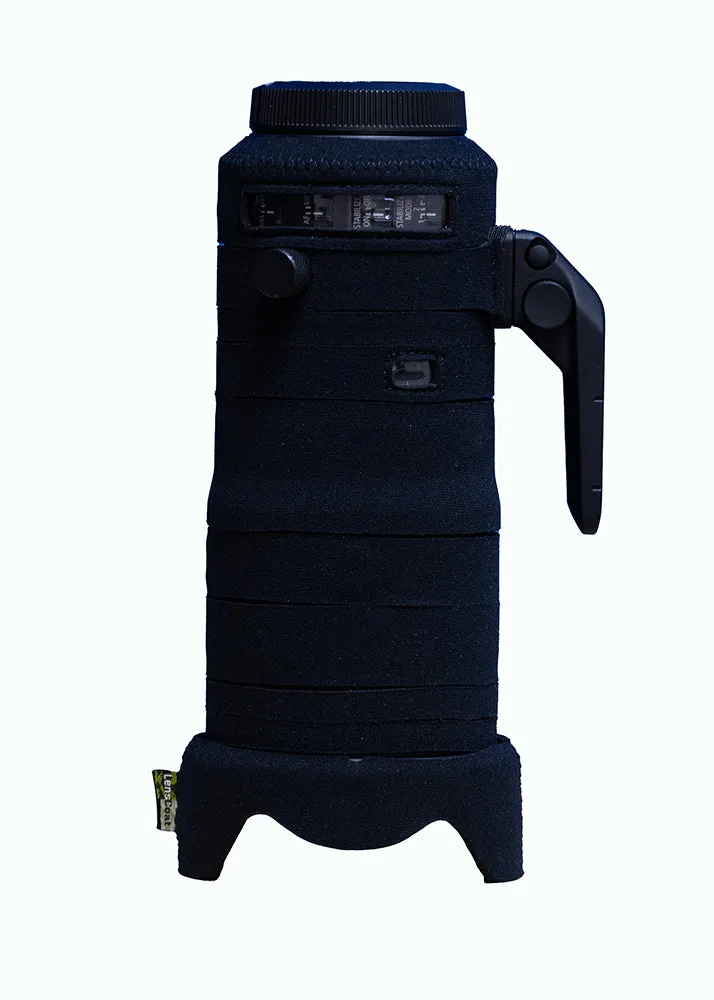
LensCoat® RF 24-105MM F2.8L IS USM


