Quick answer
Attach the M-Mount Adaptor to your X Mount camera, enable focus peaking and manual focus assist, then verify infinity focus at the hard stop before relying on the lens for distant subjects.
Why the adaptor's electronic contacts matter for M-Mount lenses
The M-Mount Adaptor includes electronic contacts that communicate signals with the camera body, so you can access settings and use the function button to choose necessary options without diving into menus. This makes it easier to switch between lenses and adjust exposure aids quickly.
When infinity focus may not align
M-Mount lenses are designed for rangefinder cameras, and their hard stop at infinity may not match the flange distance of your X Mount camera through the adaptor. Always test infinity focus before a shoot; if distant subjects are soft at the hard stop, you may need to back off slightly or use a different adaptor sample. The adaptor's three-part structure uses optimum materials for high-precision fitting, but tolerances can still vary.
Step-by-step setup for M-Mount lenses on Fujifilm
- Attach the adaptor to the camera body: Align the adaptor's mount index with the camera body and rotate until it clicks. Common mistake: forcing the adaptor if it doesn't seat smoothly—check for dirt on the mounts.
- Mount the M-Mount lens to the adaptor: Line up the lens's mount index with the adaptor and turn until it locks. Checkpoint: ensure the lens is fully seated and does not wobble.
- Enable focus peaking and manual focus assist: In the camera menu, turn on focus peaking (choose a color like red or yellow) and enable manual focus assist (e.g., magnification). Common mistake: leaving peaking on a low-contrast color that blends into the scene. Assign the adaptor's function button to toggle peaking or magnification for quick access.
- Set the camera to manual focus mode: Switch the camera's focus mode dial to M. Checkpoint: confirm that the camera recognizes the lens as manual—some settings may be grayed out.
- Perform an infinity focus check: Aim at a distant object (e.g., a building or horizon) and turn the lens to its hard stop at infinity. If the image is not sharp, back off slightly until it sharpens. Common mistake: assuming the hard stop is accurate—always verify. Note the lens's actual infinity position for future reference; it may vary between lenses.
- Test focus across the aperture range: Take test shots at different apertures (wide open and stopped down) to check for focus shift. Checkpoint: if focus shifts, focus at the working aperture rather than wide open.
Product facts
-
M-Mount Adaptor: Mount adaptor that allows the use of a wide variety of M Mount lenses on X Mount camera bodies. This lets you expand your lens collection with M-Mount glass while keeping your Fujifilm camera body.
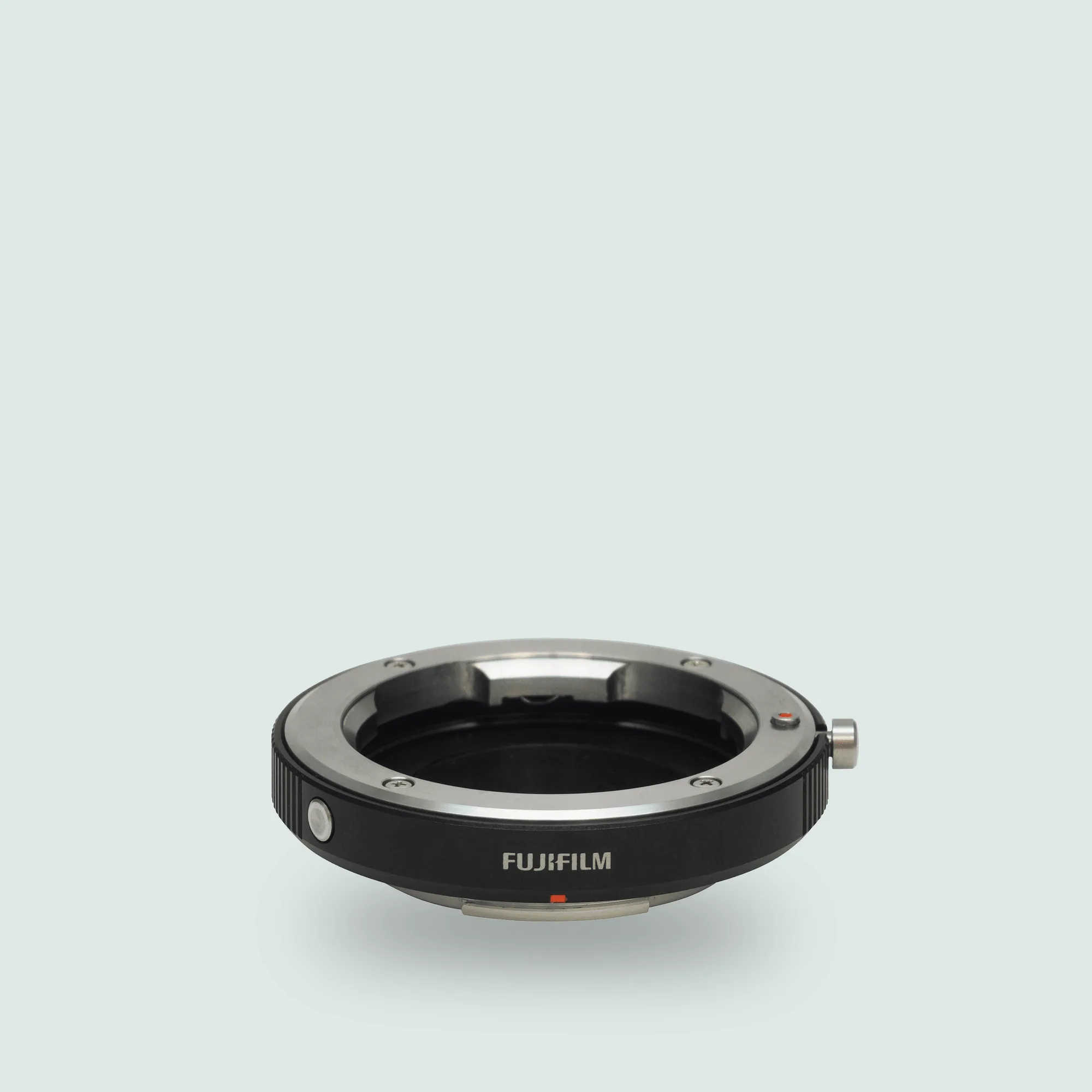
M-Mount Adaptor
-
M-Mount Adaptor: Built with a three-part structure using optimum materials for each component to accommodate perfect fitting with high precision. A precise fit reduces play and helps maintain image quality, especially with heavier lenses.
-
M-Mount Adaptor: Features electronic contacts for communicating signals with the camera body and a function button to easily choose necessary settings. You can quickly access focus aids and other settings without navigating menus, speeding up manual focus workflow.