Quick Verdict
If you want a bold, eye‑catching look and don’t mind occasional glare, go holographic. For a sleek, low‑glare appearance that stays readable under bright light, matte is the safer choice. Both finishes perform well on laptops, so pick based on visual preference and work environment.
Laptop stickers are a fast way to personalize a device, but the finish you choose changes how the art looks and behaves. Matte and holographic coatings each bring distinct visual and functional traits.
This comparison breaks down appearance, glare resistance, and adhesive performance so you can decide which finish aligns with your style and daily routine.
Appearance and Visual Impact
Holographic stickers use a light‑refracting layer that creates rainbow‑like sparkle as you move the laptop. The effect can make colors pop dramatically, turning a simple illustration into a moving piece of art. Matte stickers lack this shine, offering a flat, uniform surface that lets the underlying artwork speak for itself without extra flash.
Because the Annuzza Art stickers are waterproof die‑cut pieces, the finish you add (matte or holographic) is the only visual modifier. Choose holographic when you want maximum attention; choose matte for a subtle, professional vibe.
- Tip: Test a sample under different lighting before committing to a holographic finish.
Glare and Readability
Matte finishes diffuse light, reducing glare on glossy laptop surfaces. This keeps the sticker’s details clear even in bright office lighting or sunlight, which is useful if you need to see icons or text through the design.
Holographic surfaces reflect light directly, which can create bright spots that wash out fine lines. While this adds drama, it may hinder readability when the laptop is positioned near strong light sources.
Adhesive Performance and Longevity
All Annuzza Art stickers are waterproof, meaning the adhesive is formulated to stay put through moisture exposure. Neither finish changes the stickiness, but holographic layers can attract fingerprints more readily, requiring occasional cleaning to retain sparkle.
Matte stickers tend to hide minor smudges, making maintenance easier for users who clean their laptops frequently.
- Cleaning tip: Use a soft microfiber cloth with a mild soap solution for holographic stickers to avoid dulling the reflective coating.
Balancing Finish Trade‑offs
- Visual Pop vs Subtlety: Holographic finish reflects light for eye‑catching sparkle; matte finish offers a flat, understated look. Choose holographic for statement pieces, matte for professional settings.
- Glare Resistance: Matte reduces glare on bright screens, keeping the sticker readable; holographic can create glare hotspots. Prefer matte if you work under strong lighting.
- Surface Care: Both are waterproof, but holographic surfaces may show fingerprints more easily. Plan regular cleaning if you pick holographic.
Sticker Examples from Annuzza Art
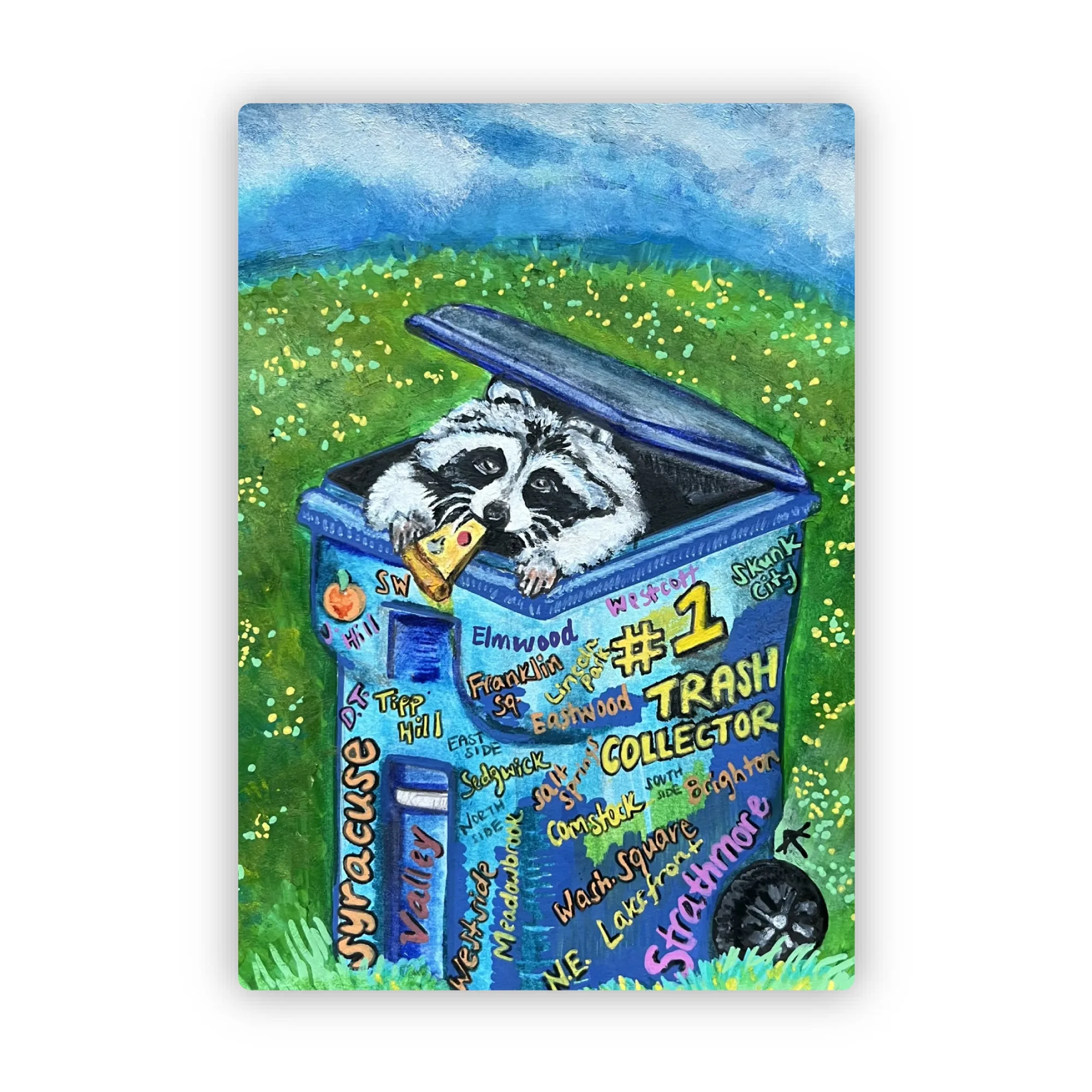
- #1 Trash Collector Sticker: 2.1" x 3.0" Die Cut Waterproof Sticker Unique mixed media sticker: a raccoon's pizza party in a Syracuse trash cart! Spot your neighborhood amidst the '#1 Trash Collector' graffiti. Part of a fun initiative to encourage litter pick-up in Syracuse, NY! Its size and waterproof nature make it suitable for laptop surfaces that may encounter moisture or occasional cleaning.
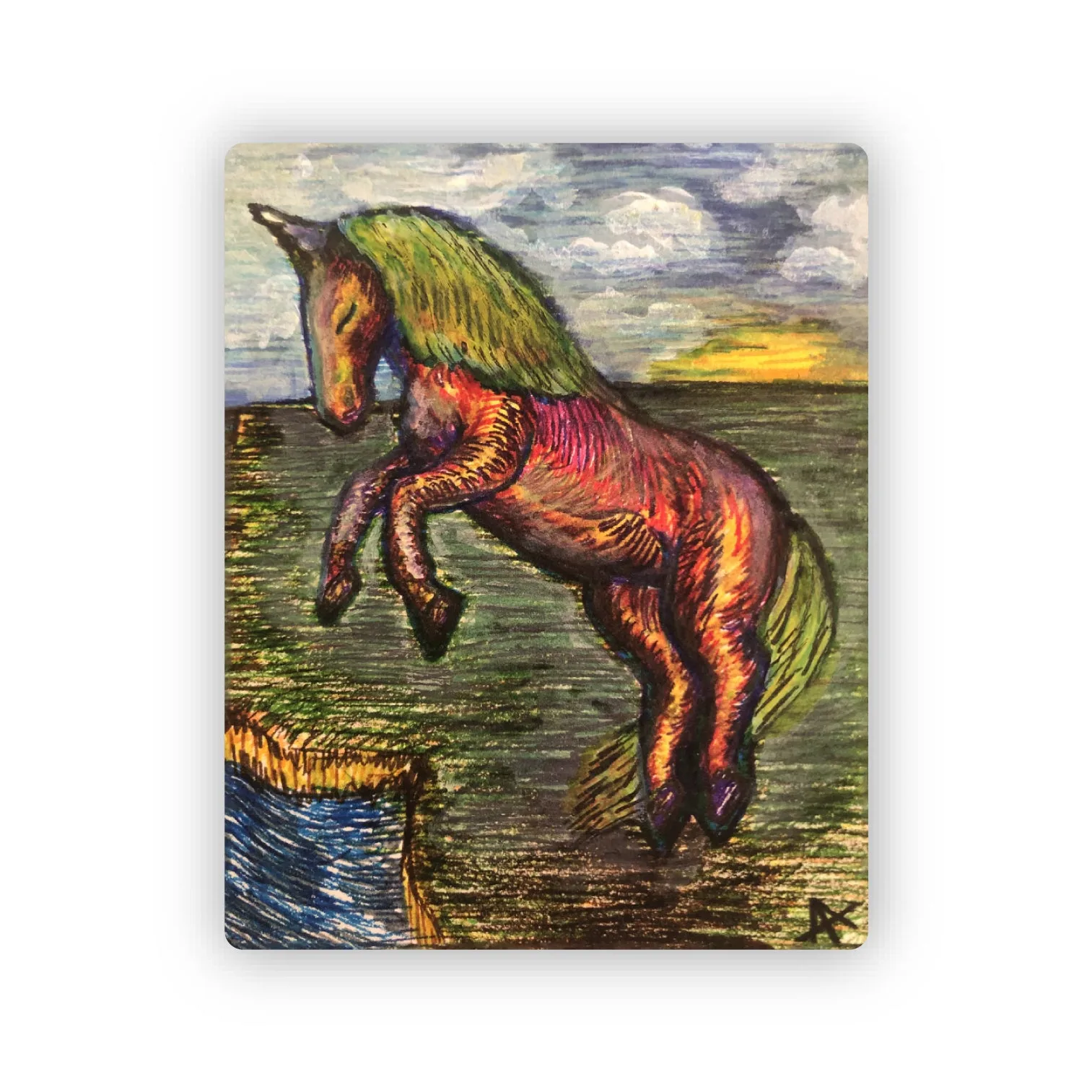
- Rainbow Unicorn Sticker: 1.6" x 2.0" Die Cut Waterproof Sticker This "Rainbow Unicorn" sticker is a reproduction of my 2019 marker drawing, created as a gift. It's a little piece of joy inspired by a wonderful person, and I hope it spreads that same feeling to you. The small format shows how a matte or holographic coating can dramatically change the visual pop of a detailed illustration.
Which Finish Suits You?
Best For
- Creative users who want eye‑catching designs
- Laptop owners who enjoy personal expression
Not Ideal For
- Professionals needing a low‑profile, glare‑free look
- Users who frequently clean the surface and want minimal fingerprint visibility
Both matte and holographic finishes have clear strengths. Match the finish to your visual preference, lighting environment, and maintenance habits, and your laptop sticker will stay vibrant and functional for years.