Quick answer
Choose a card by matching its sustained write speed to your camera's buffer and your video bitrate, not by the biggest number on the label. For 4K video, look for V30 or faster; for continuous burst shooting, UHS-II or a card with a deep buffer clearance matters more than peak read speed. Always check your camera's supported bus and your card reader before buying.
Speed class labels and what they actually guarantee
Speed class ratings describe minimum sustained write speed, which is what keeps recording and burst shooting from stalling. The common ratings are Class 10 (10 MB/s), U1 (10 MB/s), U3 (30 MB/s), and the newer V ratings (V6, V10, V30, V60, V90) that specifically target video recording. A V30 card guarantees at least 30 MB/s continuous write, which is the floor for most 4K recording modes. UHS Speed Class (U1/U3) and Video Speed Class (V) often appear together, so a card can be both U3 and V30.
Read speed is usually much higher than write speed, which is why a card advertised at 170 MB/s may still only write at 90 MB/s. For stills, write speed controls how quickly your buffer clears; for video, it controls whether recording stops unexpectedly. Ignore theoretical peak read numbers when comparing cards for capture, and look for the sustained write rating instead.
UHS-I vs UHS-II: the bus, not just the card
UHS-II cards have a second row of pins and can reach much higher bus speeds than UHS-I, but only if your camera and card reader also support UHS-II. Putting a UHS-II card in a UHS-I camera usually falls back to UHS-I speeds, so you pay for headroom you cannot use. Conversely, a UHS-I card in a UHS-II slot will work but will not unlock the faster bus.
If your camera is UHS-I only, a good UHS-I U3/V30 card is often the sensible buy. If you shoot high-bitrate video or long bursts on a UHS-II body, the faster bus can reduce buffer clear times and let you get back to shooting sooner. The same logic applies to card readers: a UHS-II reader is needed to offload UHS-II cards at full speed. Card reader compatibility is often the hidden bottleneck in a workflow.
Matching the card to burst shooting and 4K video
For burst shooting, the card's write speed and the camera's buffer size work together. A fast card clears the buffer quickly, but a small buffer will still fill after a short burst regardless of the card. If you shoot action, look for a card rated U3 or V30 at minimum, and consider UHS-II if your camera supports it and you regularly hit the buffer limit.
For 4K video, check your camera's required bitrate and recommended card class. Many 4K modes need V30, while higher frame rates or 10-bit codecs may need V60 or V90. If you are unsure, the camera manual or menu usually lists a minimum card requirement. Buying below that threshold risks dropped frames or recording stops. For 8K or high-bitrate internal recording, only cards on the camera maker's approved list are safe.
Capacity, reliability, and the used-card question
Capacity is a workflow decision: smaller cards spread risk and suit day shoots, while larger cards reduce swapping but put more footage on one device. Many photographers carry several 64GB or 128GB cards rather than one 512GB card. There is no single correct answer, but matching capacity to how often you can offload is practical.
Used memory cards are a gamble because flash memory has finite write cycles and counterfeit cards exist. If you buy used, test with a known-good reader, check the real capacity, and avoid relying on a used card for paid work. New cards from reputable brands remain the safer choice for critical shoots.
Decision rules for buying a memory card
- For 4K video: Check your camera's required video speed class. If it specifies V30, buy V30 or faster. If it specifies V60 or V90 for high frame rates or 10-bit, do not substitute a V30 card. Match the card's sustained write rating to the camera's stated minimum, not to the largest read speed on the packaging.
- For burst shooting: Prioritize write speed and bus support. If your camera is UHS-II, a UHS-II card can clear the buffer faster. If it is UHS-I, a quality U3/V30 card is usually enough. Buffer size and card write speed both limit burst length; upgrading only one may not solve the problem.
- For card reader compatibility: A UHS-II card needs a UHS-II reader to reach its full speed. A UHS-I reader will still work but will slow the transfer. Budget for a matching reader if you buy a faster card, or you will not see the benefit when offloading.
- For capacity and card count: Carry several mid-size cards rather than one huge card if losing a single card would be catastrophic. Match capacity to how often you can offload. Spread risk across cards when the shoot cannot be repeated.
Useful accessories for card-based workflows
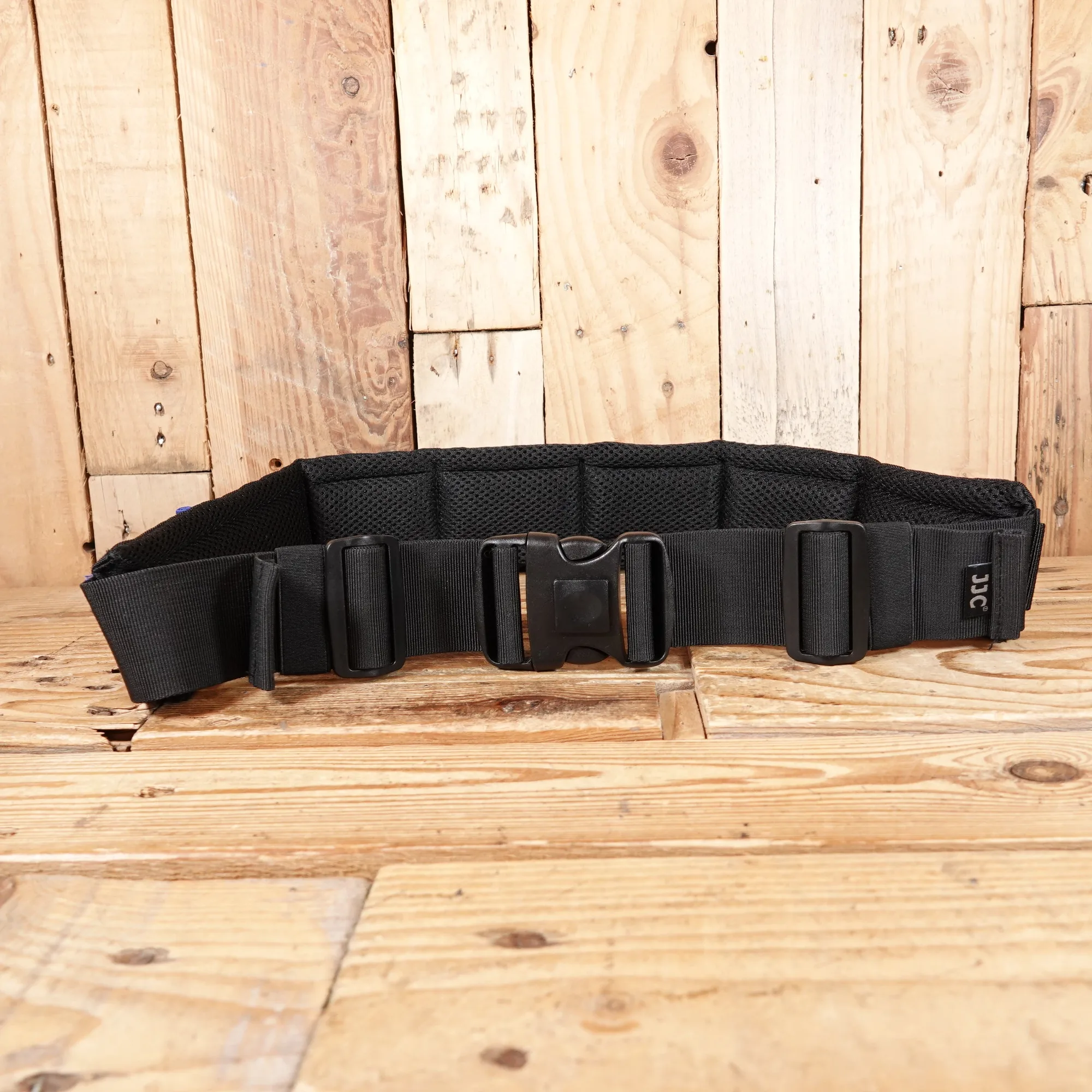
- Used JJC Lens Belt with 3 Lens Pouches: Used JJC Lens Belt with 3 Lens Pouches: a durable belt with three padded lens pouches sized for standard telephoto lenses, keeping optics accessible and cushioned during transport or outdoor shoots. If you carry multiple lenses and cards on a shoot, a belt system keeps gear organized and reduces the chance of dropping a card while swapping lenses.
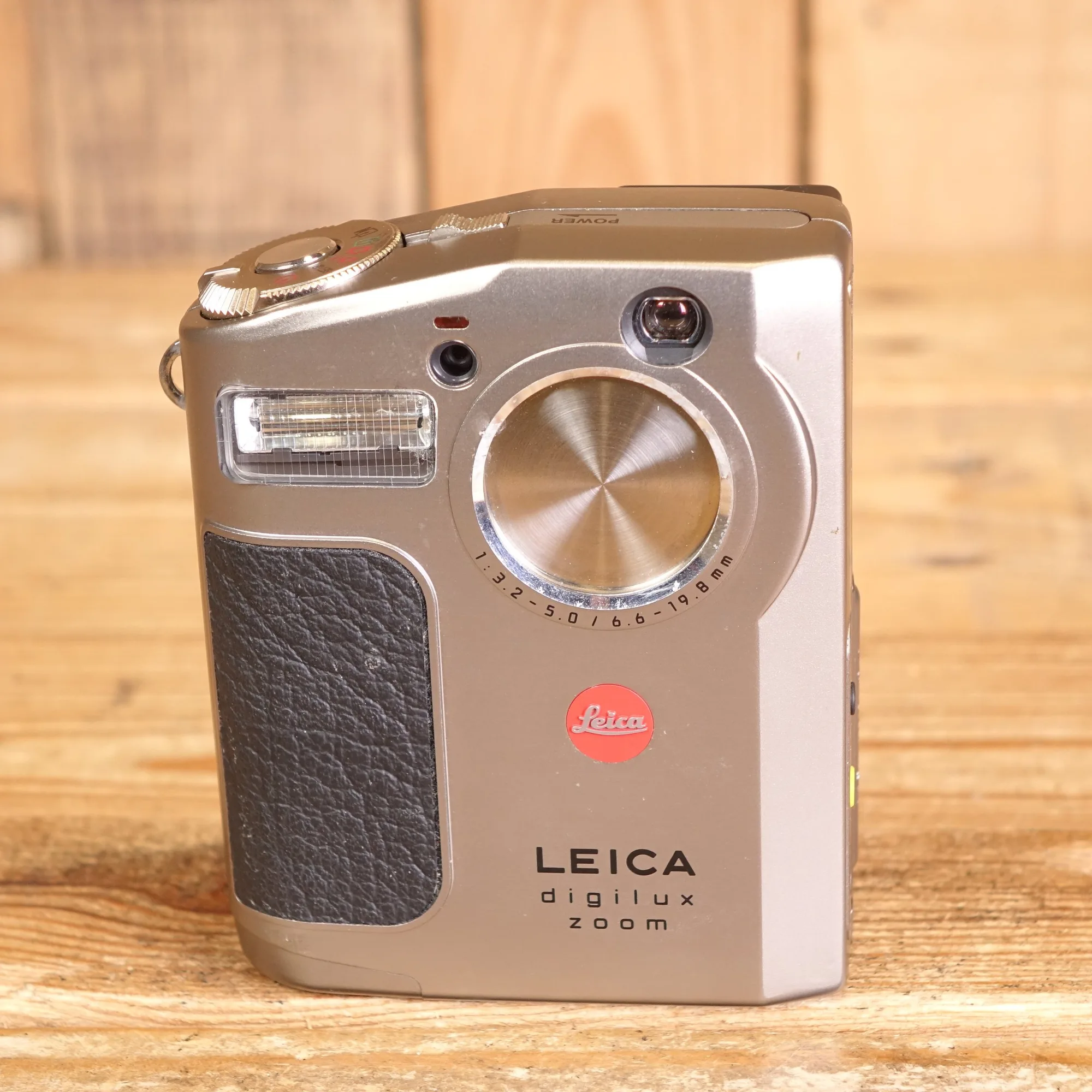
- Used Leica Digilux Zoom Camera: Used Leica Digilux Zoom Camera: condition used - very good, has a few scuffs to the body, takes SmartMedia cards and comes with a 32MB card, box, instructions, strap, Fuji battery, and Fuji charger. A reminder that older cameras use older card formats; check the media type before buying cards or readers for a vintage body.
Who should buy which card
Best for
- Photographers who shoot occasional 4K video and want a reliable U3/V30 UHS-I card
- Action or wildlife shooters with a UHS-II camera who need faster buffer clearing
- Videographers recording high-bitrate 4K or 10-bit who need V60 or V90 cards
Not for
- Buyers who only need occasional stills and never record video, where a basic Class 10 card is sufficient
- Cameras that do not support UHS-II, where paying for UHS-II cards gives no speed benefit
- Critical paid work where a used or untested card is the only option