Quick Answer
Set up your Miyoo Flip magnetic charging dock by placing the dock on a flat surface, connecting the charging cable, and aligning the console's charging contacts with the dock's magnetic pins. Once aligned, the magnets will hold it in place for instant, hassle-free charging.
Why Magnetic Charging Beats Plugging In
The Miyoo Flip's USB port is small and fiddly. A magnetic dock removes the daily plug-unplug cycle, which wears out the port over time. Just set the console down and it starts charging—no cable hunting, no port damage.
The dock is 3D printed, so it's lightweight and custom-fit for the Miyoo Flip. That precise fit is what makes alignment easy and reliable.
The Trade-Off: Alignment Matters
Magnetic charging only works when the contacts line up. If the console is slightly off, it won't charge. The dock's custom design helps, but you still need to seat the console properly. Also, the 3D printed material is sturdy but not indestructible—handle it with care to avoid cracks.
Setup and Daily Use Steps
- Unbox and inspect: Remove the dock from its packaging and check for any visible cracks or defects. Since it's 3D printed, a quick visual once-over ensures it's ready for use. If you see damage, contact support before using.
- Place the dock on a flat surface: Set the dock on a stable, level desk or table. Avoid soft surfaces like beds or couches where it might tip over. A level surface prevents the console from sliding off during charging.
- Connect the charging cable: Plug the USB cable into the dock's port and the other end into a power adapter. Use the same adapter you'd use for the Miyoo Flip itself—don't use a high-wattage fast charger unless you know it's safe. If the dock doesn't charge, try a different cable or adapter first.
- Align the console with the dock: Hold the Miyoo Flip horizontally and lower it onto the dock, matching the charging contacts on the console with the magnetic pins on the dock. The magnets will pull it into place when aligned correctly. You should feel a slight magnetic snap—if not, lift and reposition.
- Verify charging: Check the console's screen for the charging indicator. If it doesn't show, lift the console, realign, and set it down again. If it still won't charge, clean the contacts with a dry cloth.
- Daily use and maintenance: Keep the dock's contacts and the console's charging pins clean and free of dust. Wipe them occasionally with a soft, dry cloth. Avoid exposing the dock to liquids or extreme heat. Regular cleaning prevents charging failures over time.
The Dock That Makes It Easy
-
3D Printed Magnetic Charging Dock for Miyoo Flip: Custom-fit charging dock for Miyoo Flip ensures precise alignment for seamless charging and display. You don't have to fiddle with the console to find the right spot—just drop it on the dock and it aligns perfectly every time.
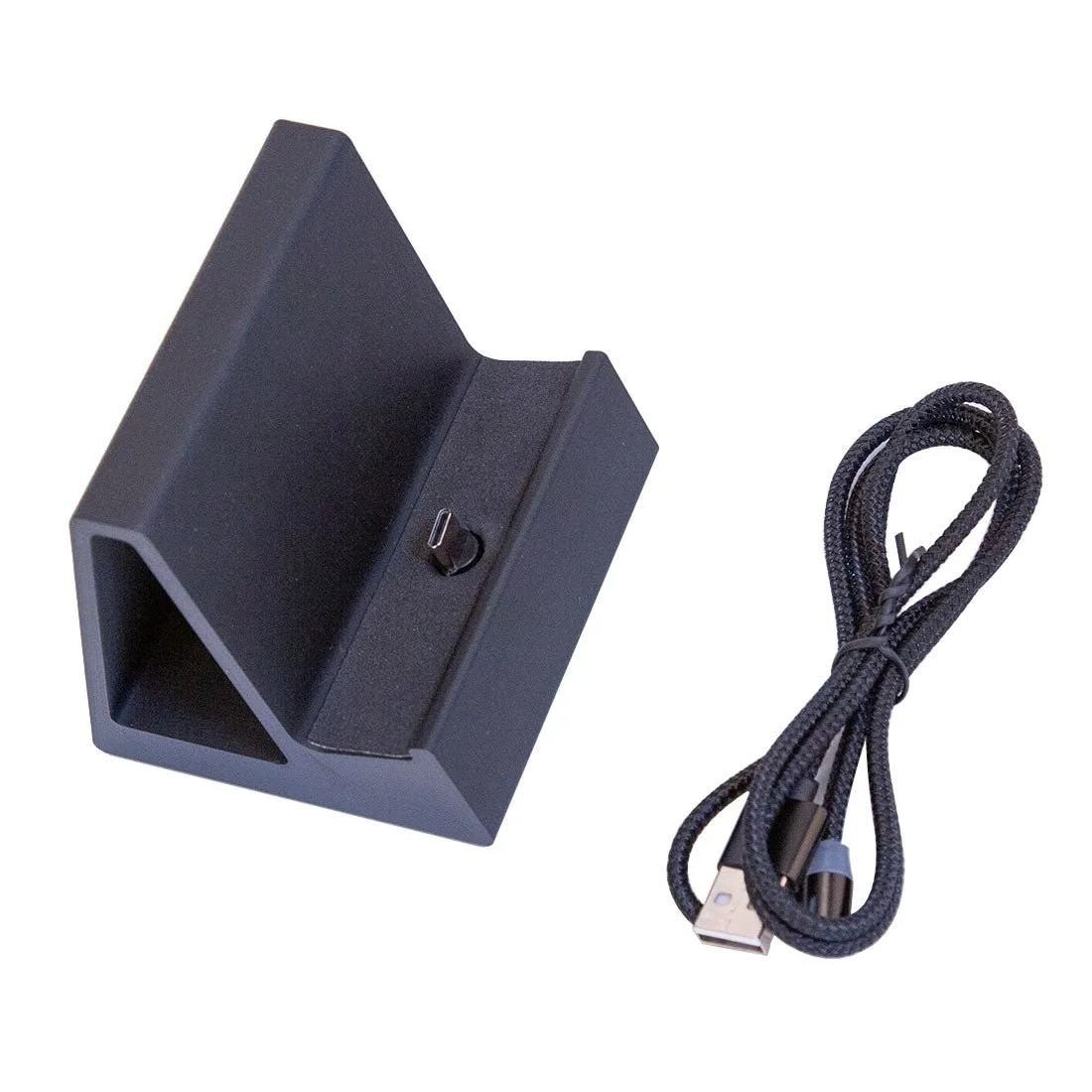
3D Printed Magnetic Charging Dock for Miyoo Flip