Quick Answer
The MOD Placard in MultiCam mounts directly to any MOLLE-compatible plate carrier or chest rig using the included straps, and you can configure its magazine pouches to fit your preferred rifle or pistol magazines.
Why the MOD Placard Works Across Platforms
The MOD Placard is built from a single piece of nylon laminate with bonded bartacks, so it stays rigid under load and resists wear in abrasive environments. That construction also means the placard keeps its shape when you re-index magazines, which is a common failure point on softer pouches.
Because the exterior faces are covered in MOLLE, you can attach additional pouches or accessories without altering the placard itself. This makes it a solid base layer for a chest rig or plate carrier setup that you can adapt over time.
Compatibility Trade-Offs to Keep in Mind
The MOD Placard uses a standard MOLLE mounting system, so it fits most plate carriers and chest rigs that have MOLLE webbing on the front. However, if your carrier uses a proprietary swift-clip or buckle system, you may need an adapter or separate mounting solution.
The placard's magazine pouches are sized for standard AR/AK magazines, but you should verify the fit with your specific magazine type. Some larger-caliber or extended magazines may not seat fully or may be too tight for smooth draws.
MultiCam is a popular camouflage pattern, but it may not match every environment. Consider your operational terrain before choosing MultiCam over solid colors or other patterns.
Step-by-Step Setup Guide
- Lay out your gear: Place your plate carrier or chest rig on a flat surface and identify the front MOLLE webbing. Have the MOD Placard and any additional pouches ready. Check that the MOLLE straps on the placard are long enough for your carrier's webbing before starting.
- Attach the placard: Starting from the top, weave the MOLLE straps through the webbing on your carrier, alternating over and under. Pull each strap tight as you go to ensure a snug fit. If the placard shifts when you move, re-tighten the straps or use malice clips for a more secure attachment.
- Configure the magazine pouches: Insert your primary rifle magazines into the placard's pouches. Test the draw and re-index motion to ensure the pouches are not too tight or too loose. If the magazine sticks, adjust the retention or consider a different pouch size; if it rattles, add a retention band or shim.
- Add secondary pouches: Use the MOLLE webbing on the placard's exterior to attach a pistol magazine pouch, admin pouch, or other accessories that fit your mission needs. Balance weight across the placard to avoid sagging on one side.
- Test the full setup: Wear the carrier and perform a series of movements—bending, kneeling, and running—to confirm the placard stays in place and does not interfere with your access. If anything shifts or is hard to reach, adjust the strap tension or reposition the placard before relying on it.
Product Facts
-
MOD Placard - MultiCam: The MOD Placard is built from a single piece of nylon laminate and reinforced with bonded bartacks, with MOLLE coverage on all exterior faces. This construction provides rigidity and durability, and the MOLLE coverage lets you attach additional pouches without modifying the placard.
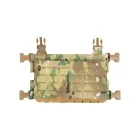
MOD Placard - MultiCam