Quick answer
Clean the Moment CineClear UV filter with a blower first, then a soft brush, then a microfiber cloth with a drop of lens cleaner only if needed. Never wipe a dry filter that still has grit on it, because that is how you scratch the coating. The routine below keeps the filter clear and protects the front element it is there to guard.
Why the CineClear filter needs its own routine
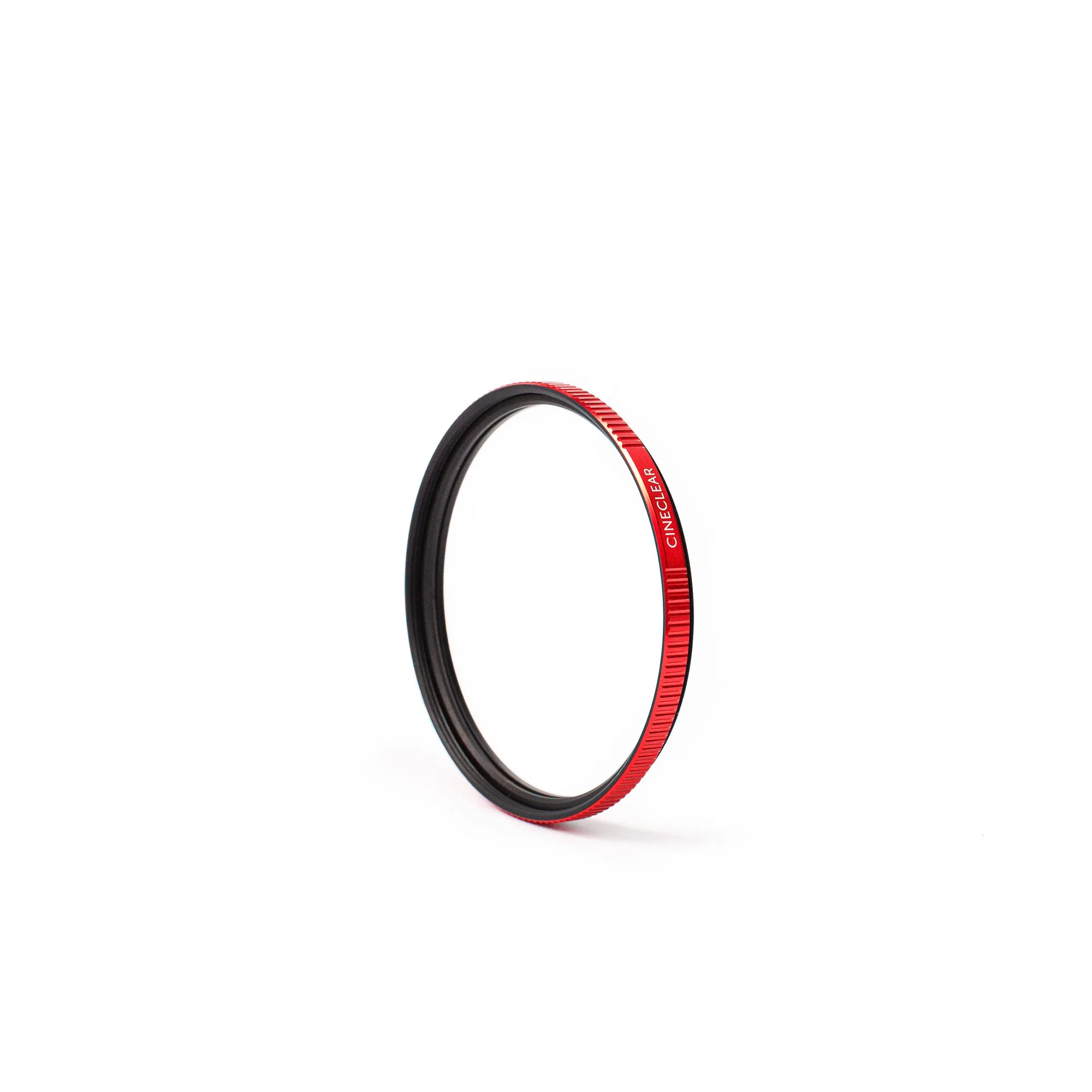
A UV filter takes the abuse your front element would otherwise take, so it collects the dust, fingerprints, and grit that would have hit the glass behind it. The Moment CineClear UV Protection Filter protects the front element from dirt, debris, scratches, and water, which is why it is worth cleaning properly rather than aggressively. Treat it as a consumable shield: you want it clear, but you also want it intact.
The mistake most people make is cleaning on location with a shirt or a dry cloth. That turns trapped grit into sandpaper. A two-minute routine at home prevents most of the damage.
Tools that are safe to use
You need a rocket blower, a soft lens brush, a clean microfiber cloth, and a lens cleaning solution. Keep the cloth in a pouch so it does not pick up grit in your bag. If you shoot outdoors often, a second cloth for the body and a separate one for glass avoids cross-contamination.
When to clean and when to leave it alone
Clean only when you can see a mark that affects the image or when the filter is visibly dirty. Every wipe carries a small risk, so fewer, better cleans beat constant polishing. If you just have a speck of dust that does not show in photos, blow it off and stop there.
Step-by-step CineClear cleaning routine
- 1. Blow off loose grit first: Use a rocket blower with the filter facing down so dust falls away instead of settling back on the glass. Work around the edges where the filter meets the lens. Checkpoint: if you can see dust moving, keep blowing before you touch the glass.
- 2. Brush the edges and threads: Use a soft lens brush to lift grit from the rim and the filter threads. This is where sand and pocket lint hide and then get dragged across the glass during a wipe. Mistake to avoid: skipping the rim and going straight to the cloth.
- 3. Breathe, then wipe with microfiber: Breathe lightly on the glass and wipe in one direction with a clean microfiber cloth, turning to a fresh side for each pass. Do not scrub in circles over a dry spot. Checkpoint: the filter should look clear in angled light before you stop.
- 4. Use lens cleaner only for stubborn marks: Put one drop of lens cleaning solution on the cloth, not on the filter, then wipe gently. Never spray directly onto the filter, because liquid can seep behind the rim. Mistake to avoid: soaking the filter to remove a fingerprint.
- 5. Inspect and store correctly: Hold the filter at an angle to check for streaks or remaining grit. If it is clean, cap the lens or store the camera so the filter is not rubbing against fabric. Next step: replace the cloth in its pouch so it is clean for the next session.
Product facts
- Moment CineClear UV Protection Filter: The Moment CineClear UV Protection Filter protects the front element of your lens from dirt, debris, scratches, and water. Because the filter is the sacrificial layer, it will get dirty more often than the lens behind it, so a repeatable cleaning routine keeps both clear.