Quick Answer
Set up your MOZA R9 V3 KS bundle in about an hour by mounting the wheelbase securely, attaching the KS wheel, connecting the SRP2 pedals, installing MOZA Pit House, and calibrating each component before your first lap.
Why a Proper Setup Matters
A direct drive wheelbase like the MOZA R9 V3 delivers 9Nm of force feedback, which is strong enough to cause movement if not mounted correctly. A secure mount not only improves your control but also prevents damage to your desk or rig.
The KS wheel and SRP2 pedals are designed to work together within the MOZA ecosystem, so following the order of setup ensures that all components are recognized and calibrated correctly by the software.
Common Beginner Mistakes
Many beginners skip the desk clamp tightening check, which can lead to the wheelbase shifting during heavy force feedback. Another frequent error is connecting pedals before installing the software, which can cause driver conflicts.
Take your time with the initial calibration; rushing through it can result in off-center steering or inconsistent pedal inputs that are hard to fix later.
Step-by-Step Setup Process
- Unbox and Inspect: Carefully unbox the bundle and verify that you have the R9 V3 wheelbase, KS wheel, SRP2 pedals, power supply, USB cables, and mounting hardware. Check for any visible damage before proceeding. Keep the original packaging in case you need to return or exchange a component.
- Mount the Wheelbase: Attach the R9 V3 wheelbase to your desk, wheel stand, or cockpit using the included desk clamp or bolt pattern. Ensure the mount is tight and the wheelbase is level. Common mistake: not tightening enough, causing movement under load. After mounting, try to wiggle the wheelbase; it should not move at all.
- Attach the KS Wheel: Align the KS wheel's quick-release with the wheelbase shaft and push until it clicks. Pull gently to confirm it's locked. Common mistake: forcing the wheel at an angle, which can damage the connector pins. If the wheel does not click, remove and realign before pushing again.
- Connect the SRP2 Pedals: Plug the SRP2 pedals into the wheelbase using the provided cable (or USB if applicable). Place the pedals on a stable surface or pedal plate. Common mistake: connecting pedals before installing software, which can cause driver issues. Wait to connect the pedals until after software installation if the instructions specify that order.
- Install MOZA Pit House Software: Download and install MOZA Pit House from the official MOZA website. Follow the on-screen prompts. Common mistake: using third-party drivers or outdated versions, which can cause compatibility issues. Always download the latest version from the official site to ensure compatibility.
- Calibrate the Wheelbase and Pedals: Open MOZA Pit House and go to the device settings. Run the calibration wizard for the wheelbase, which will center the wheel and test force feedback. Then calibrate the pedals by pressing each pedal to its full range. Common mistake: skipping the pedal calibration, leading to inconsistent braking. After calibration, test all inputs in the software's test screen before launching a game.
- Configure In-Game Settings: Launch your sim racing game and set the steering wheel as the input device. Adjust force feedback strength to a comfortable level, starting low and increasing gradually. Common mistake: setting force feedback too high, which can cause fatigue or damage. Start with 50% force feedback and adjust based on your comfort and the game's recommendations.
About the MOZA R9 V3 KS Bundle
-
MOZA R9 V3 KS Sim Racing Bundle | SRP2: The MOZA R9 V3 wheelbase delivers 9Nm of direct drive force feedback through a 21-bit encoder. This provides a detailed and responsive connection to the track, but requires a sturdy mount to handle the force without flex.
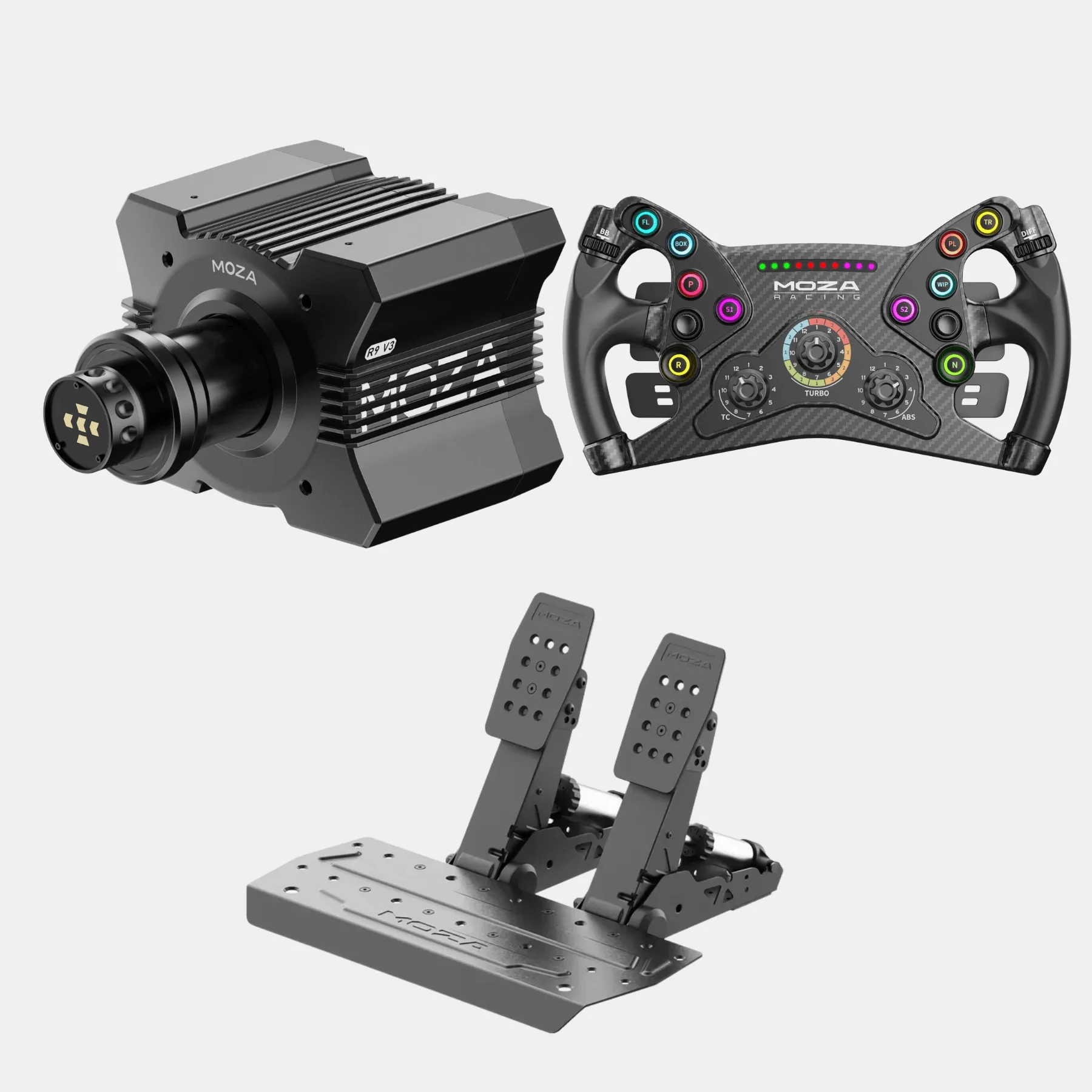
MOZA R9 V3 KS Sim Racing Bundle | SRP2
-
MOZA R9 V3 KS Sim Racing Bundle | SRP2: The bundle includes the KS butterfly-style GT wheel and the SRP2 pedal set, all within the MOZA Racing ecosystem. Since all components are designed to work together, setup is streamlined and software integration is seamless.
Once your bundle is set up and calibrated, you're ready to hit the track. If you run into any issues, refer to the MOZA Pit House help section or contact support. Enjoy your new direct drive experience!