Quick Answer
If you want a 4K gaming monitor that blends console and PC performance, the MSI MPG 321URX QD-OLED is a top contender with its 240Hz refresh and HDMI 2.1 ports. But it's not the only option, and your choice depends on your GPU, budget, and whether you prioritize speed or color accuracy.
Why 4K Gaming Monitors Differ Beyond Resolution
When comparing 4K gaming monitors, resolution is just the starting point. Refresh rate, panel technology, and connectivity shape how games look and feel. The MSI MPG 321URX uses a QD-OLED panel, which offers deep blacks and vibrant colors, but it also carries a higher price and potential burn-in considerations. Other 4K monitors may use IPS or VA panels, which are cheaper but often have slower response times or less impressive contrast.
Your GPU matters too. Driving 4K at high refresh rates requires serious graphics hardware. If your PC can't push 240 frames per second in the games you play, a 240Hz monitor might be overkill. Consider your current setup and upgrade plans before committing to a high-refresh 4K display.
Console vs PC Gaming: Different Priorities
Console gamers get a unique benefit from the MPG 321URX: HDMI 2.1 ports support 4K at 120Hz on next-gen consoles. This makes it a future-proof choice if you play on both PC and console. However, if you only game on PC, you might not need HDMI 2.1, and a DisplayPort-only monitor could save you money.
On the PC side, the 240Hz refresh rate is a standout for competitive shooters, but only if your GPU can deliver the frames. For slower, story-driven titles, a 144Hz 4K monitor might be a smarter budget pick.
Trade-Offs to Consider
- Refresh Rate vs GPU Demand: A 240Hz 4K monitor like the MPG 321URX demands a powerful GPU to hit high frame rates. If your graphics card can't deliver, you won't benefit from the full refresh rate. Check your GPU's performance in the games you play before investing in 240Hz.
- OLED vs LCD Panel: QD-OLED offers superior contrast and color but costs more and has burn-in risks. IPS and VA panels are cheaper but may have weaker blacks or slower response. If you're worried about burn-in, look for monitors with OLED care features or consider IPS alternatives.
- Price vs Features: The MPG 321URX is priced higher than many 4K monitors. You pay for the QD-OLED panel, 240Hz refresh, and HDMI 2.1. If you don't need all three, a cheaper 144Hz IPS monitor might suffice. List the features you actually need and compare prices to avoid overspending.
Product Facts
-
MSI MPG 321URX QD-OLED 32" 4KUHD 240Hz Gaming Monitor: The MSI MPG 321URX QD-OLED features a 3840x2160 UHD QD-OLED panel with a 240Hz refresh rate and 0.03ms (GtG) response time. This combination delivers exceptionally smooth motion and near-instant response, ideal for fast-paced games where every millisecond counts.
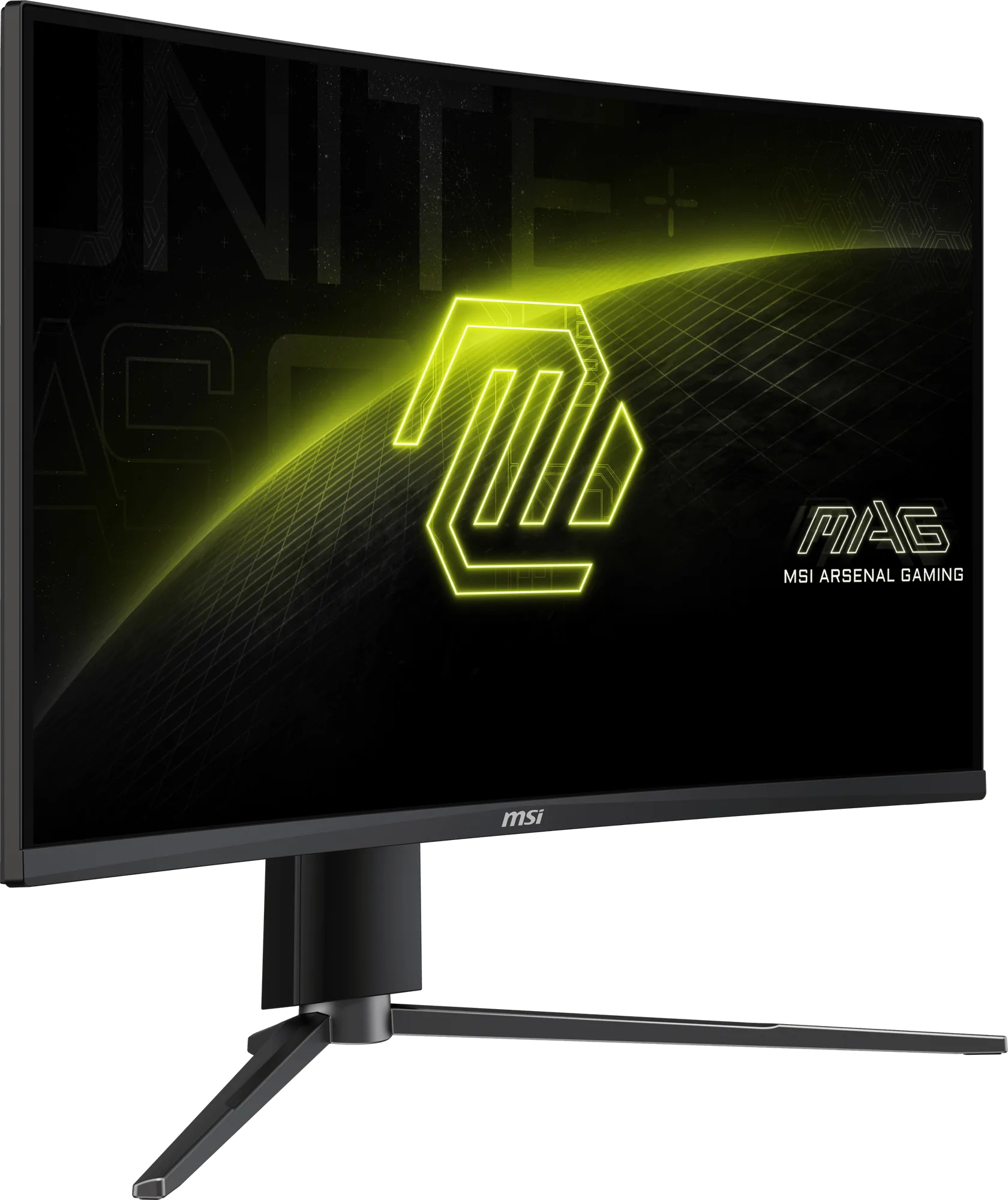
MSI MPG 321URX QD-OLED 32" 4KUHD 240Hz Gaming Monitor
-
MSI MPG 321URX QD-OLED 32" 4KUHD 240Hz Gaming Monitor: It includes HDMI 2.1 ports, supporting 4K at high refresh rates on compatible consoles. Console gamers can enjoy 4K gaming at 120Hz, making this monitor a versatile choice for both PC and console setups.
-
MSI MPG 321URX QD-OLED 32" 4KUHD 240Hz Gaming Monitor: The monitor is VESA certified for ClearMR 13000 and DisplayHDR True Black 400, ensuring vivid images and reduced motion blur. This certification confirms high-quality HDR performance and low blur, enhancing visual clarity in dark scenes and fast action.
Who Should Buy This Monitor
Best For
- PC gamers with high-end GPUs (like RTX 4080 or better) who want 4K at high refresh rates
- Console gamers who want a future-proof 4K display with HDMI 2.1 support
Not For
- Budget-conscious buyers who don't need 240Hz or OLED contrast
- PC gamers with mid-range GPUs that can't push high frame rates at 4K