Quick answer
Wash printed gaming mugs by hand with mild soap and a soft sponge. Avoid the dishwasher and microwave to keep prints and colors vibrant longer.
Why prints fade on gaming mugs
Most gaming mug prints are applied on the surface, not baked into the glaze. Heat, harsh detergents, and scrubbing can lift or scratch the ink over time. This is especially true for limited-run items like the Atlus P5R Big Bang Burger Mug, where the design is part of a collectible line and can't be easily replaced.
Step-by-step mug care routine
- Hand wash only: Fill your sink with warm water and a few drops of mild dish soap. Use a soft sponge or cloth—never an abrasive scrubber or steel wool. Gently wash the entire mug, paying extra attention to the printed area. Common mistake: using a rough sponge. Even a single scrub can scratch the print surface.
- Rinse and dry immediately: Rinse all soap off with clean warm water. Pat dry with a lint-free towel or let air dry upside down on a dish rack. Do not leave the mug soaking in water, as prolonged moisture can weaken the print adhesive over time. Checkpoint: if you see water spots on the print, you can buff them gently with a microfiber cloth.
- Store separately or with soft dividers: Keep your gaming mug in a cabinet where it won't bump against other ceramics. If stacking, place a soft cloth or paper towel between mugs. For display, a shelf away from direct sunlight will slow fading. Common mistake: stacking mugs without protection. The print can rub off or chip from friction.
Product fact
-
Atlus - P5R Big Bang Burger Mug: Officially licensed by ATLUS games and SEGA, part of the 2022 Anime Expo Exclusive product line with limited quantities and no restocks. Because the mug won't be restocked, protecting the print means preserving a collectible that can't be replaced if the design wears off.
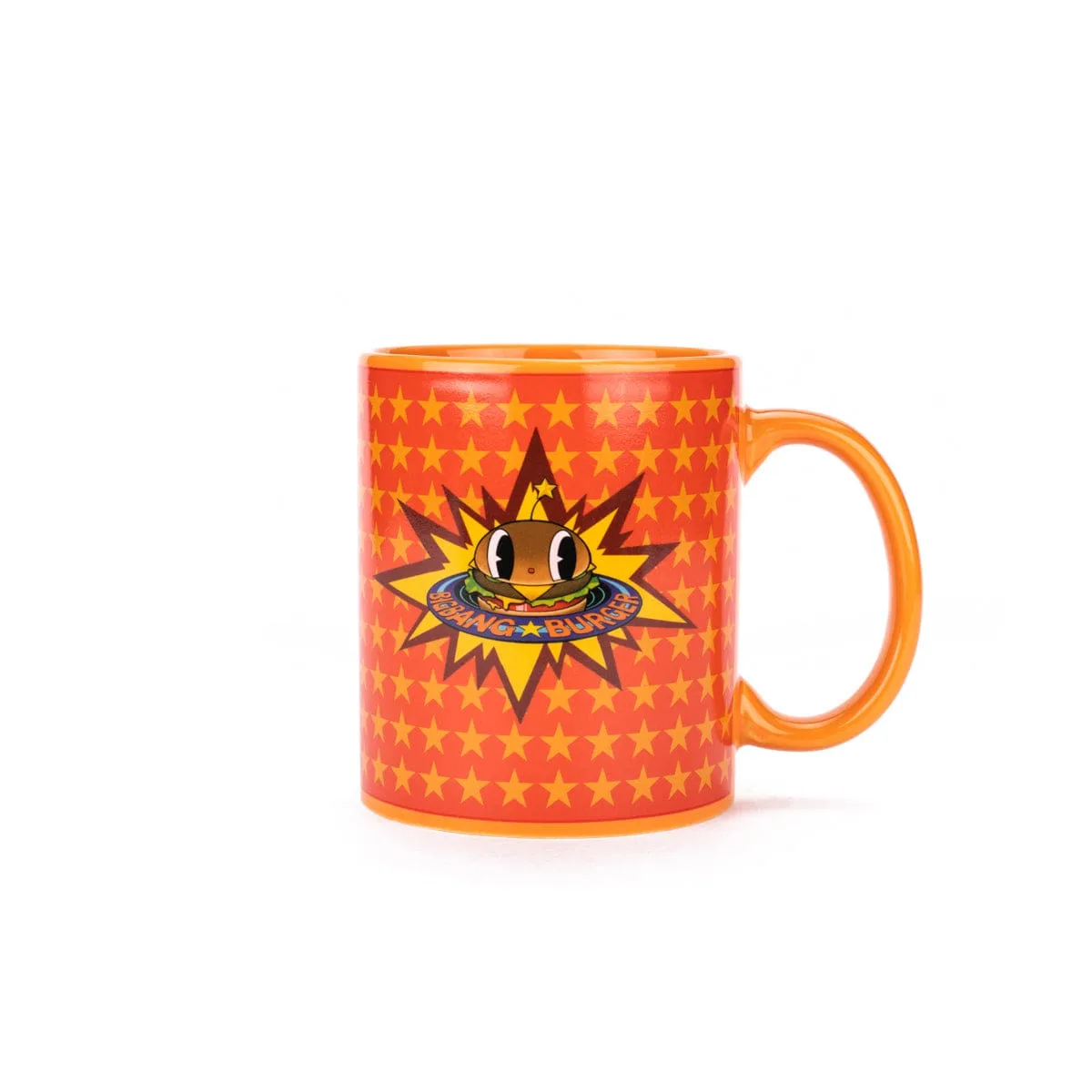
Atlus - P5R Big Bang Burger Mug